Y100250-47-2
MANUAL PROCEDURE
This cleaning procedure is performed by the field engineer and is not included in the programmed
maintenance scheduled by the automatic procedure.
Also in this case you need to run a system command for a magnetic stripe read operation.
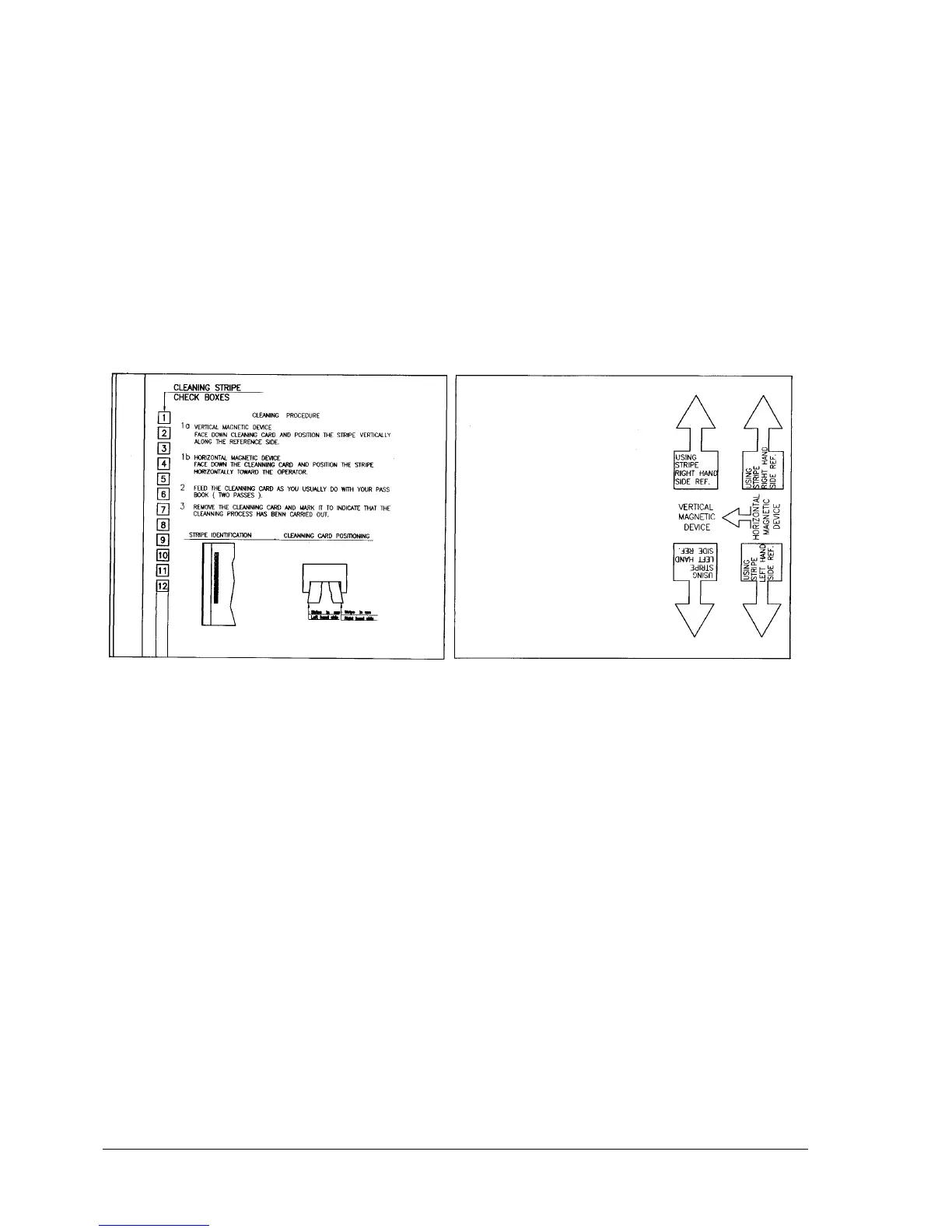
Insert the cleaning card in the front feed slot making sure to position it correctly: the machine will attempt
to read the card after which it expels the card and signals an error condition.
Power the machine off and then on again to resume its normal operating status.
Back of card
Cleaning stripe side
Fig. 7-1 Magnetic Head Cleaning Card
7.2 MAINTENANCE
Inside the machine, to the right-hand side, there is a brush which is used to clean the paper edge
detection photosensor located behind the printhead. This brush has a life span equivalent to that of the
printhead. If, in exceptional cases, the paper photosensor becomes dusty it is suggested that you
replace the cleaning brush.



 To Next Page