9-14
Y100250-4
9.2.11 ROLLER SUPPORT TRAY DISASSEMBLY/REASSEMBLY
- Remove the printer case (section 9.2.1) and console (section 9.2.2).
- Remove the mechanical assembly, separating it from the base of the machine (section 9.2.3).
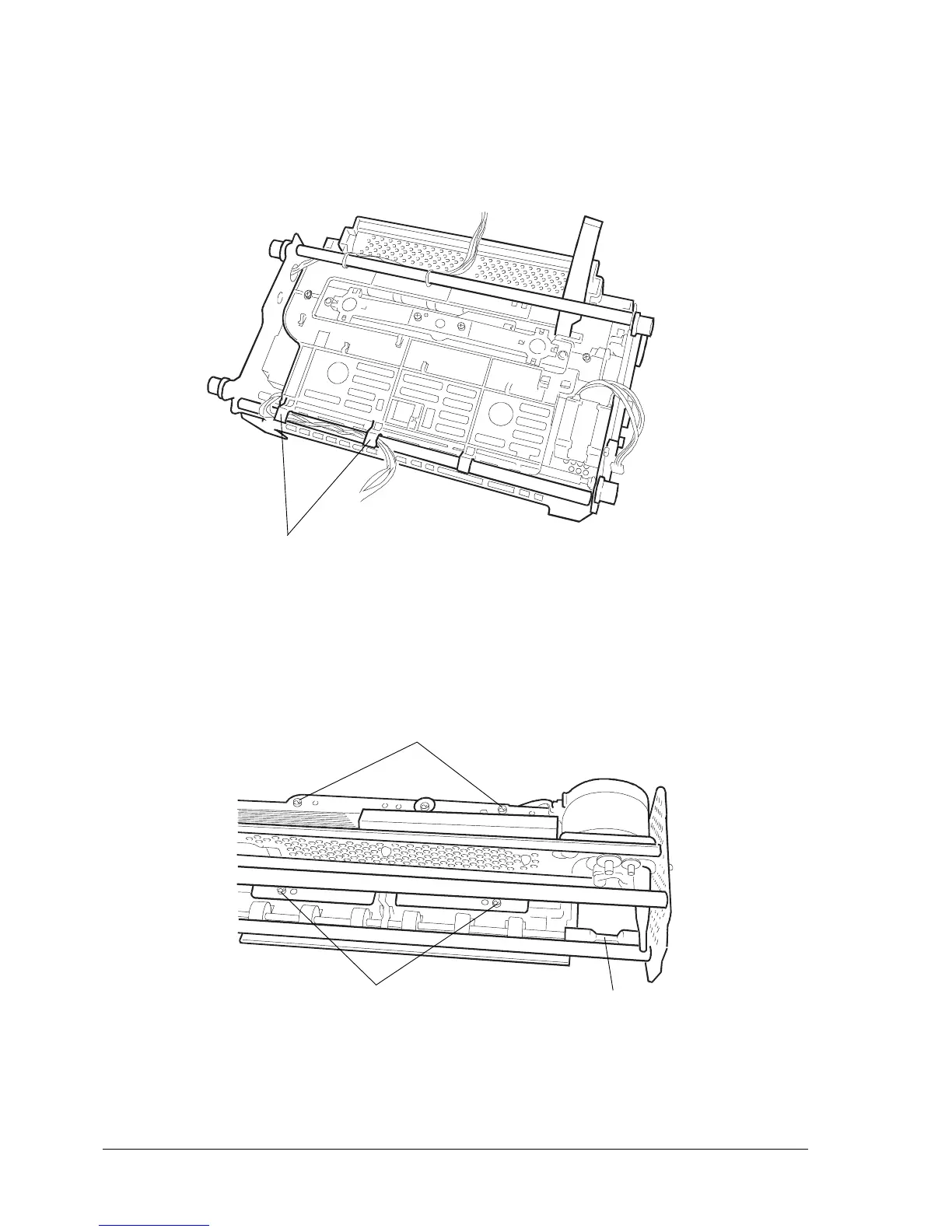
- Free the carriage reset photosensor wires from their plastic retaining clips (1).
- Remove the upper part of the mechanical assembly (section 9.2.7).
- Remove the four screws (2) and then extract the tray, being careful to avoid loosing the transmission
joint (3) and the tray's soundproofing.
Fig. 9-13
Note: During reassembly, make sure to correctly reposition the transmission joint and soundproofing
before tightening the screws.
Fig. 9-12
1
2
2
3



 To Next Page