9-8
Y100250-4
9.2.5 PRINTHEAD DISASSEMBLY/REASSEMBLY
- Open the printer cover and lift the mechanical assembly.
- Remove the ribbon cartridge.
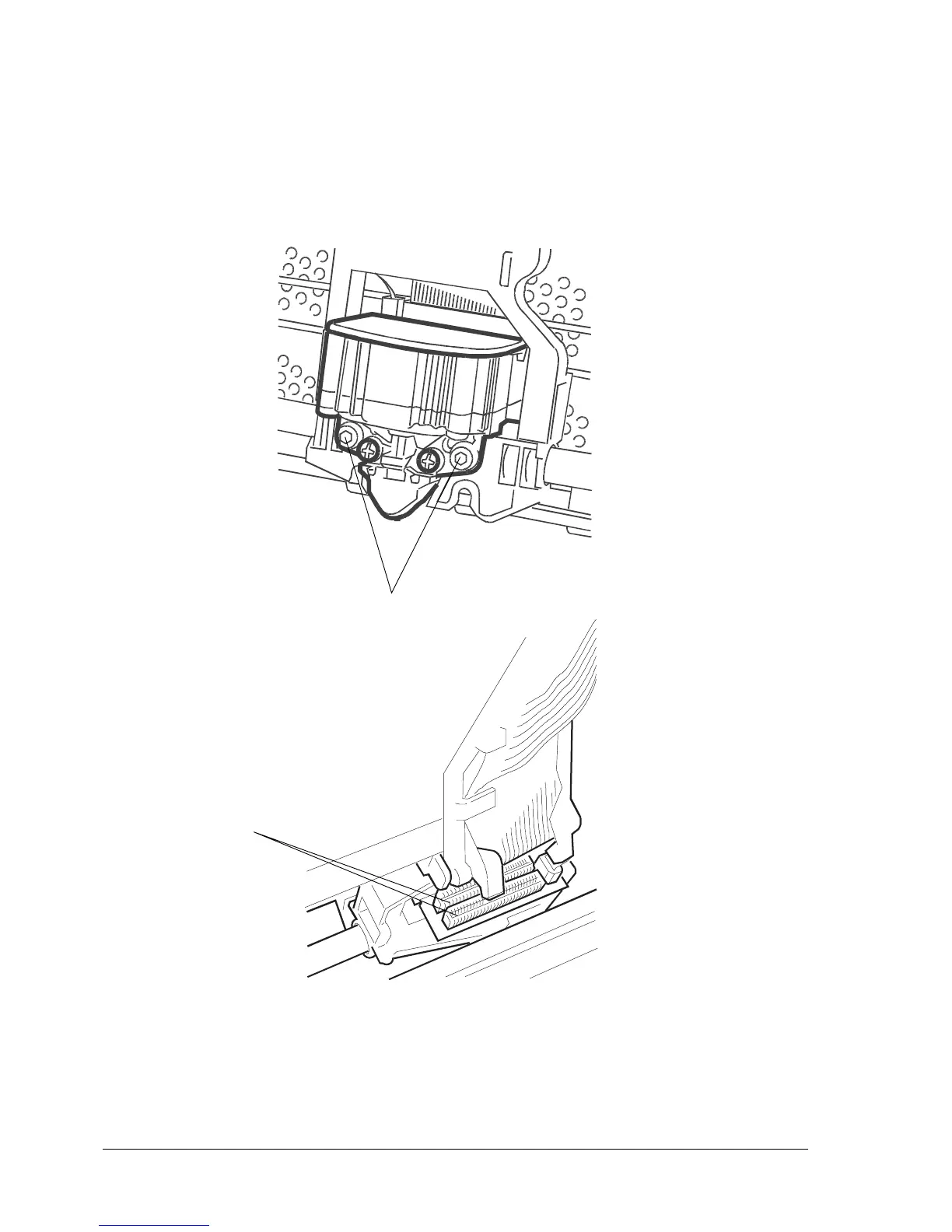
- Unscrew the two screws (1) that secure the printhead.
- Partly slide off the printhead from the carriage and unplug the two flat cables (2) from the connectors
on the printhead.
Note: After printhead reassembly, calibrate the printhead photosensor.
1
Fig. 9-6
2



 To Next Page