Service ManualY100250-4 9-7
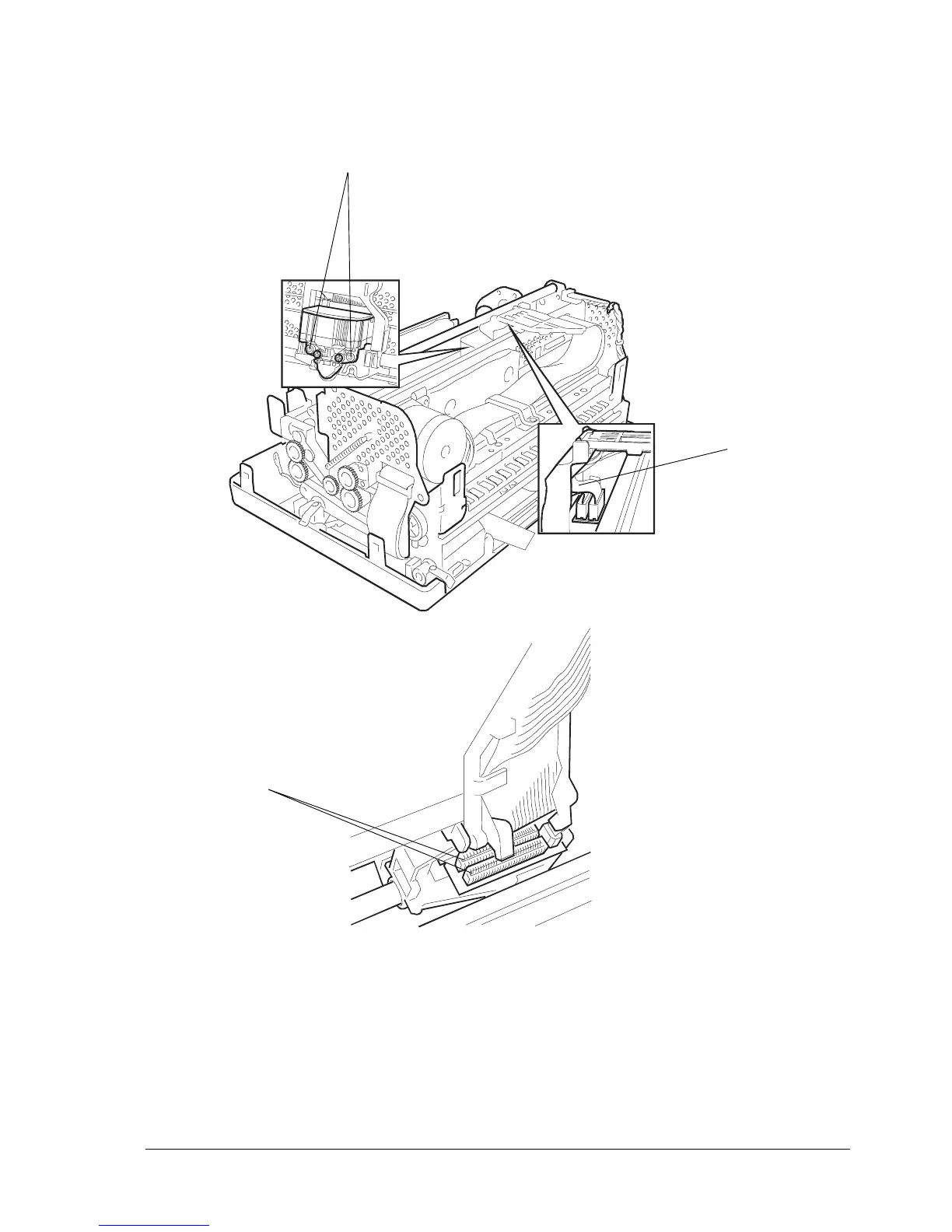
- Remove the printhead by unscrewing the two screws (7).
- Unplug the two flat cables from their connectors (8) on the printhead.
7
8
Warning: When reconnecting the flat cables to the printhead, make sure to restore the correct
cable route (9) as indicated in the figure so that the cables do not interfere with the ribbon
rewind gears; if the correct route is not restored the cables could become seriously
damaged during machine operation.
Fig. 9-5
8
9



 To Next Page