Service ManualY100250-4 9-21
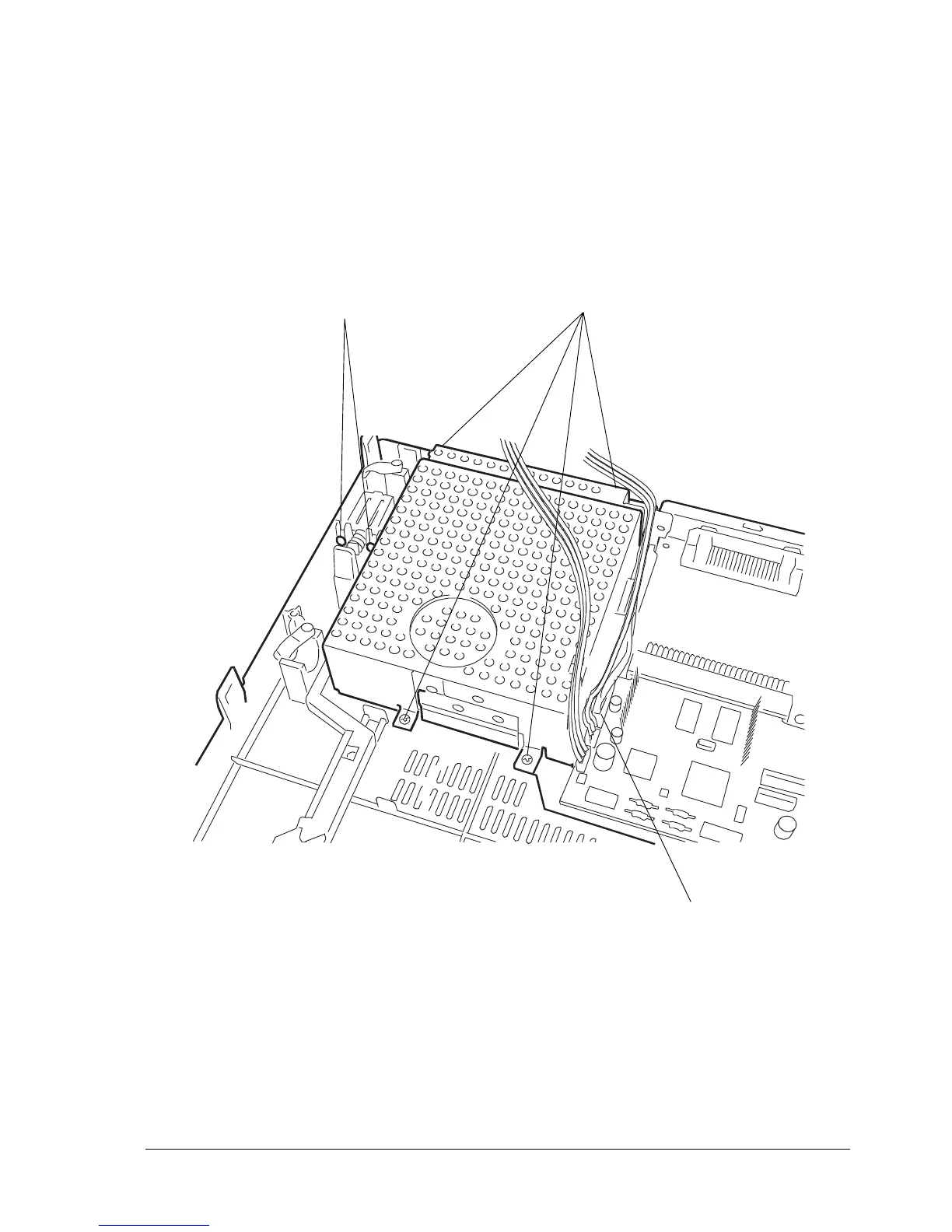
9.2.16 POWER SUPPLY ASSY DISASSEMBLY/REASSEMBLY
Note: If the fuse inside the power supply has blown, replace the entire power supply assy since some
components on the power supply board may be damaged.
- Remove the mechanical assy (section 9.2.3)
- Unplug the power supply cable (1) from the main board.
- Unscrews the four screws (2) that secure the power supply and also remove the ground wires.
- Loosen the two screws (3) that secure the switch.
- Extract the power supply assy.
Note: During reassembly, make sure that you correctly reposition the ground cables.
If you replace the assembly, make sure that the replacement unit uses the correct voltage.
Fig. 9-22
3
1
2



 To Next Page