Y100250-4
3-12
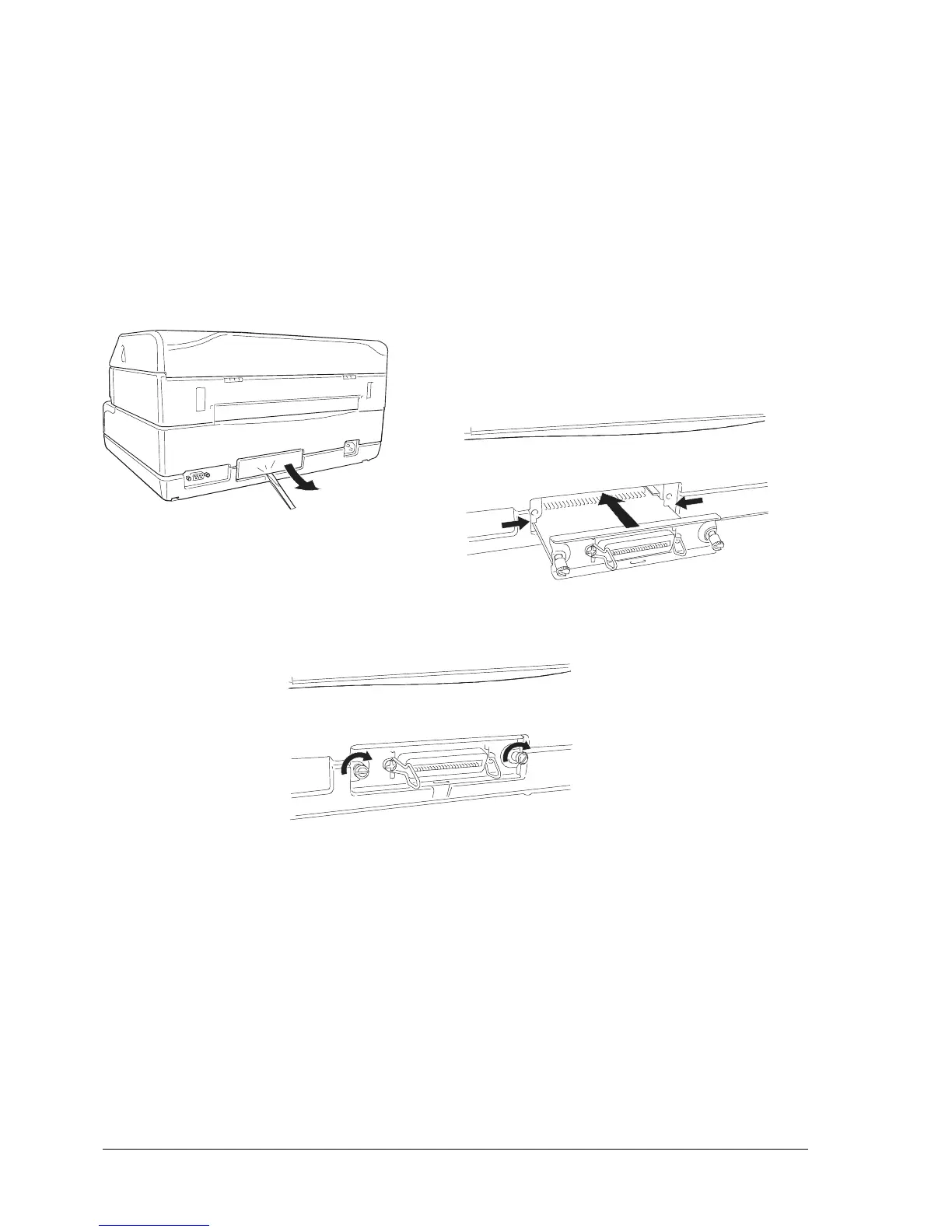
Proceed as follows to install this optional card:
- Power off the printer.
- Using a screwdriver, break off the slot cover of the optional serial interface on the rear of the printer.
- Insert the interface card in the slot and slide it along the guideways until it plugs into the related
connector on the main board. Push firmly to ensure proper connection.
- Tighten the card's two side screws to secure it in place.
Fig. 3-11 Installing the Parallel Interface Card
In a printer dual-port configuration consisting of the standard serial interface + parallel interface, in an
empty buffer and out of paper condition the printer polls the two ports to see which one will be assigned.
When a signal is received by any one of the two interfaces, the printer switches to the receiving interface
and maintains this condition until the end of the print job. Dual-port functionality is configured during
printer set-up; in particular, active emulation can be set on each of the two interfaces and can be
changed in run-time mode by means of a specific command.
1
2
3



 To Next Page