322
Inverter Positioning Section 5-3
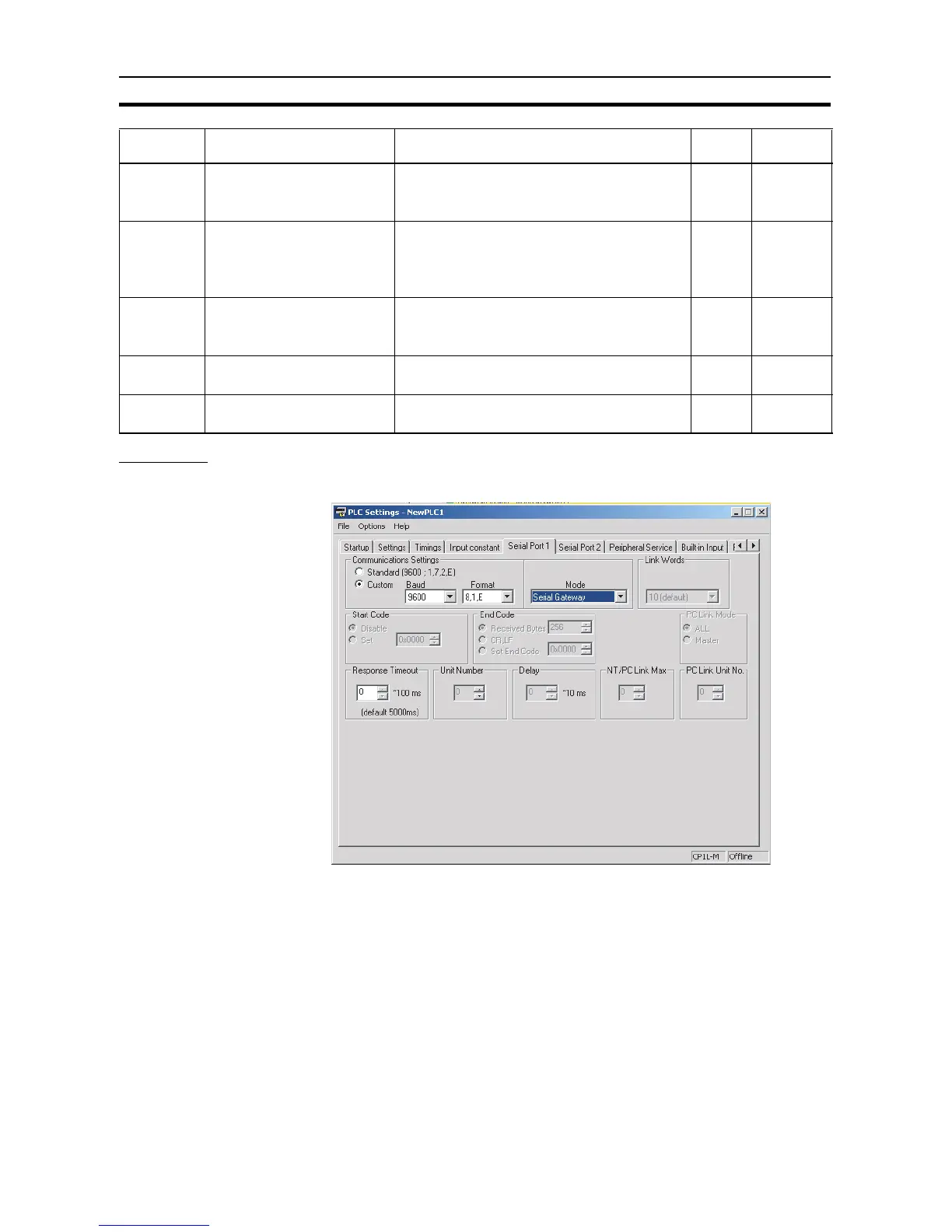
PLC Setup
■ Serial Port Communications Settings
Note (1) Set the baud rate and parity check settings to the same value as for the
Inverter communications parameters.
(2) Set the serial port to the serial gateway communications mode.
n153 RS-422A/485 communications
Slave address
Setting range: 0 to 32
00: Communications disabled
01 to 32: Slave address
01
n154 RS-422A/485 baud rate selec-
tion
0: 2,400 bps
1: 4,800 bps
2: 9,600 bps
3: 19,200 bps
22
n155 RS-422A/485 parity selection 0: Even
1: Odd
2: No parity
00
n156 RS-422A/485 send wait time Set value: 10 to 65 ms
Setting unit: 1 ms
10 ms 10 ms
n157 RS-422A/485 RTS control
selection
0: RTS control enabled
1: RTS control disabled
00
Parameter
No.
Name Description Default Setting












 To Next Page