32 Scan Tool User Guide
Read Codes
6: Diagnostic Trouble Codes
4 Wait for the test to start. While the test runs, the State
(of the actuators) remains active, any special
instructions appear on the screen, and a timer
counts down the time remaining for the test.
5 Follow any instructions that appear on the screen and
wait for the test to complete. When the test is
complete, the list of DTCs appears on the DTC
Information screen.
NOTE: If the DTC list does not appear within
15 seconds, press the EXIT key and restart the test.
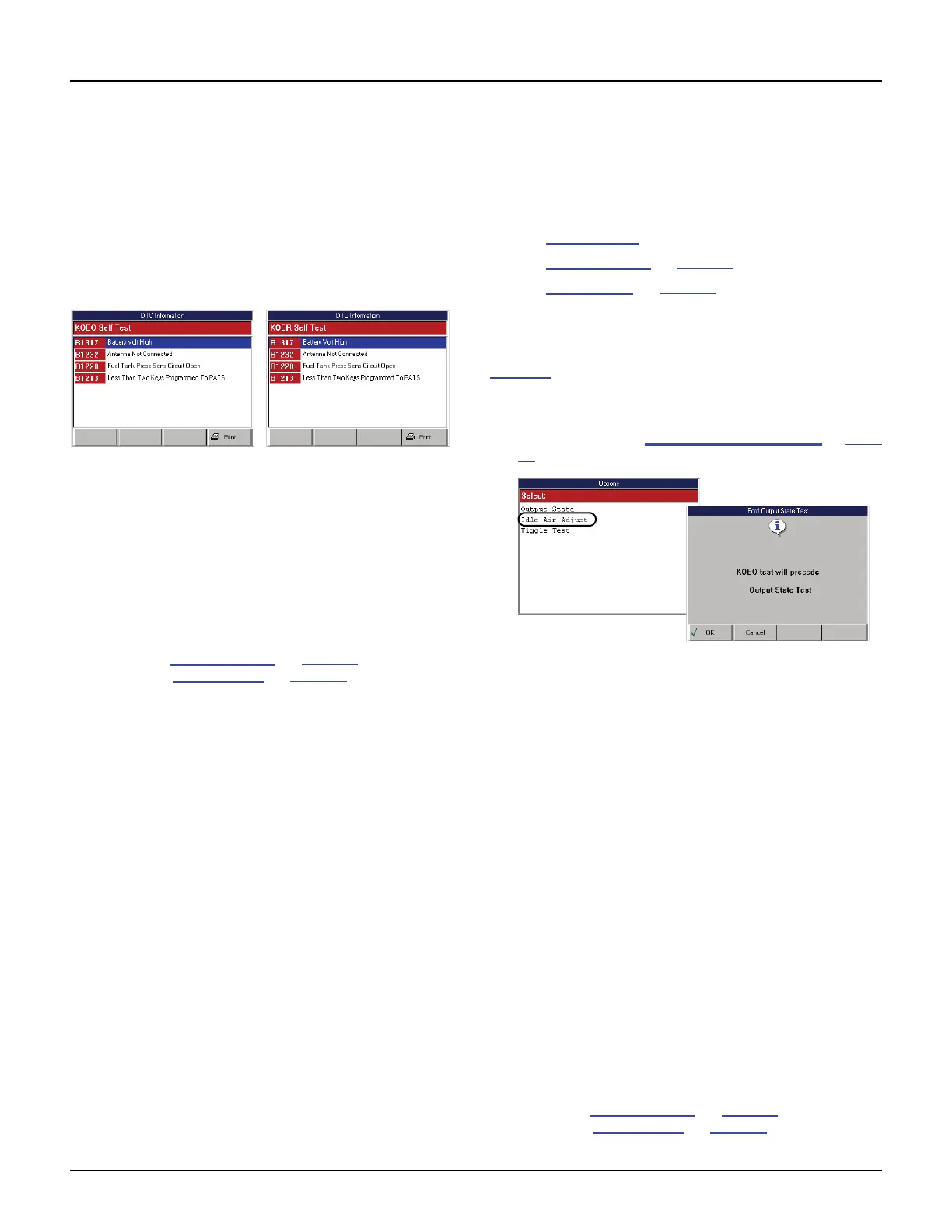
Figure 6.14: KOEO and KOER DTC Information Screens
NOTE: The KOEO DTC list includes previous
codes stored in the ECU (Current Codes or Keep
Alive Codes) and codes detected at the time of the
test (On-Demand Codes or Hard Fault Codes).
6 View the DTC list and optionally print it.
7 When finished viewing the list, use the EXIT key to
return to previous screens.
NOTE: Use the Review Codes option to view the codes
again; refer to Review Codes
on page 37. To clear the
codes, refer to Clear Codes
on page 38.
Options (Ford)
The Options function lets you test the function of the
output relays and lets you do a “wiggle” test to check
for intermittent breaks in circuitry. This section
includes the following procedures:
• Output State (below)
• Idle Air Adjust
on page 33
• Wiggle Test
on page 33
Output State
The Output State test does a KOEO self test (see
page 31
) and then lets you test the state of the output
relays by pressing and releasing the vehicle’s accel-
erator pedal.
1 Follow the steps in Read and Display Codes on page
27 to display the Options screen.
Figure 6.15: Options Screen and Output State Test Instruction
Screen
2 Select Output State and press the ENTER key. This
displays an instruction screen, shown above.
3 Press the OK function key to start the KOEO Self
Test. Several instruction screens appear.
4 Read the screens and follow all instructions. If
necessary, use the function keys to answer any
questions. Do this until the “Test completed” screen
appears.
5 Note any DTCs listed and press the Continue
function key. This displays another instruction screen
and then displays the Output Test State screen.
6 Follow the instructions on the Output Test State
screen. Compare the actual throttle position to the
Actuators state shown on the screen.
NOTE: This test may automatically exit after
10 minutes.
7 When finished, use the EXIT key to complete the test
and to return to previous screens.
NOTE: Use the Review Codes option to view the codes
again; refer to Review Codes
on page 37. To clear the
codes, refer to Clear Codes
on page 38.



 To Next Page