Scan Tool User Guide 33
Read Codes
6: Diagnostic Trouble Codes
Idle Air Adjust
The Idle Air Adjust function checks the status of the
base idle RPM.
1 Follow the steps in Read and Display Codes on page
27 to display the Options screen.
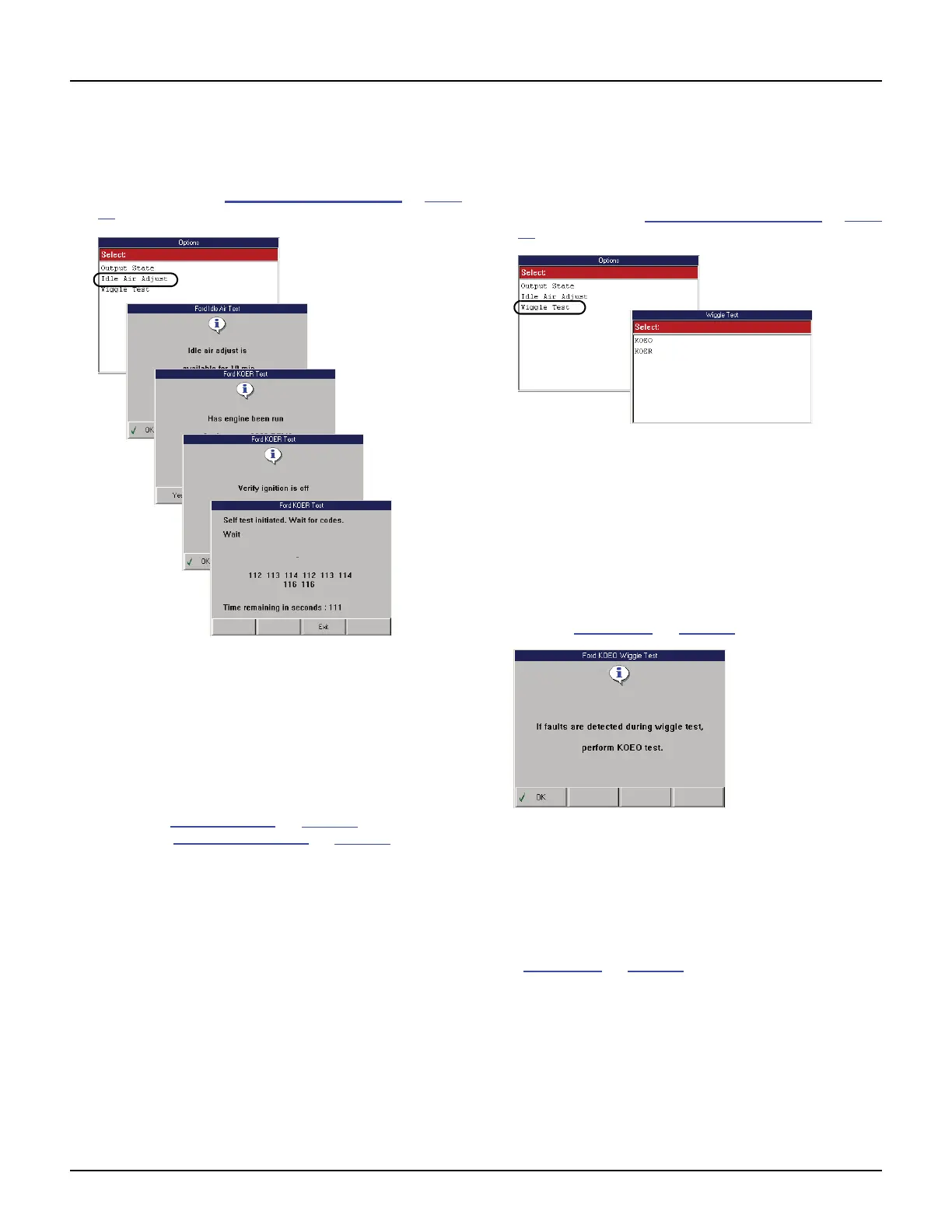
Figure 6.16: Options Screen and Idle Air Test Instruction Screens
(KOER Test)
2 Select Idle Air Adjust and press the ENTER key.
Several instruction screens appear (shown above).
3 Read the screens and follow all instructions.
If necessary, use the function keys to answer any
questions.
NOTE: Use the Review Codes option to view the codes
again; refer to Review Codes
on page 37. To clear the
codes, refer to Read Flash Codes
on page 36.
Wiggle Test
The Wiggle Test function lets you check for intermit-
tent breaks in connections and for open or short
circuits by manually wiggling vehicle wires.
1 Follow the steps in Read and Display Codes on page
27 to display the Options screen.
Figure 6.17: Options Screen and Wiggle Test Screen
2 Select Wiggle Test and press the ENTER key to
display the Wiggle Test screen (shown above).
3 Select either KOEO or KOER to do the test with the
key on and the engine either off (KOEO) or running
(KOER).
4 If you select KOER, start the vehicle’s engine.
5 Press the ENTER key. This displays an instruction
screen (Figure 6.18
on page 33).
Figure 6.18: Wiggle Test Instruction Screen
6 Press the OK function key to continue. Several
instruction screens appear.
7 Read the screens and follow all instructions. If
necessary, use the function keys to answer any
questions. Do this until the test screen appears
(Figure 6.19
on page 34).



 To Next Page