Page 1-3
GENERAL DESCRIPTION
1
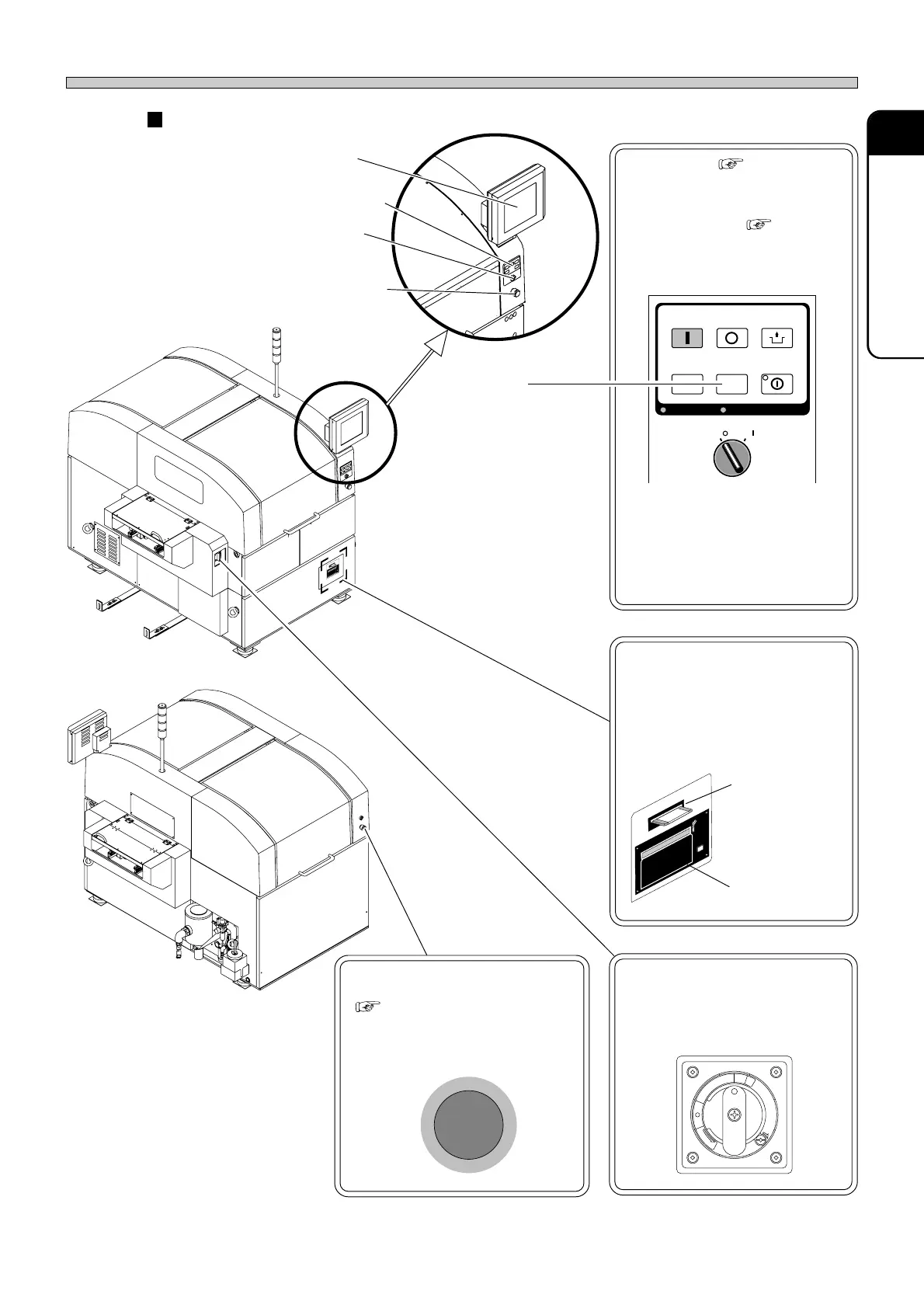
Operating units
Touch panel ( 2-2)
Used to operate this machine.
Operating panel ( 2-1)
Used to start/stop this machine
and so on.
Servo switch
(Two in total)
Used for ON/OFF power switch
of the servo-system power.
E
M
E
R
G
E
N
C
Y
S
T
O
P
Floppy disk drive
Used to write and read the
programming data.
Printer
Used to print the hard copy and
production information.
Floppy disk
drive
Printer
Power supply switch
Used for ON/OFF power switch of
this machine.
Emergency stop button
(Two in total)
( SAFETY PRECAUTIONS)
When you press this button, this
machine comes to an emergent
stop.
Names and Mechanism of Each Unit
(Inside the cover)
R
E
L
E
A
S
E
T
R
I
P
O
F
F
O
N
R
E
S
E
T
Touch panel
Operating panel
Servo switch
Emergency
stop button
1E4C-AA00
1E4C-AB00
1E4C-E-OMA01-A01-00
OFF ( )
ON ( )
SERVO
STOP
UNLOCK
STEP
START
LIGHT ON
SELECT
KEY LOCKKEY LOCK BACK LIGHT OFFBACK LIGHT OFF
LIGHT ON
The SP28P-D/DU
does not have this
switch.












 To Next Page