User’s Manual of IGS-20040MT
Click to enable
Classification at Ingress side.
Classify
Egress
There are the following configurable parameters for Egress side –
Remap DP0 Controls the remapping for frames with DP level 0.
Remap DP1 Controls the remapping for frames with DP level 1.
Select the DSCP valu
e from select menu to which you want to remap. DSCP
value ranges form 0 to 63.
Remap DP0
Select the DSCP valu
e from select menu to which you want to remap. DSCP
value ranges form 0 to 63.
Remap DP1
Buttons
: Click to apply changes
: Click to undo any changes made locally and revert to previously saved values.
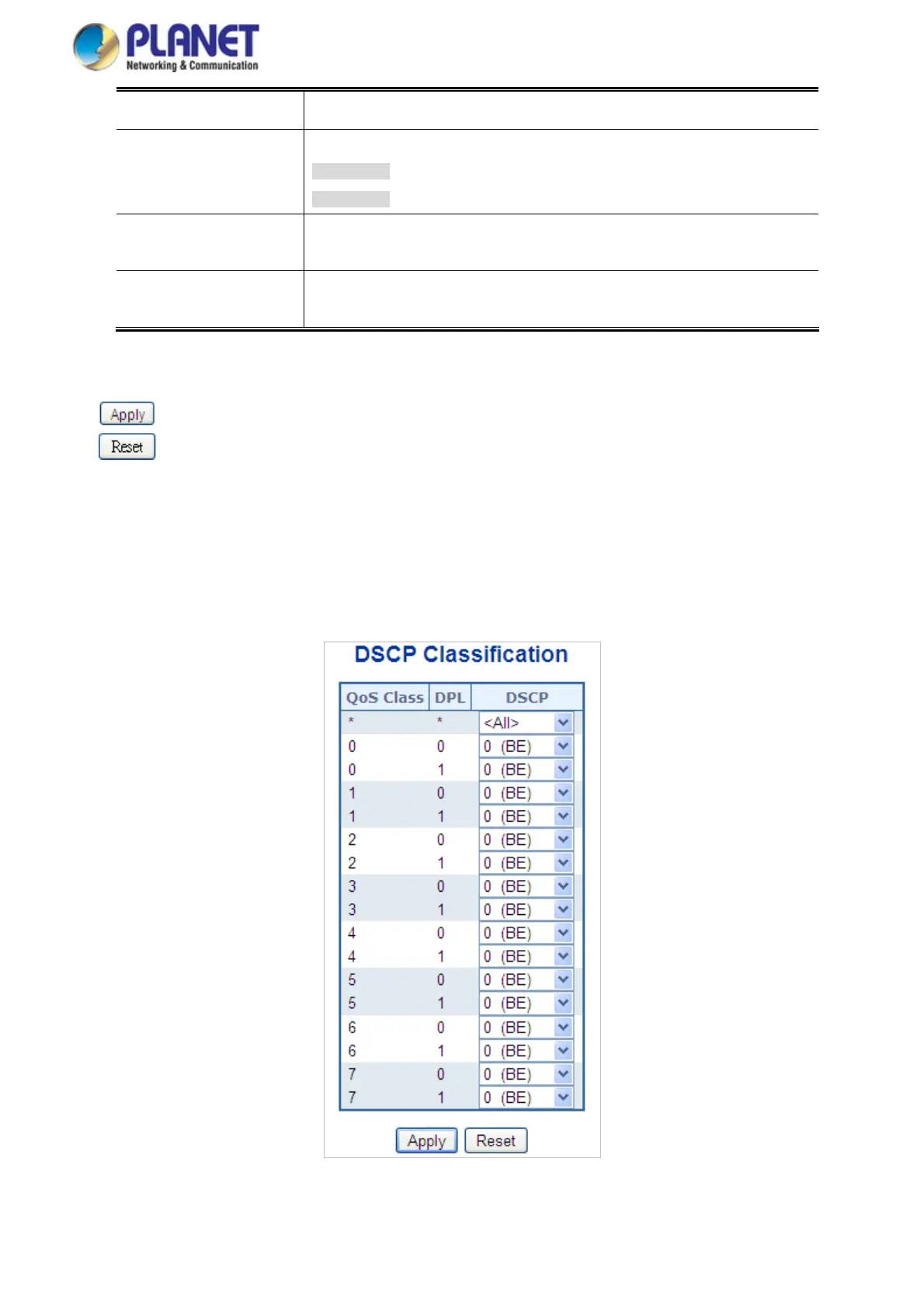
4.9.10 DSCP Classification
This Page allows you to map DSCP value to a QoS Class and DPL value. The DSCP Classification screen in Figure 4-9-11
appears.
Figure 4-9-11: DSCP Classification Page Screenshot
206














 To Next Page