User’s Manual of IGS-20040MT
The VLAN ID (VID) of the specific IPv6 interface associated with the
gateway.
Next Hop VLAN
Buttons
: Click to add a new IP interface. A maximum of 128 interfaces is supported.
: Click to add a new IP route. A maximum of 32 routes is supported.
: Click to apply changes.
: Click to undo any changes made locally and revert to previously saved values.
4.2.3 IP Status
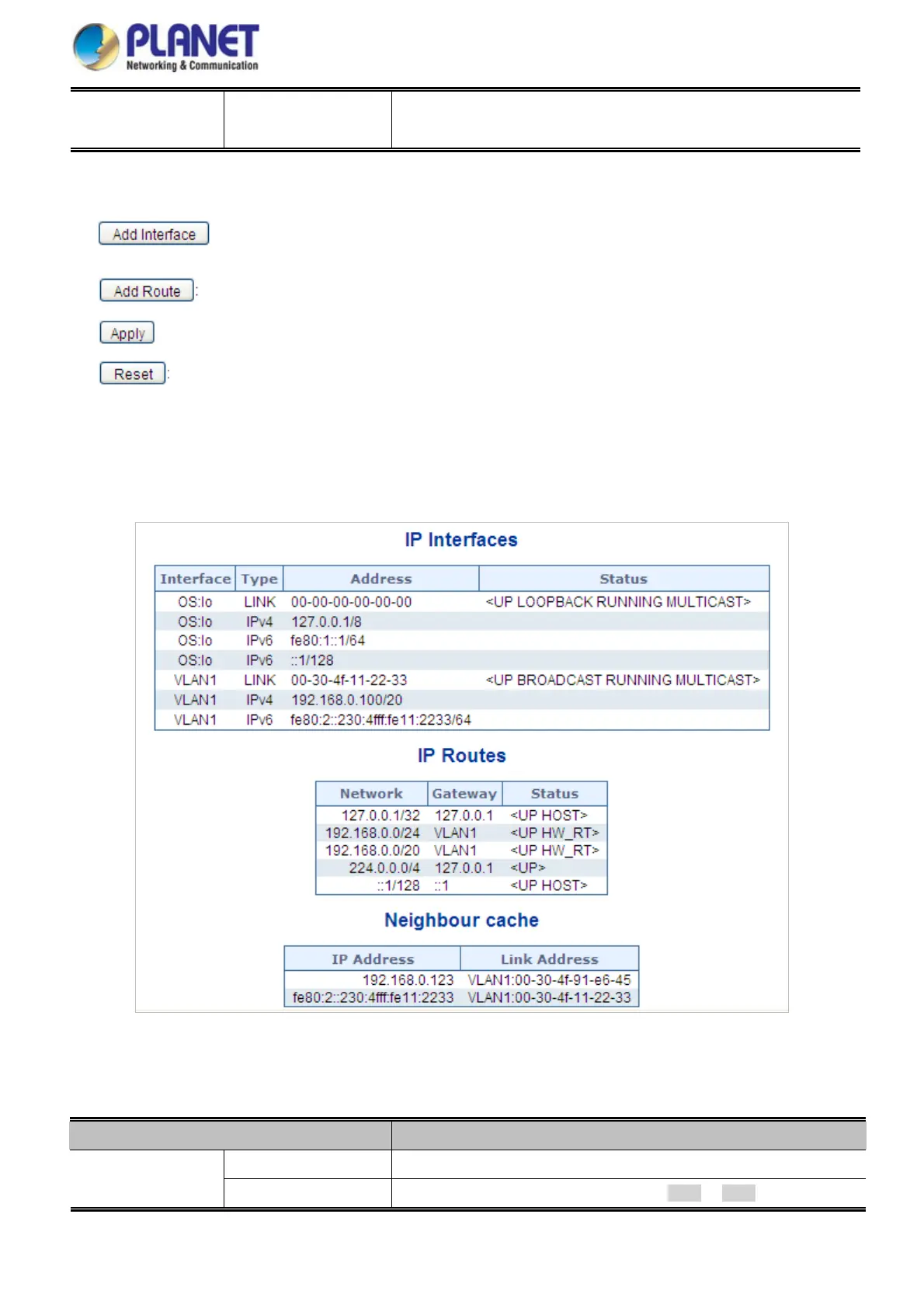
IP Status displays the status of the IP protocol layer. The status is defined by the IP interfaces, the IP routes and the neighbour
cache (ARP cache) status. The screen in Figure 4-2-3 appears.
Figure 4-2-3: IP Status Page Screenshot
The Page includes the following fields:
Object Description
Interface
The name of the interface.
IP Interfaces
Type
The address type of the entry. This may be LINK or IPv4.
57














 To Next Page