User’s Manual of IGS-20040MT
3.6 PLANET Smart Discovery Utility
To easily list the Industrial Managed Switch in your Ethernet environment, the Planet Smart Discovery Utility from user’s
manual CD-ROM is an ideal solution. The following install instructions guide you to running the Planet Smart Discovery Utility.
1. Open the Planet Smart Discovery Utility in administrator PC.
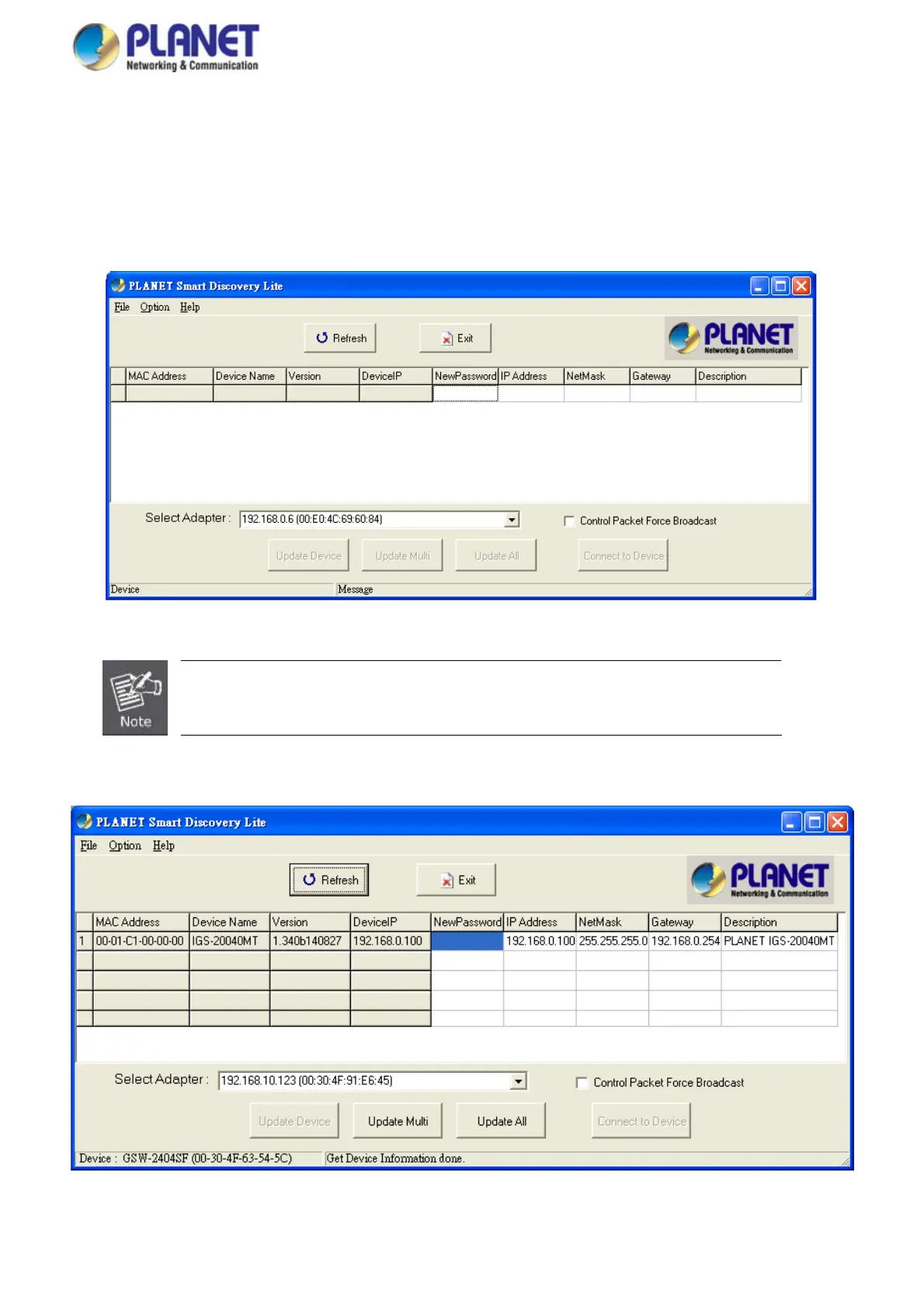
2. Run this utility and the following screen appears.
Figure 3-6: Planet Smart Discovery Utility Screen
If there are two LAN cards or above in the same administrator PC, choose a different LAN card
by using the “Select Adapter” tool.
3. Press “Refresh” button for the currently connected devices in the discovery list as the screen is shown as follows.
Figure 3-7: Planet Smart Discovery Utility Screen
46














 To Next Page