User’s Manual of IGS-20040MT
4.2.5 Privilege Levels
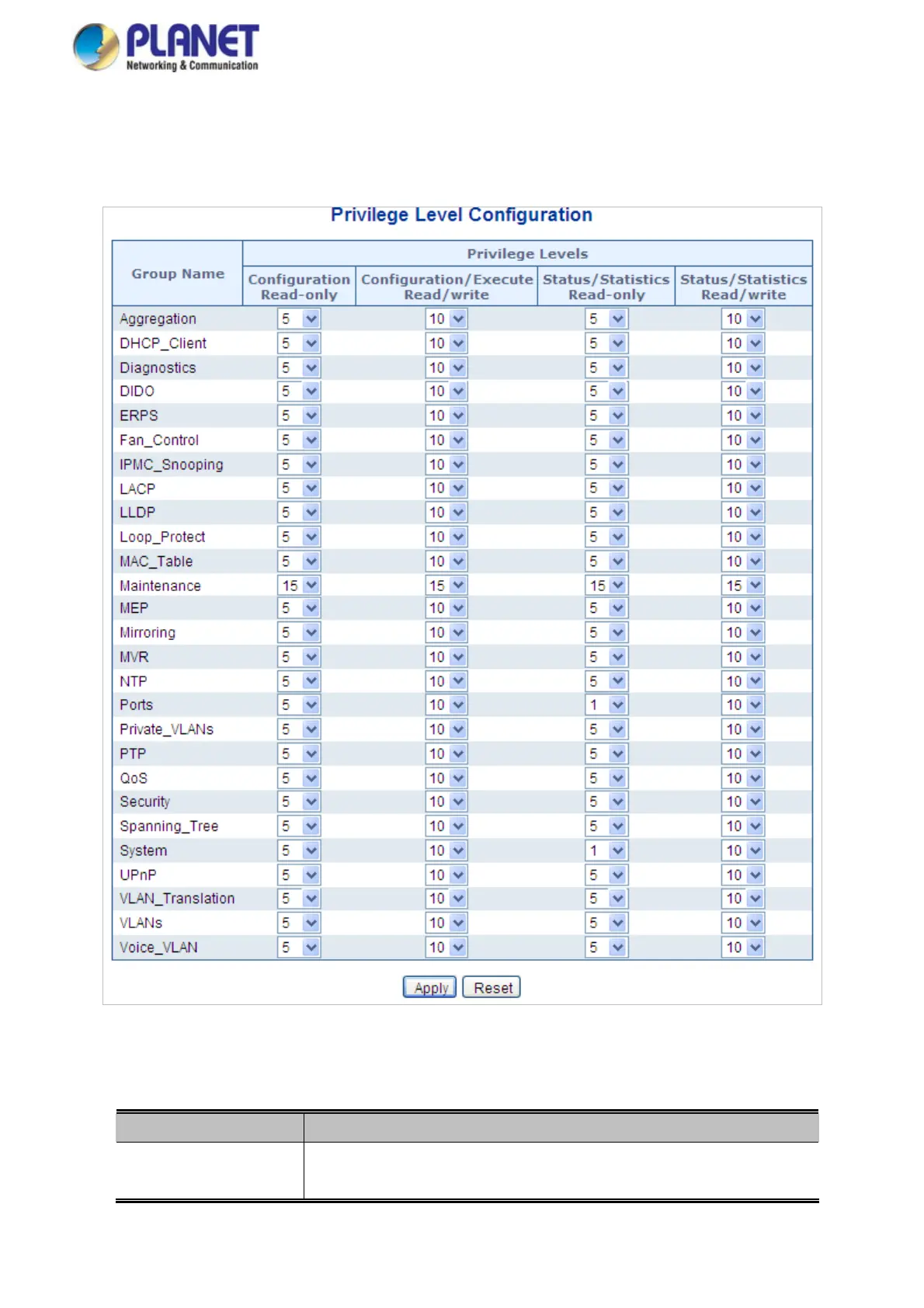
This Page provides an overview of the privilege levels. After setup is completed, please press “Apply” button to take effect.
Please login web interface with new user name and password and the screen in Figure 4-2-7 appears.
Figure 4-2-7: Privilege Levels Configuration Page Screenshot
The Page includes the following fields:
Object Description
Group Name
The name identifying the privilege group. In most cases, a privilege level group
consists of a single module (e.g. LACP, RSTP or QoS), but a few of them contain
61














 To Next Page