User’s Manual of IGS-20040MT
4.9.15 Voice VLAN Configuration
The Voice VLAN feature enables voice traffic forwarding on the Voice VLAN, then the switch can classify and schedule network
traffic. It is recommended that there be two VLANs on a port - one for voice, one for data.
Before connecting the IP device to the switch, the IP phone should configure the voice VLAN ID correctly. It should be
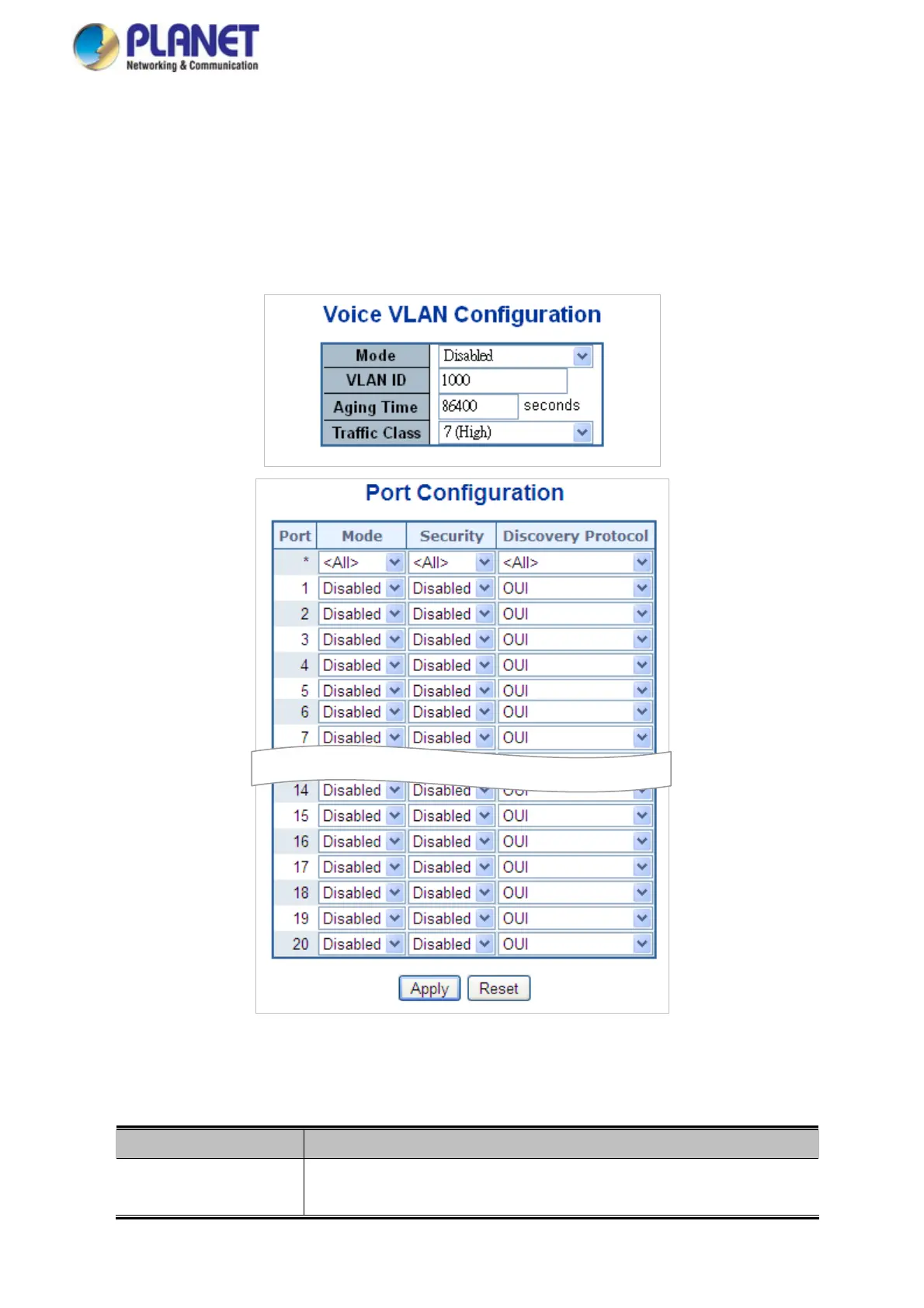
configured through its own GUI. The Voice VLAN Configuration screen in Figure 4-9-18 appears.
Figure 4-9-17: Voice VLAN Configuration Page Screenshot
The Page includes the following fields:
Object Description
Mode
Indicates the Voice VLAN mode operation. We must disable MSTP feature
before we enable Voice VLAN. It can avoid the conflict of ingress filter. Possible
215














 To Next Page