User’s Manual of IGS-20040MT
4.19.4 Ethernet Ring Protocol Switch Configuration
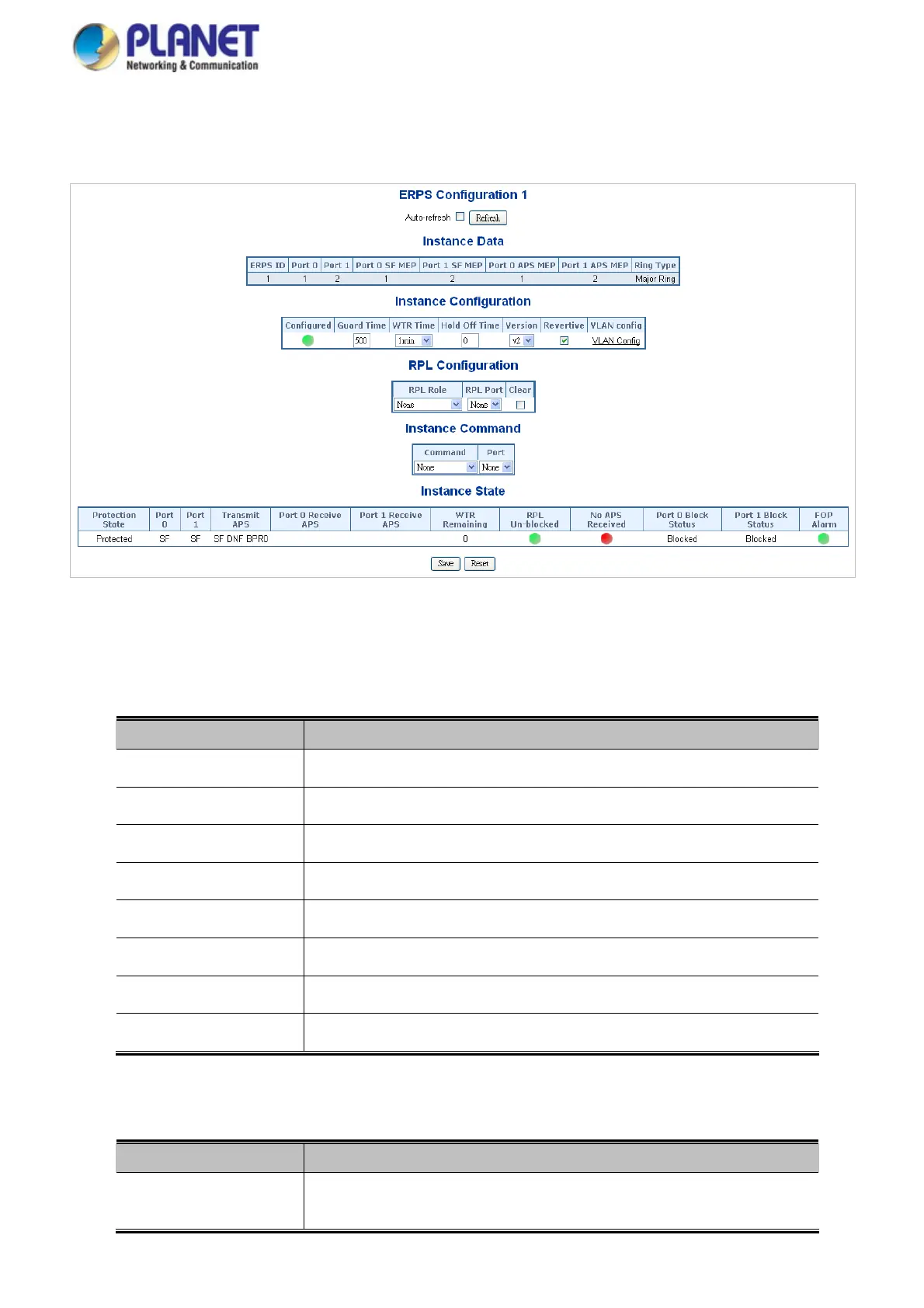
This page allows the user to inspect and configure the current ERPS Instance; screen in Figure 4-19-4 appears.
Figure 4-19-4: Ethernet Ring Protocol Switch Configuration page screenshot
The page includes the following fields:
Instance Data:
Object Description
The ID of the Protection gr
oup.
ERPS ID
See help on
ERPS create WEB.
Port 0
See help on
ERPS create WEB.
Port 1
See help on
ERPS create WEB.
Port 0 SF MEP
See help on
ERPS create WEB.
Port 1 SF MEP
See help on
ERPS create WEB.
Port 0 APS MEP
See help on
ERPS create WEB.
Port 1 APS MEP
Type of Protect
ing ring. It can be either major ring or sub-ring.
Ring Type
Instance Configuration:
Object Description
Configuration
Red: This ERPS is only created and has not yet been configured - is not active.
Green: This ERPS is configured - is active.
351














 To Next Page