User’s Manual of IGS-20040MT
4.19.5 Ring Wizard
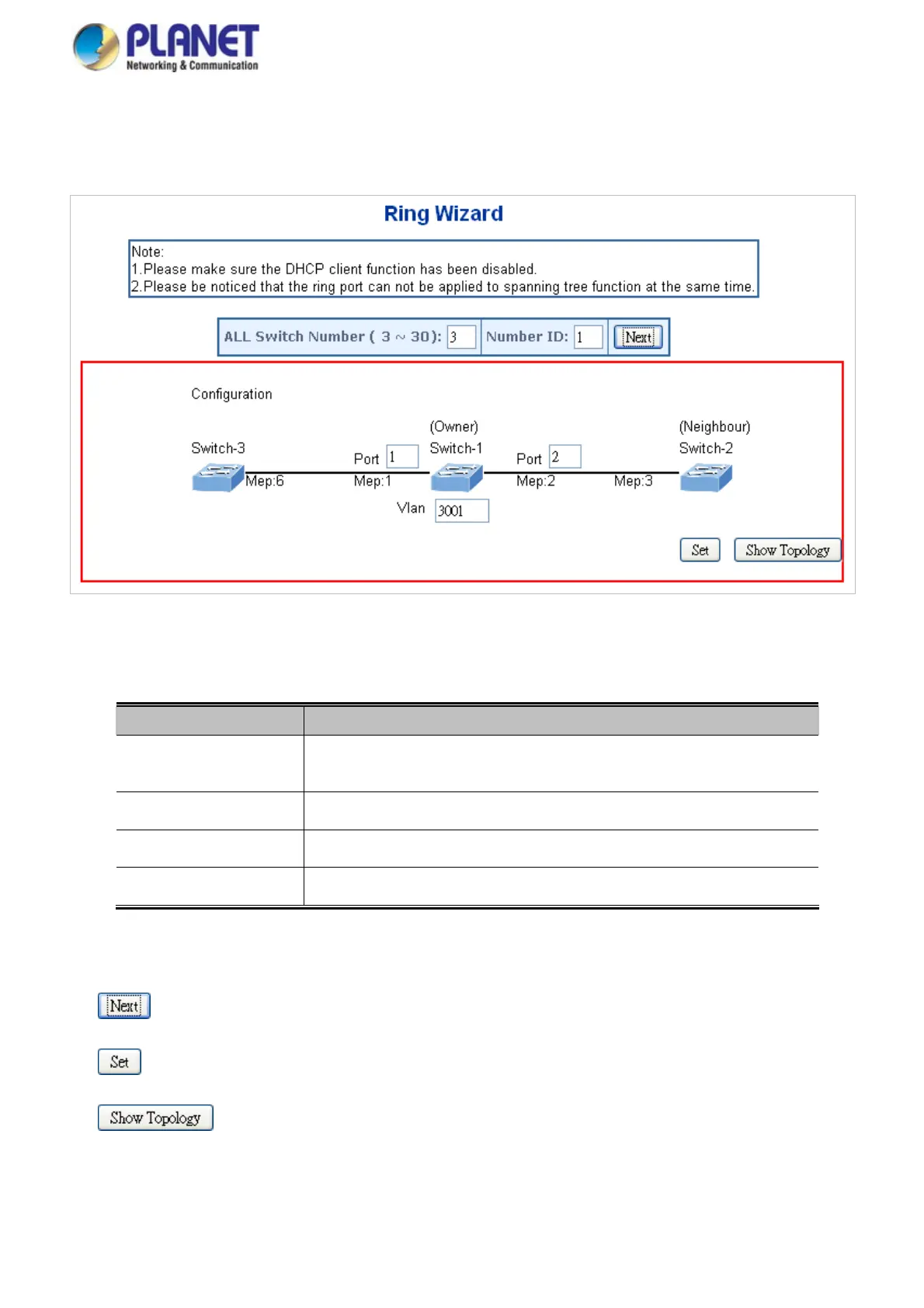
This page allows the user to configure the ERPS by wizard; screen in Figure 4-19-4 appears.
Figure 4-19-5: Ring Wizard page screenshot
The page includes the following fields:
Object Description
Set all the swit
ch numbers for the ring group. The default number is 3 and
maximum number is 30.
All Switch Numbers
The sw
itch where you are requesting ERPS.
Number ID
Configures the port numb
er for the MEP.
Port
Set the ERPS VLAN.
VLAN
Buttons
: Click to configure ERPS.
: Click to save changes.
: Click to show the ring topology.
354














 To Next Page