User’s Manual of IGS-20040MT
Buttons
: Click to add a new MEP entry
: Click to refresh the page immediately.
: Click to save changes.
: Click to undo any changes made locally and revert to previously saved values.
4.19.2 Detailed MEP Configuration
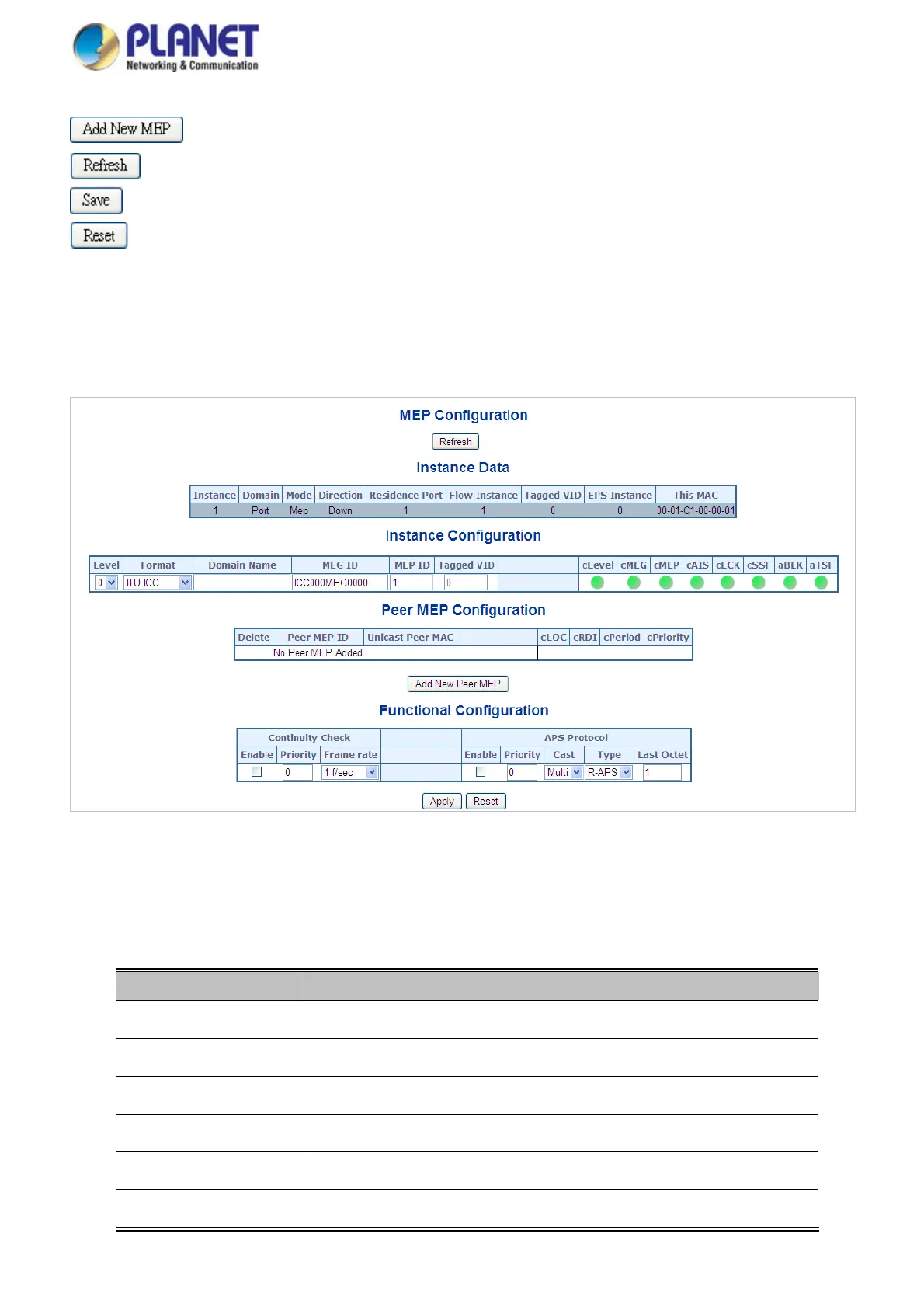
This page allows the user to inspect and configure the current MEP Instance.; screen in Figure 4-19-2 appears.
Figure 4-19-2: Detail MEP configuration page screenshot
The page includes the following fields:
Instance Data:
Object Description
The ID of the MEP
.
Instance
See help on
MEP create WEB.
Domain
See help on
MEP create WEB.
Mode
See help on
MEP create WEB.
Direction
See help on
MEP create WEB.
Residence Port
Flow Instance
See help on MEP create WEB.
346














 To Next Page