User’s Manual of IGS-20040MT
4.9.14 QoS Statistics
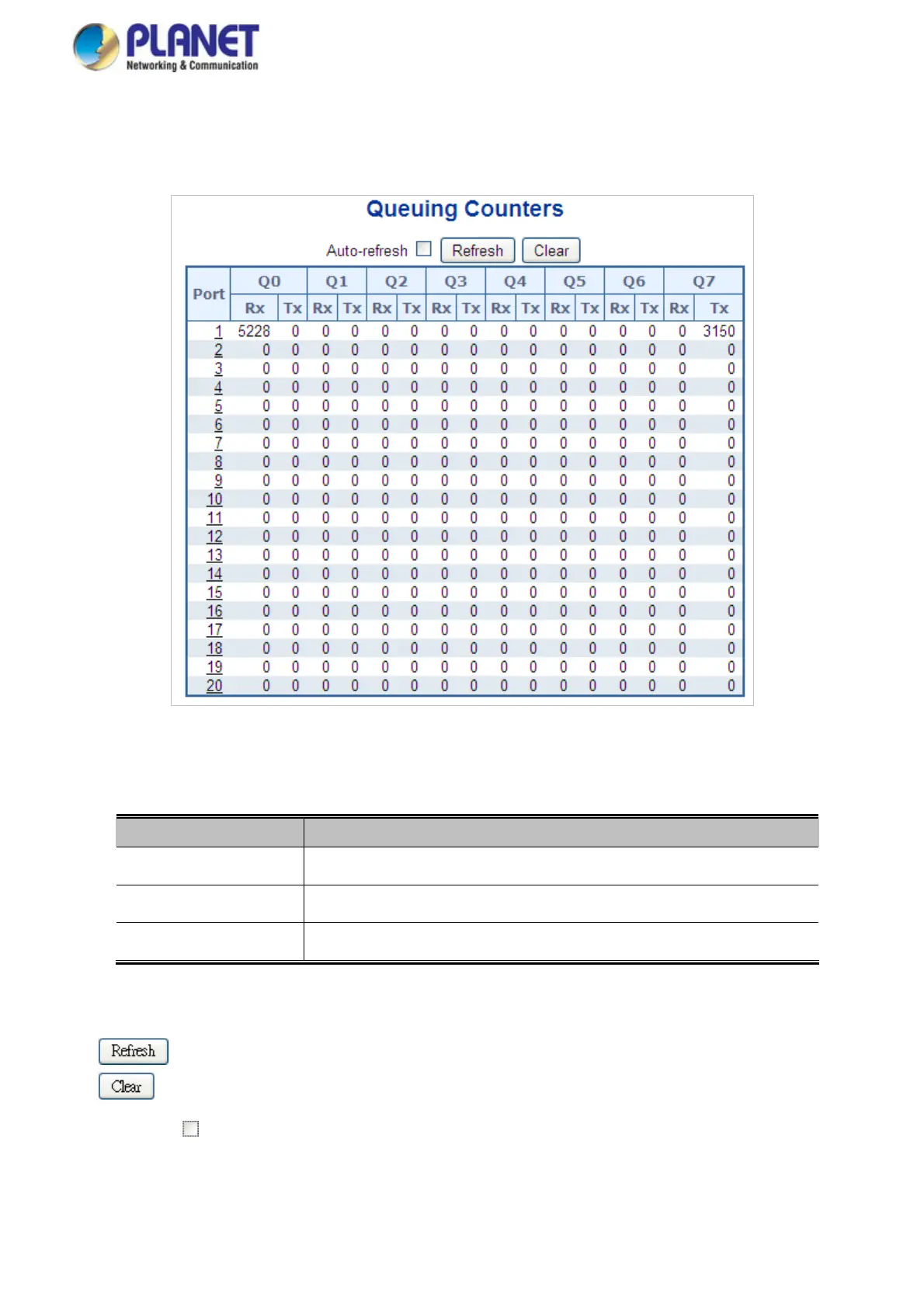
This Page provides statistics for the different queues for all switch ports. The QoS Statistics screen in Figure 4-9-17 appears.
Figure 4-9-16: Queuing Counters Page Screenshot
The Page includes the following fields:
Object Description
The logical po
rt for the settings contained in the same row.
Port
There are 8 QoS queues per p
ort. Q0 is the lowest priority queue.
Q0 ~ Q7
The number of received an
d transmitted packets per queue.
Rx/Tx
Buttons
: Click to refresh the Page immediately.
: Clears the counters for all ports.
Auto-refresh
: Check this box to enable an automatic refresh of the Page at regular intervals.
214














 To Next Page