User’s Manual of IGS-20040MT
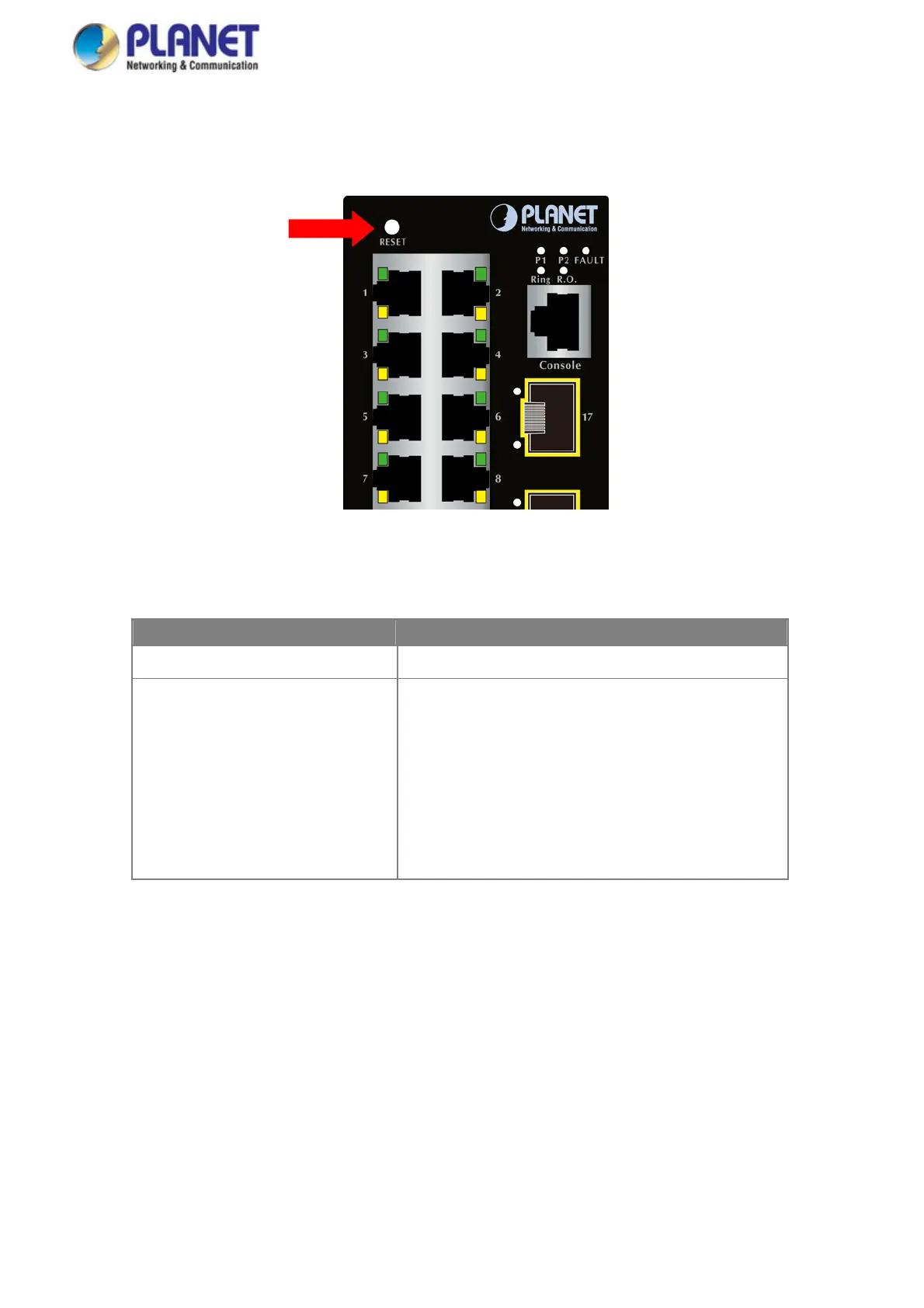
■ Reset button
On the upper left side of the front panel, the reset button is designed for rebooting the Industrial Industrial Managed Switch
without turning off and on the power. The following is the summary table of reset button functions:
Figure 2-2: Reset button of Industrial Managed Switch
Reset Button Pressed and Released Function
< 5 sec: System Reboot Reboot the Industrial Managed Switch.
> 5 sec: Factory Default
Reset the Industrial Managed Switch to Factory Default
configuration. The Industrial Managed Switch will then reboot
and load the default settings as shown below:
。 Default Username: admin
。 Default Password: admin
。 Default IP address: 192.168.0.100
。 Subnet mask: 255.255.255.0
。 Default Gateway: 192.168.0.254
24














 To Next Page