User’s Manual of IGS-20040MT
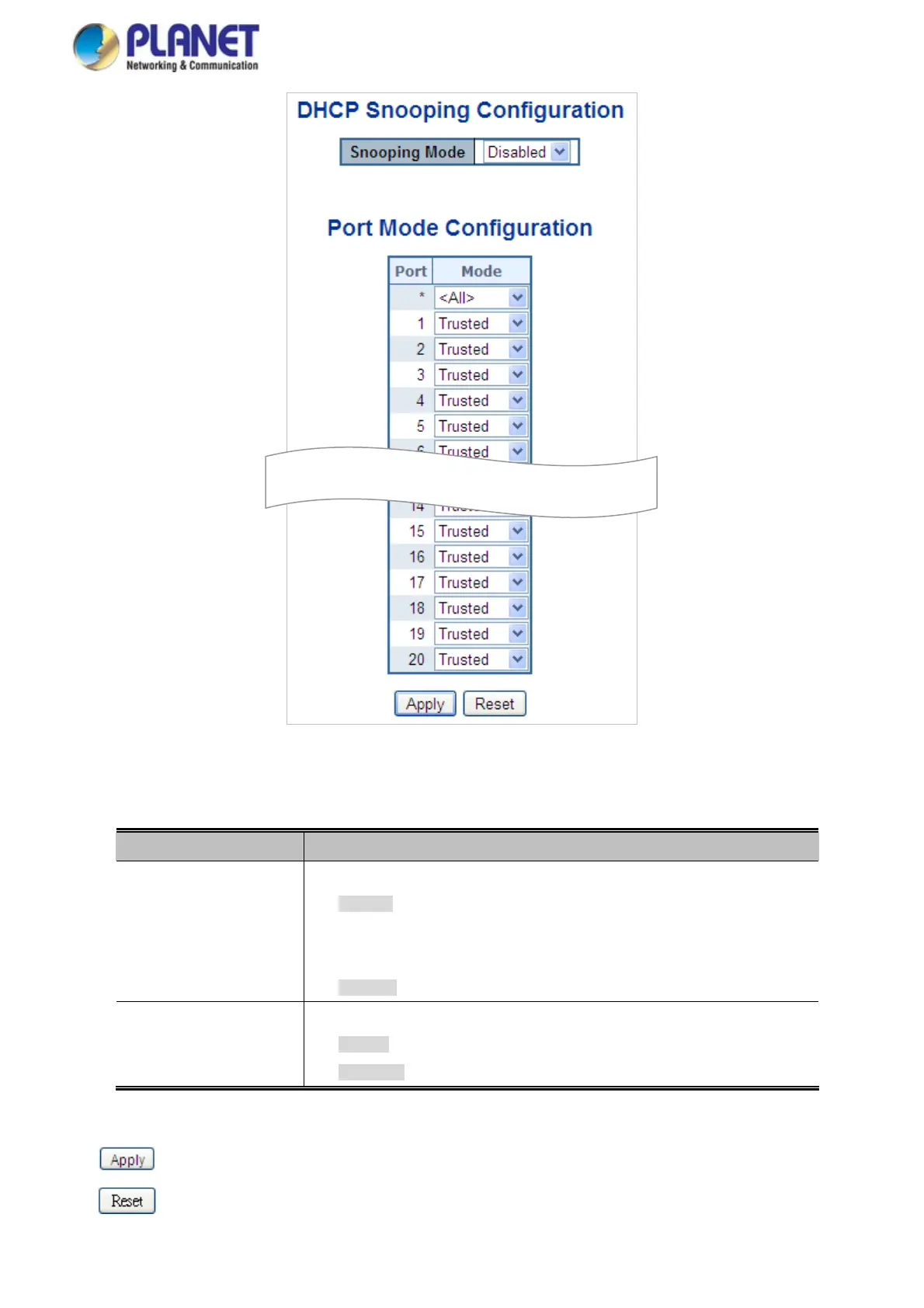
Figure 4-12-8: DHCP Snooping Configuration Screen Page Screenshot
The Page includes the following fields:
Object Description
Snooping Mode
Indicates the DHCP snooping mode operation. Possible modes are:
Enabled: Enable DHCP snooping mode operation. When enable DHCP
snooping mode operation, the request DHCP messages will be forwarded to
trusted ports and only allowed reply packets from trusted ports.
Disabled: Disable DHCP snooping mode operation.
Port Mode
Configuration
Indicates the DHCP snooping port mode. Possible port modes are:
Trusted: Configures the port as trusted sources of the DHCP message.
Untrusted: Configures the port as untrusted sources of the DHCP message.
Buttons
: Click to apply changes
: Click to undo any changes made locally and revert to previously saved values.
290














 To Next Page