User’s Manual of IGS-20040MT
Setup steps
Set ERPS Configuration on Switch 1
Connect PC to switch 1 directly; don’t connect to port 1 & 2
Logging on the Switch 1 and click “Ring > Ring Wizard”
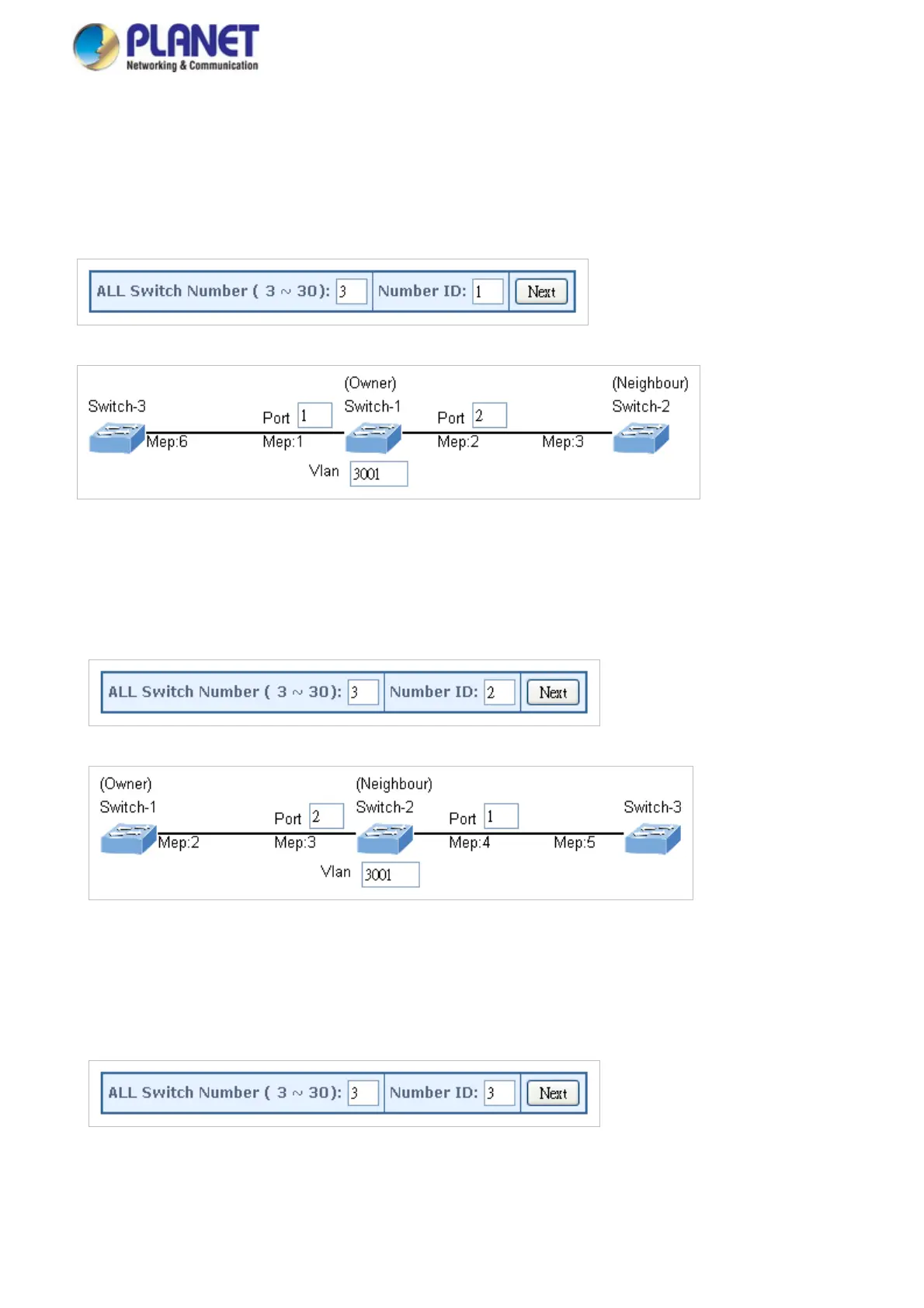
Set “All Switch Number” = 3 and “Number ID” = 1; click “Next” button to set the ERPS configuration for Switch 1.
Set “MEP1” = Port1, “MEP2” = Port2 and VLAN ID = 3001; click “Set” button to save the ERPS configuration for Switch 1.
Set ERPS Configuration on Switch 2
Connect PC to switch 2 directly; don’t connect to port 1 & 2
Logging on the Switch 2 and click “Ring > Ring Wizard”
Set “All Switch Number” = 3 and “Number ID” = 2; click “Next” button to set the ERPS configuration for Switch 2.
Set “MEP3” = Port2, “MEP4” = Port1 and VLAN ID = 3001; click “Set” button to save the ERPS configuration for Switch 2.
Set ERPS Configuration on Switch 3
Connect PC to switch 3 directly; don’t connect to port 1 & 2
Logging on the Switch 3 and click “Ring > Ring Wizard”
Set “All Switch Number” = 3 and “Number ID” = 3; click “Next” button to set the ERPS configuration for Switch 3.
Set “MEP5” = Port2, “MEP6” = Port1 and VLAN ID = 3001; click “Set” button to save the ERPS configuration for Switch 3.
356














 To Next Page