User’s Manual of IGS-20040MT
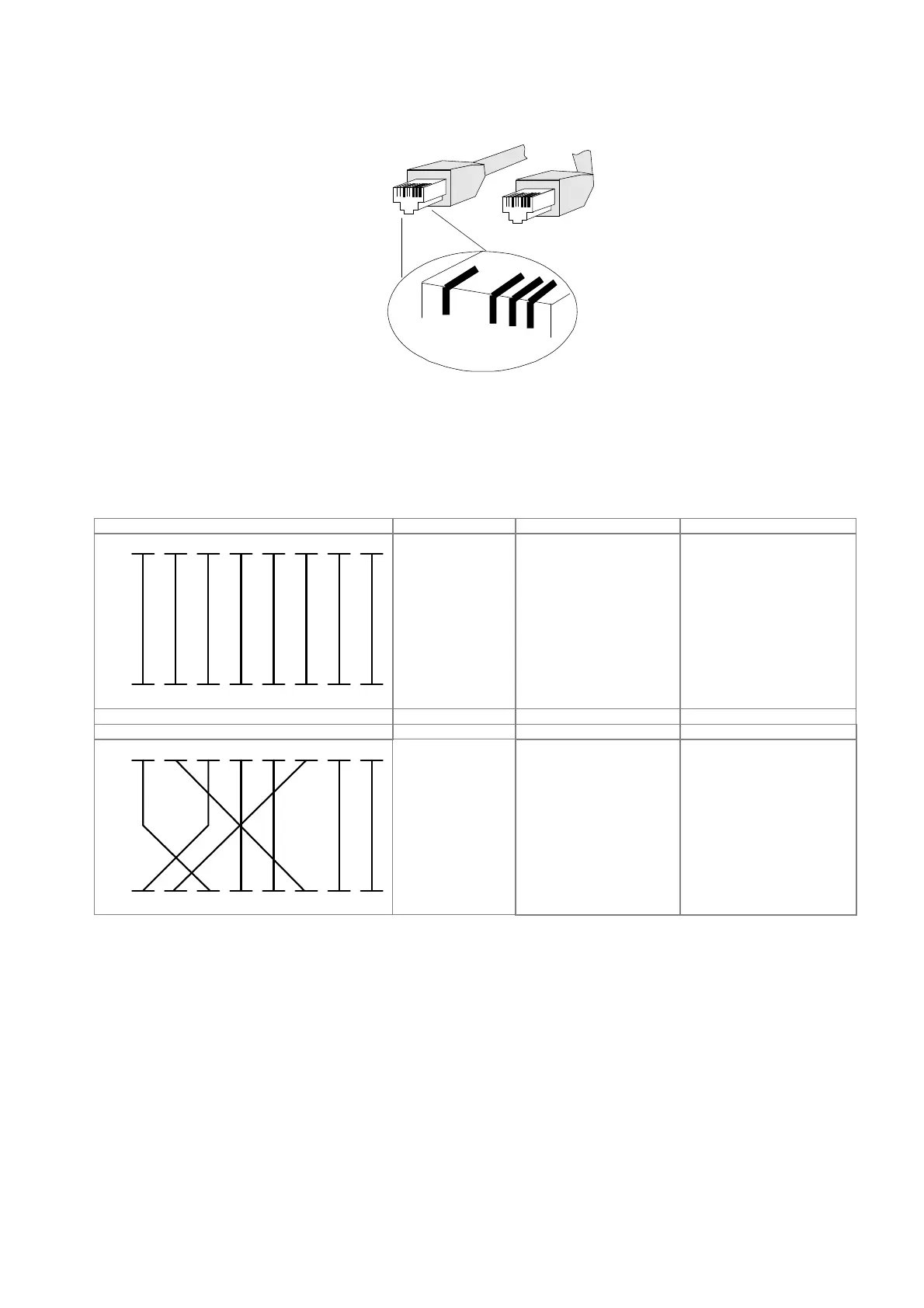
The standard cable, RJ45 pin assignment
2136
1
2
3
6
21
36
The standard RJ45 receptacle/connector
There are 8 wires on a standard UTP/STP cable and each wire is color-coded. The following shows the pin allocation and
color of straight cable and crossover cable connection:
Straight Cable SIDE 1 SIDE 2
SIDE 1
12345678
12345678
1 = White /
Oran
ge
2 = Oran
ge
3 = White / Green
4 = Blue
5 = White / Blue
6 = Green
7 = White / Brown
8 = Brown
1 = White / Orange
2 = Orange
3 = White / Green
4 = Blue
5 = White / Blue
6 = Green
7 = White / Brown
SIDE 2
8 = Brown
Crossover Cable SIDE 1 SIDE 2
SIDE 1
12345678
12345678
1 = White / Orange
2 = Oran
ge
3 = White / Green
4 = Blue
5 = White / Blue
6 = Green
7 = White / Brown
8 = Brown
1 = White / Green
2 = Green
3 = White / Orange
4 = Blue
5 = White / Blue
6 = Orange
7 = White / Brown
SIDE 2
8 = Brown
Figure A-1: Straight-through and Crossover Cable
Please make sure your connected cables are with the same pin assignment and color as the above picture before
deploying the cables into your network.














 To Next Page