348
Appendix E Installing The Power Stacker
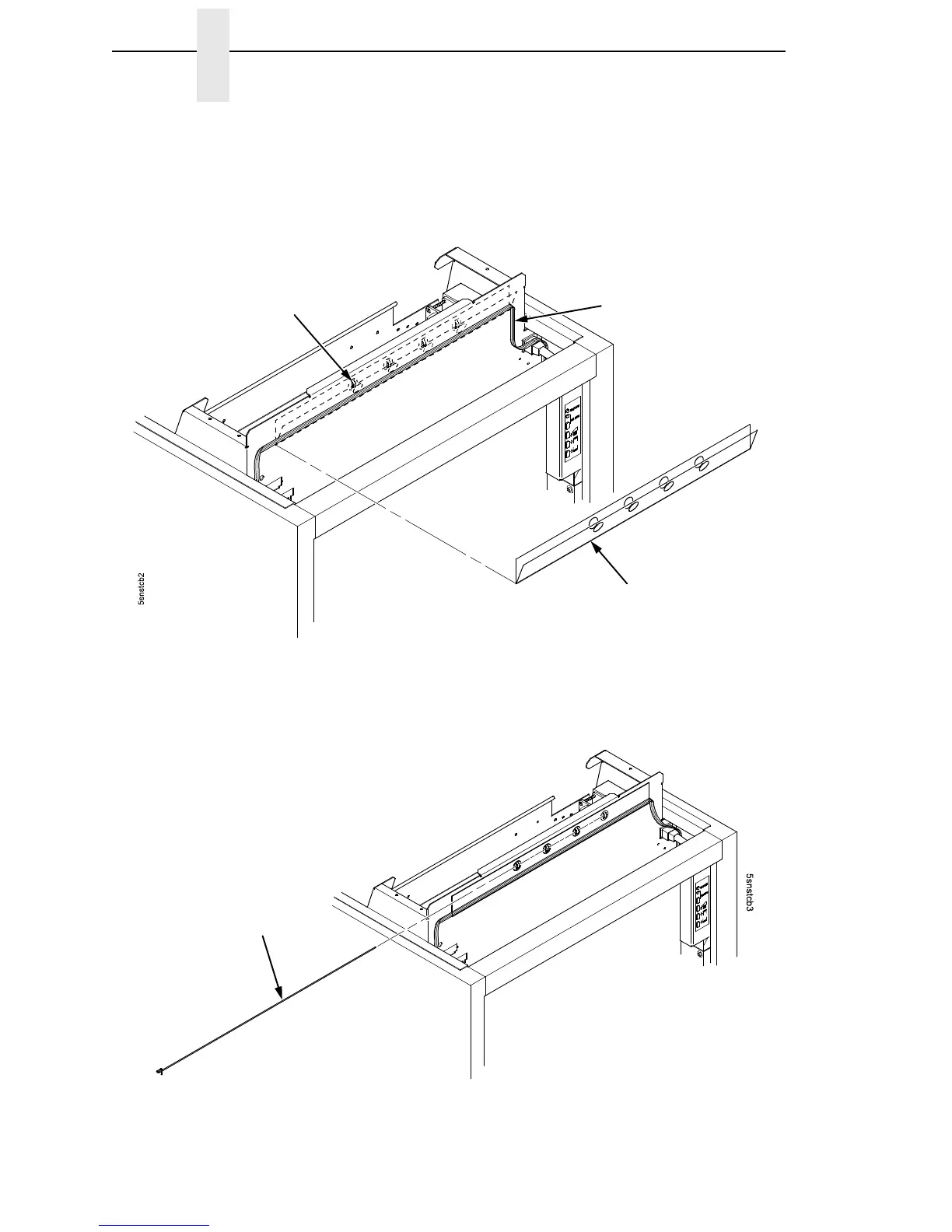
10. Route the stacker logic cable straight through the cable routing guide,
making sure that it is not twisted. (Figure 73.)
11. Position the cable routing guide so that the four chain hooks protrude
through the holes in the guide. (Figure 73.)
Figure 73. Installing the Cable Routing Guide
12. Slide the retainer wire over the cable routing guide and through the four
chain hooks. (Figure 74.)
Figure 74. Installing the Cable Routing Guide Retainer Wire
Chain Hook (4 places)
Cable Routing Guide
Stacker Logic
Cable
Retainer Wire













 To Next Page