Handling the printer PrismJET 54 Gen2 OPERATION MANUAL
126 4.2 Media
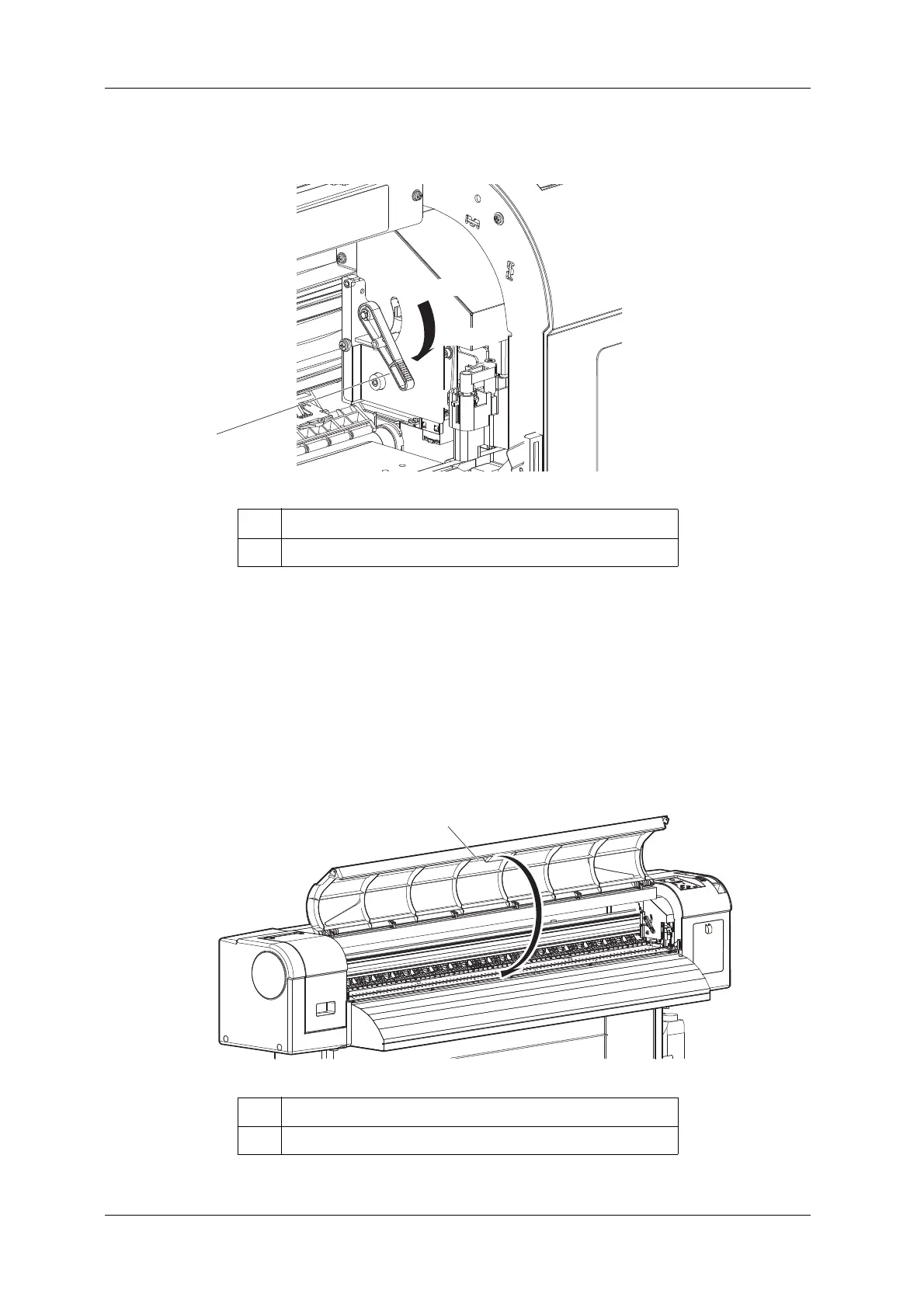
2. Change the head height by moving the head height adjustment lever (orange).
• High: The highest head height setting.
The High lamp on the operation panel lights up in green, and Low lamp lights off.
• Middle: Use this option for media between 0.3 mm to 0.8 mm thick or when the head strikes
occurs with Low1 setting.
The High lamp and Low lamp on the operation panel lights up in green.
• Low: Default head height. The lowest head height setting.
The Low lamp on the operation panel lights up in green, and High lamp lights off.
3. Close the front cover.
No. Name
1 Head height adjustment lever
No. Name
1 Front cover



 To Next Page