PrismJET 54 Gen2 OPERATION MANUAL Panel setup menu
5.1 Setup menu 167
5.1.2 Spitting menu
Sets up the spitting operation while printing.
• When Spitting is set to “Off”, the nozzle will become easily clogged because spitting is not
performed. In this instance, print quality cannot be guaranteed.
• When the spitting setting is “On Media”, the maximum printable media width becomes 0.4inches
(10mm) narrower.
Therefore, the side margins become “value set on side margin menu” +5mm.
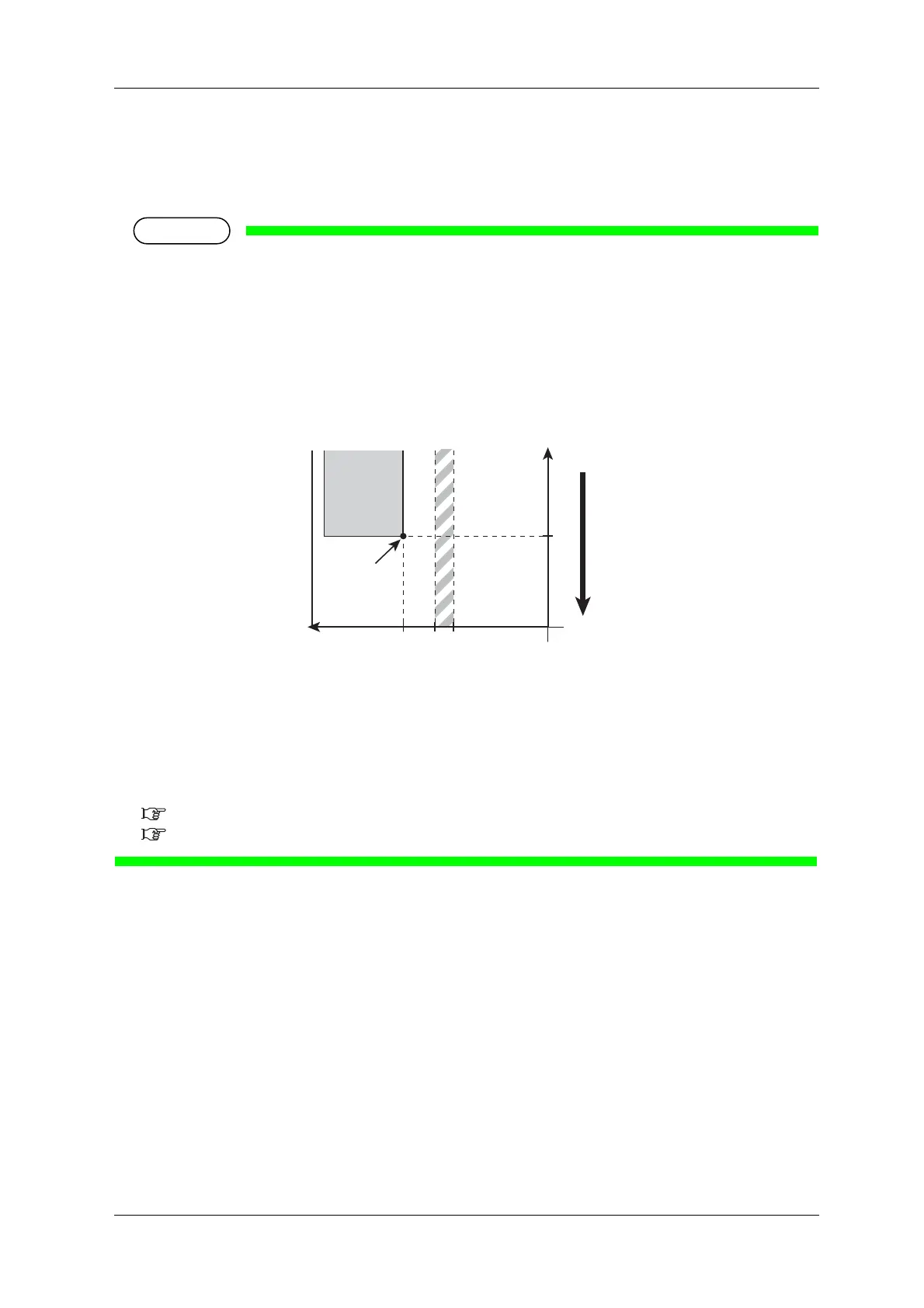
• Depending on the setting, the right margin is a sum of the following.
“Y (print head transferring distance) of the Origin menu” + “5mm (when the spitting setting is “On
Media”)” + “value set on side margin menu”
1. Starting position
2. Media feed direction
X (media feeding distance)
Y (print head transferring distance)
a (0mm/5mm: The spitting setting is On, Off/On Media)
b (5mm to 25mm: Side margin setting amount)
5.1.3 Side Margin menu
5.1.8 Origin menu



 To Next Page