Panel setup menu PrismJET 54 Gen2 OPERATION MANUAL
164 5.1 Setup menu
5.1.1.1.7 Dryer menu
Sets the temperature of the dryer.
Set to dry the print side after printing.
• The set temperature of the dryer differs depending on the media.
5.1.1.1.8 Vacuum Fan menu
Sets up vacuum fan operation.
Setup item Setting Description
Dryer Off / <30 °C> to 50 °C Sets the temperature of the dryer.
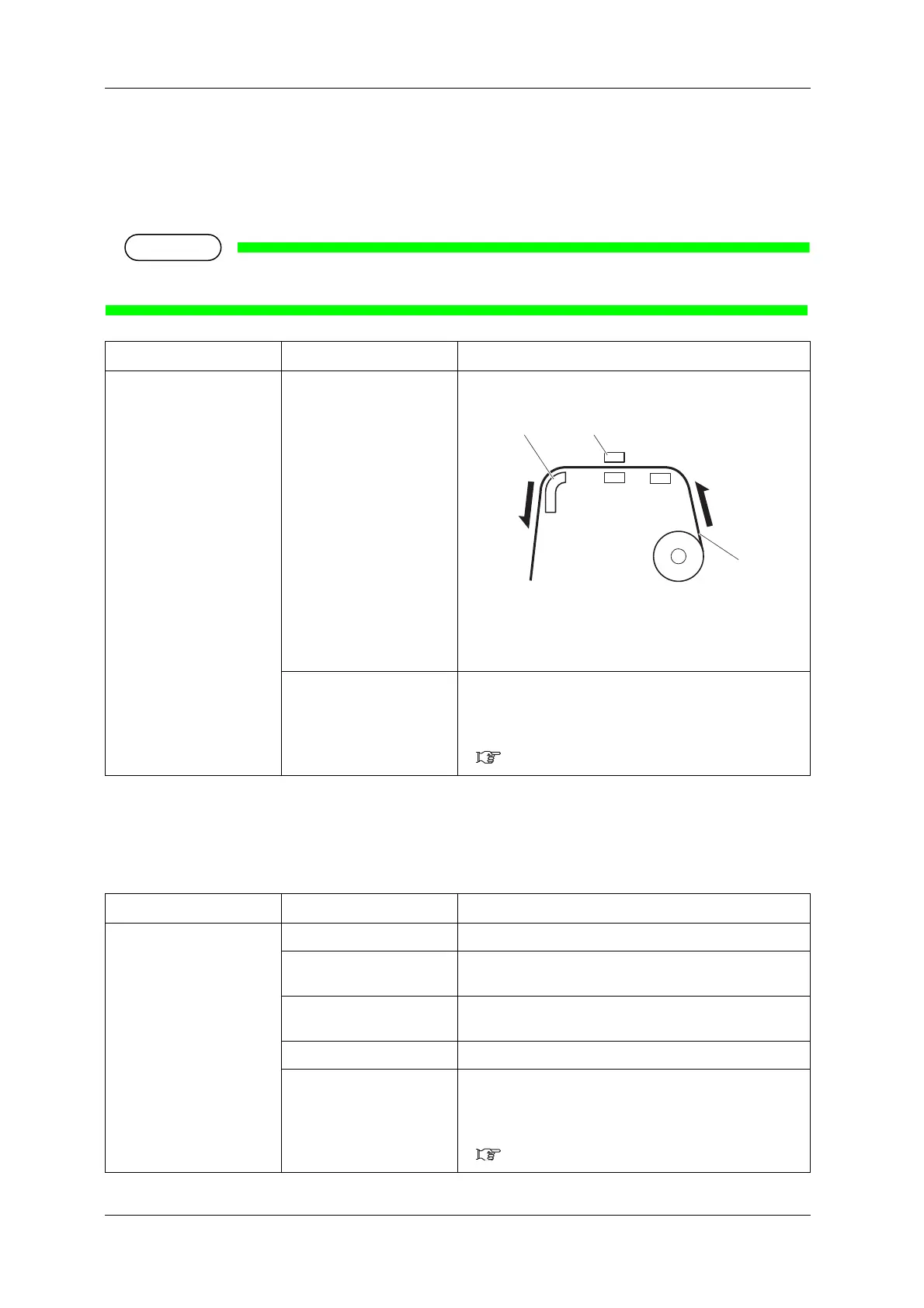
1.Roll media
2.Dryer
3.Print head
—
• [Enter] key: saves the setting and shifts to the previous
menu.
• [Cancel] key: cancels the setting and shifts to the previous
menu.
5.1.1.1 User Type menu
Setup item Setting Description
Vacuum Fan Off The Vacuum fan operation is not performed.
Low Set when there is a possibility of a paper jam caused by failure
in media loading when the setting is Medium.
Medium Set this when there is a possibility that media feeding may fail
and paper may be jammed with the High setting.
<High> Set when using general media.
—
• [Enter] key: saves the setting and shifts to the previous
menu.
• [Cancel] key: cancels the setting and shifts to the previous
menu.
5.1.1.1 User Type menu



 To Next Page