Safety instructions PrismJET 54 Gen2 OPERATION MANUAL
22 1.4 Operating Instruction Labels
• Check if all of the operating instruction labels can be read.
If the letters or illustrations on the label are not clear, remove the dirt from the label.
• When cleaning the operating instruction labels, use a cloth, water, and mild detergent.
Avoid either organic solvents or gasoline.
• It is necessary to replace the operating instruction labels if they are damaged, lost or unreadable.
If the operating instruction labels have to be replaced, contact SIGNWarehouse Product Support or
your local PrismJET Dealer.
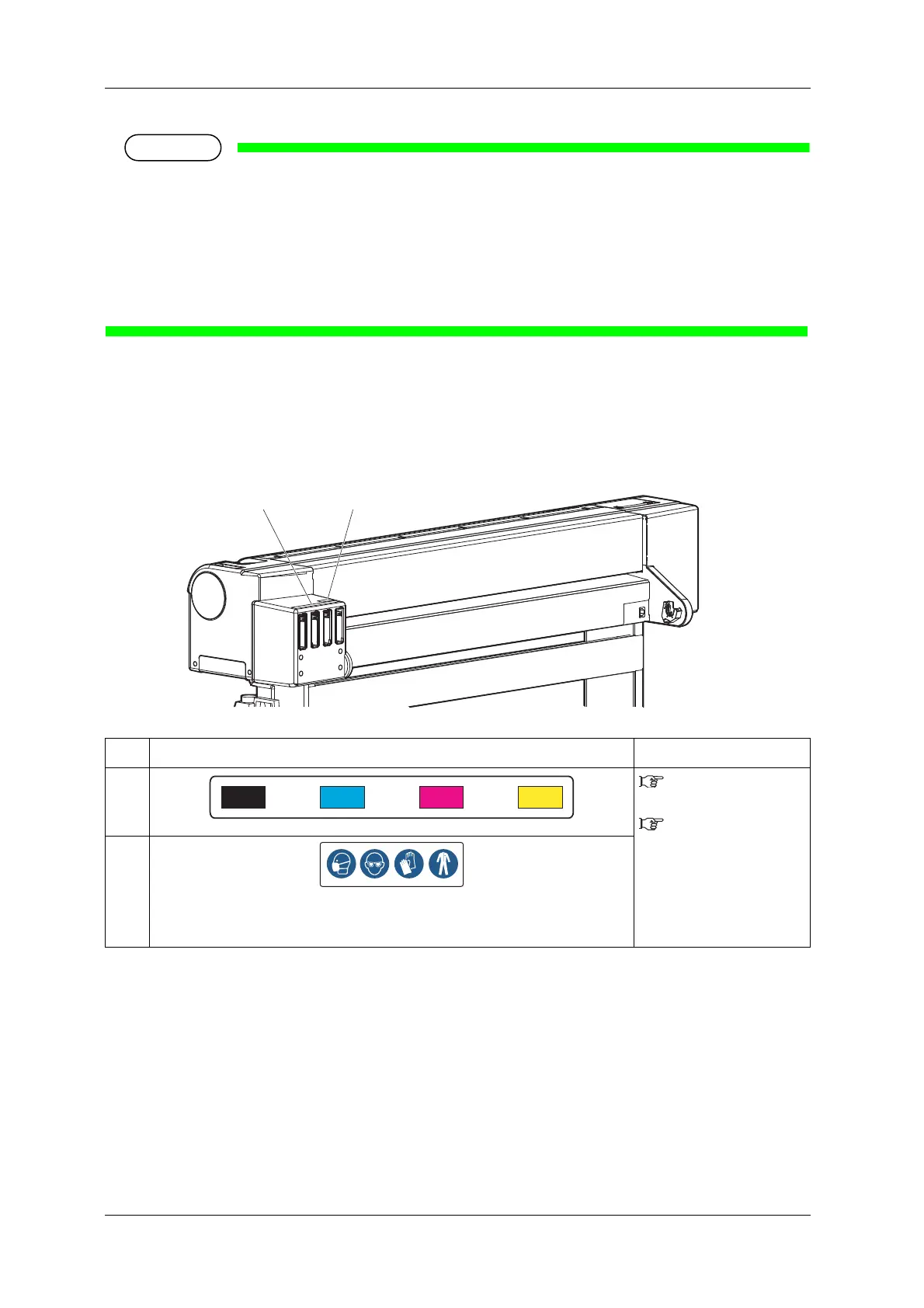
1.4.2 Locations and Types of Operating Instruction Labels
Locations of the operating instruction labels are shown in the following figure.
No. Types of the operating instruction labels Reference
1
3.3 Installing ink
cartridges
6.1.1 Replacing ink
cartridges
2
Protective equipment label
(Mask • Glasses • Gloves • Protective clothing)
Wear protective equipment when handling ink.



 To Next Page