Before using PrismJET 54 Gen2 OPERATION MANUAL
102 3.6 Adjust Print
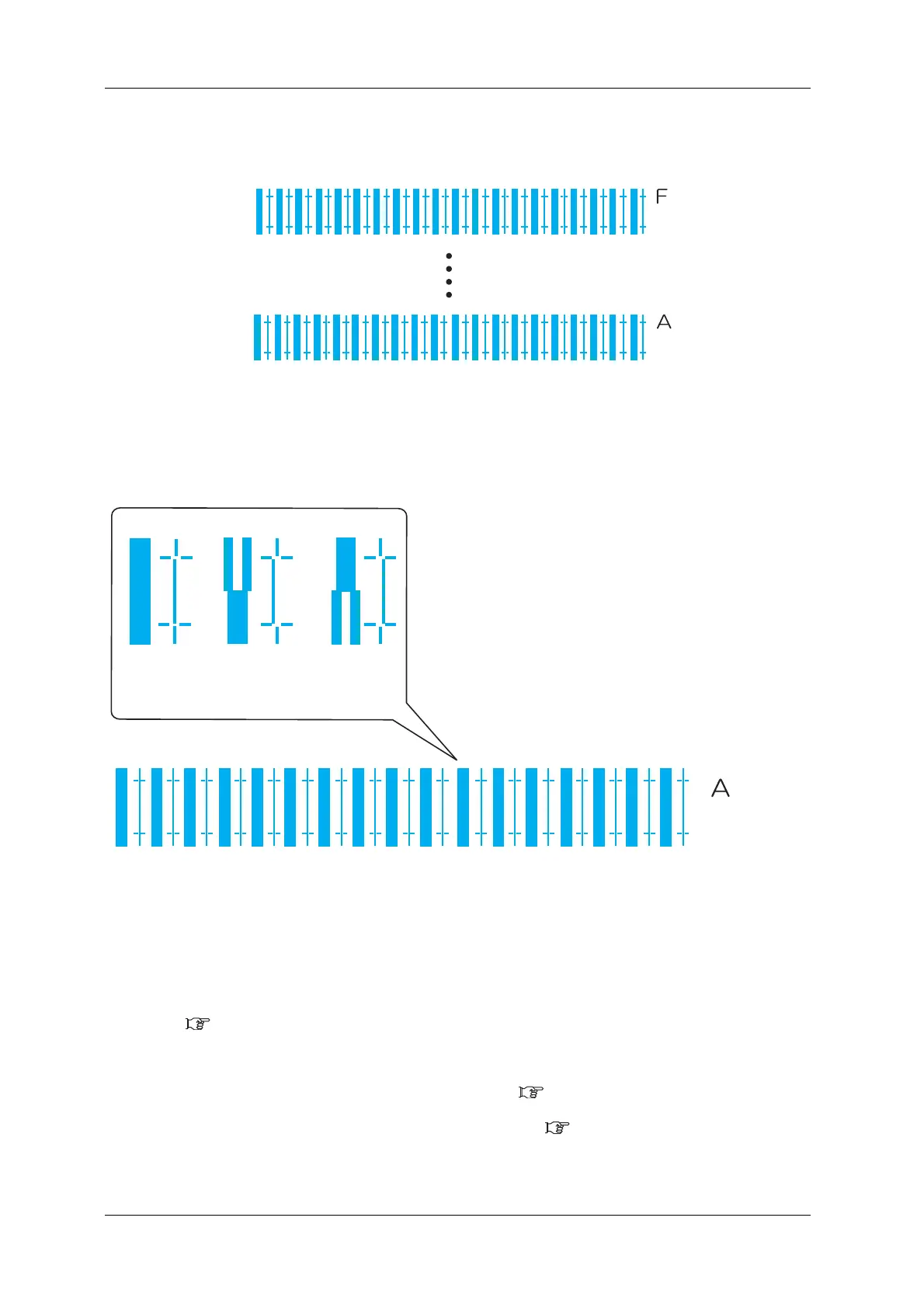
• Six confirmation patterns of A to F will be printed.
• After the confirmation pattern is printed, Operation panel returns to “Adj.1: Confirm Ptn.”.
4. Confirm that the confirmation pattern printing result is as follows.
• Check each of the confirmation patterns A to F.
a. When the printing result is Adequate;
You do not need perform print quality adjustment.
The procedure for print quality adjustment is complete.
b. When the printing result is Not adequate;
You need to perform print quality adjustment.
• Perform rough adjustment when the misalignment is large.
3.6.4.2 Custom Rough Adjustment Pattern
• Perform micro adjustment when the misalignment is small.
• When all patterns A to F require adjustment:
3.6.4.3.1 Fine Pattern ALL
• When any pattern of A to F requires adjustment: 3.6.4.3.2 Fine Pattern A to F
Bi dir
Low H.Height
normal speed
large drop family
Bi dir
Low H.Height
normal speed
small drop family
Bi dir
Low H.Height
normal speed
large drop family
Adequate Not adequate Not adequate



 To Next Page