Troubleshooting PrismJET 54 Gen2 OPERATION MANUAL
294 7.1 Malfunctions and failures
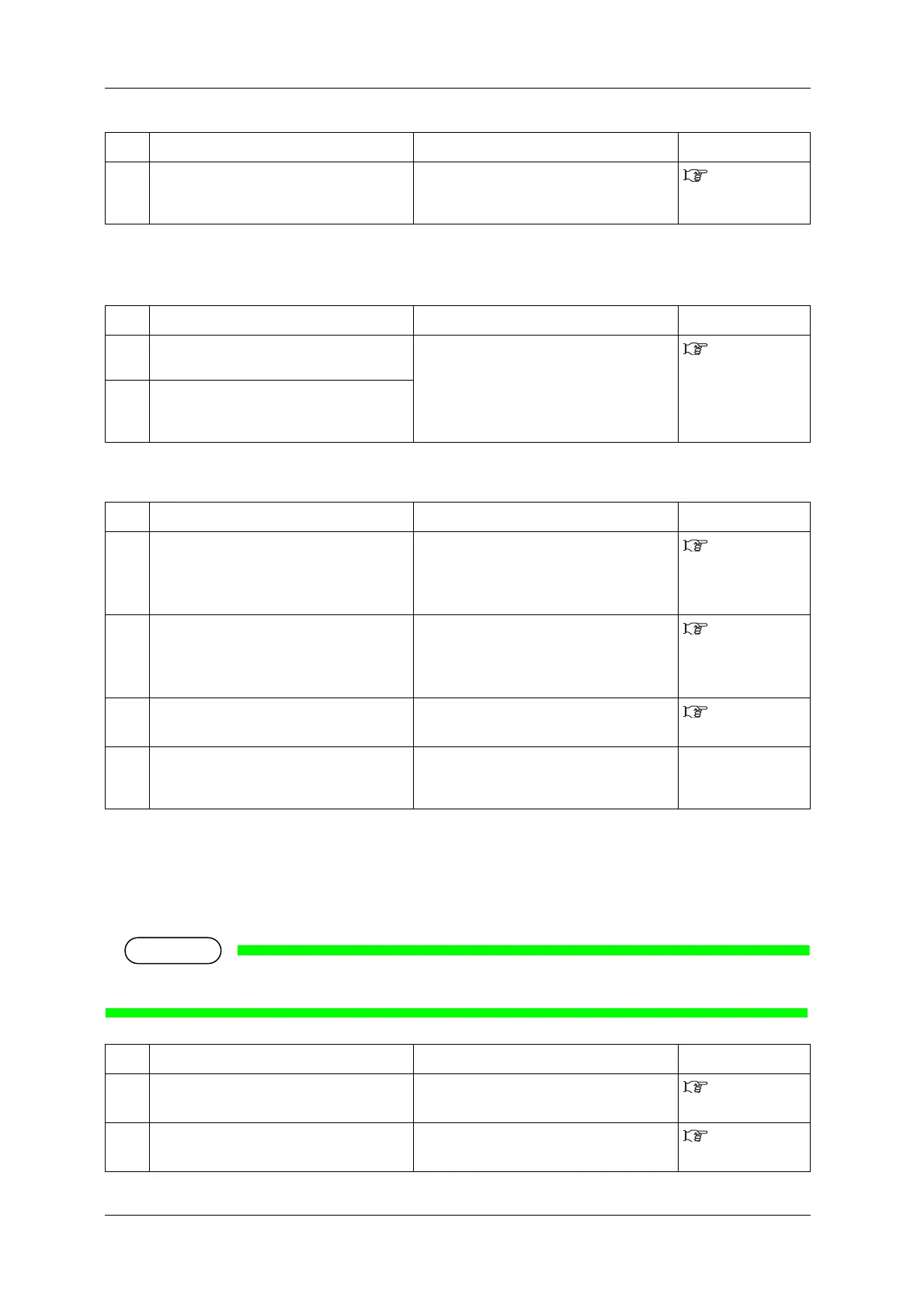
(3) When data is sent from the computer, an error occurs at the printer and
nothing is printed
(4) Cannot use the computer online using LAN
7.1.3 Media-related troubleshooting
(1) The media slips or is torn during initialization
• If the media is jammed or torn, remove it according to 7.3 The media is jammed.
5 Is the printer being used in an environment
other than the one specified, such as in direct
sunlight?
Only use the printer in an environment that is
specified for use.
Installation
manual
No. Possible cause Remedy Reference
1 Is the type of printer selected correctly at the
computer?
Check that the printer type settings on the
computer side and printer side are the same.
3.7
Connecting the
printer to PC
2 Are the interface requirements and command
mode the same on the computer side and
printer side?
No. Possible cause Remedy Reference
1 Is the network interface cable connected
correctly?
Confirm the types of the cross and straight
cables, and connect the network interface
cable correctly.
3.7.3
Connecting a
network interface
cable
2 Are the network settings configured
correctly?
Configure the network settings correctly.
5.1.19 IP
Address menu to
5.1.21 Gateway
menu
3 Match the printer’s network settings with the
computer side environment.
Match this product’s network settings with the
computer side environment.
3.7.1 System
requirements
4 Does the Power lamp on the operation panel
turn on after sending printing data from the
computer?
If the Power lamp does not turn on, contact the
computer manufacturer.
—
No. Possible cause Remedy Reference
1 Is the loading position of the media correct? Set the media correctly.
3.4 Loading
media
2 Is the scroller set correctly? Set the scroller correctly.
3.4.1 Loading
roll media
No. Possible cause Remedy Reference



 To Next Page