Product overview PrismJET 54 Gen2 OPERATION MANUAL
24 2.1 Names of parts and functions
2.1 Names of parts and functions
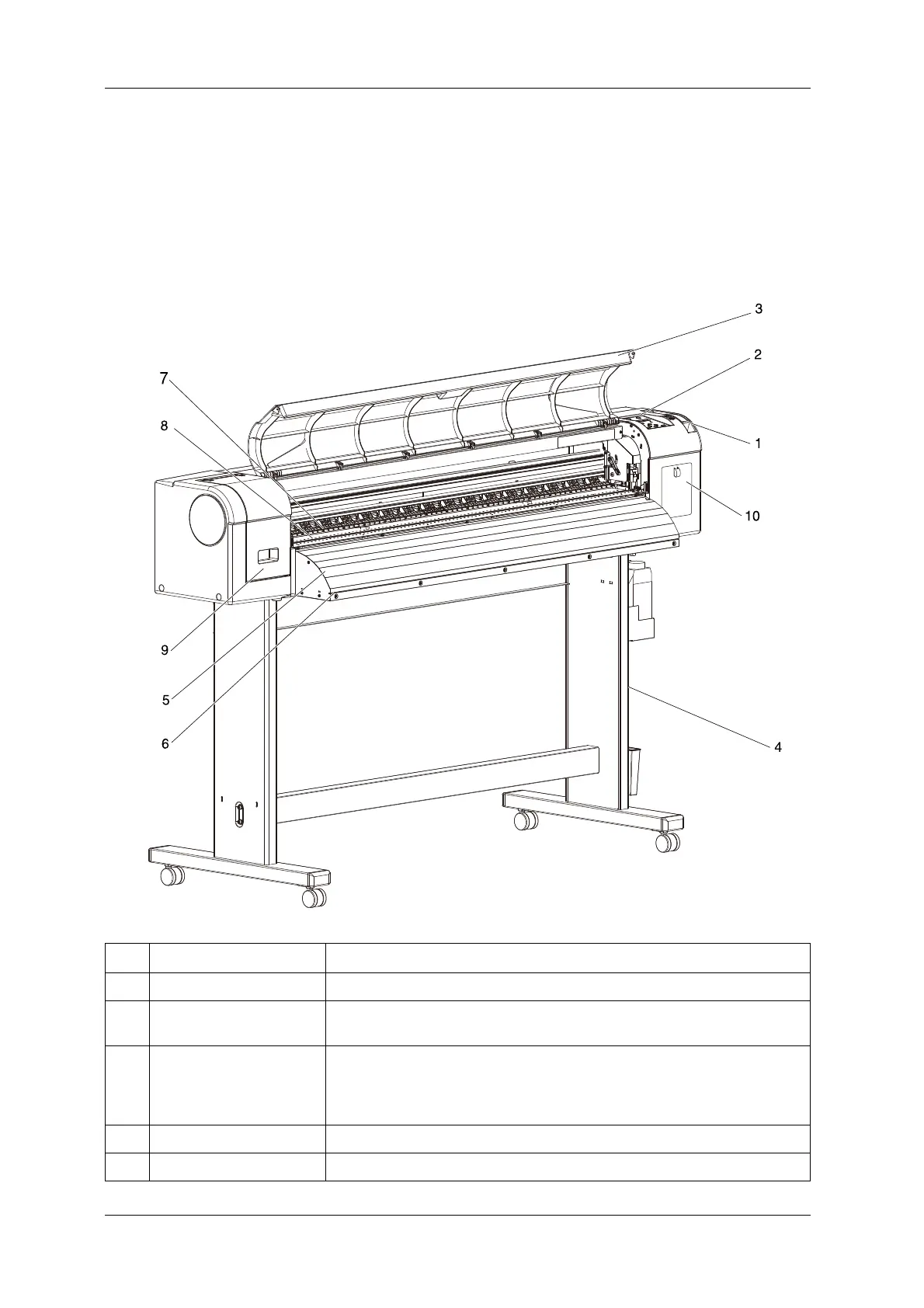
This section explains the names and functions of each part.
2.1.1 Front section
No. Name Function
1 Media loading lever Used for fixing or releasing media.
2 Operation panel Operation condition setting, printer display and various function settings are
performed.
3 Front cover Used for preventing a user from coming in contact with the driving mechanism during
the printer operation.
Opened and closed when media is set or jammed.
It is normally closed.
4 Stand Used when installing the printer on a flat floor.
5 Media guide Used for feeding media smoothly when the media is set or printed.



 To Next Page