Before using PrismJET 54 Gen2 OPERATION MANUAL
62 3.4 Loading media
3.4.3 Releasing the Partial Function of Pressure Arms
If thin media is creased while printing, release some of Pressure arms. This may prevent getting creases.
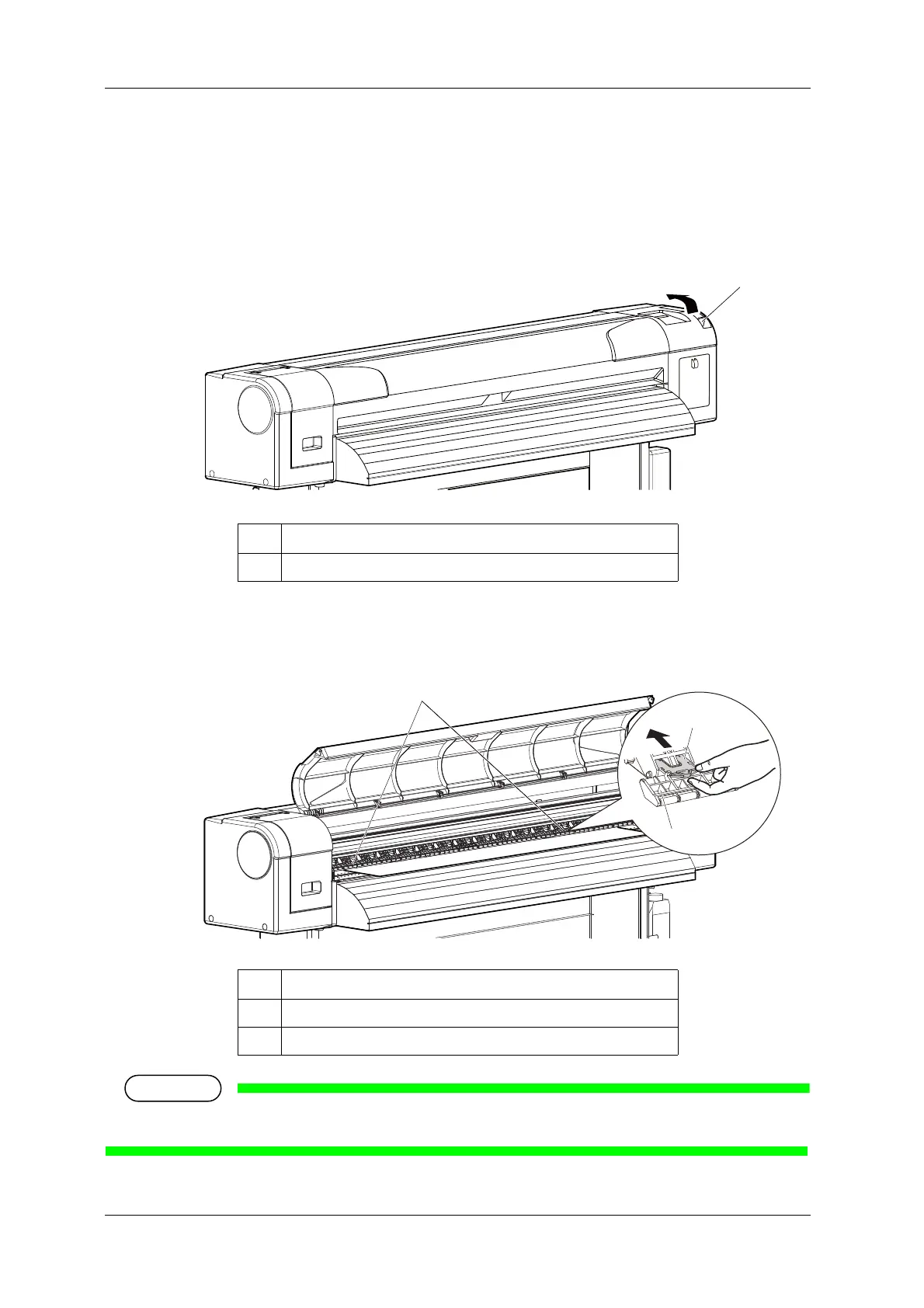
Follow the procedure below to release Pressure arms.
1. Raise the media loading lever.
2. Push the release switches of Pressure arms further in that are holding the sides of the media.
• When the release switch is set further in, Pressure arms lose the pressure.
• When releasing the function, make sure to release Pressure arms of both sides of the media as a set.
No. Name
1
Media loading lever
No. Name
1
Pressure arms
2
Release switch



 To Next Page