Product overview PrismJET 54 Gen2 OPERATION MANUAL
26 2.1 Names of parts and functions
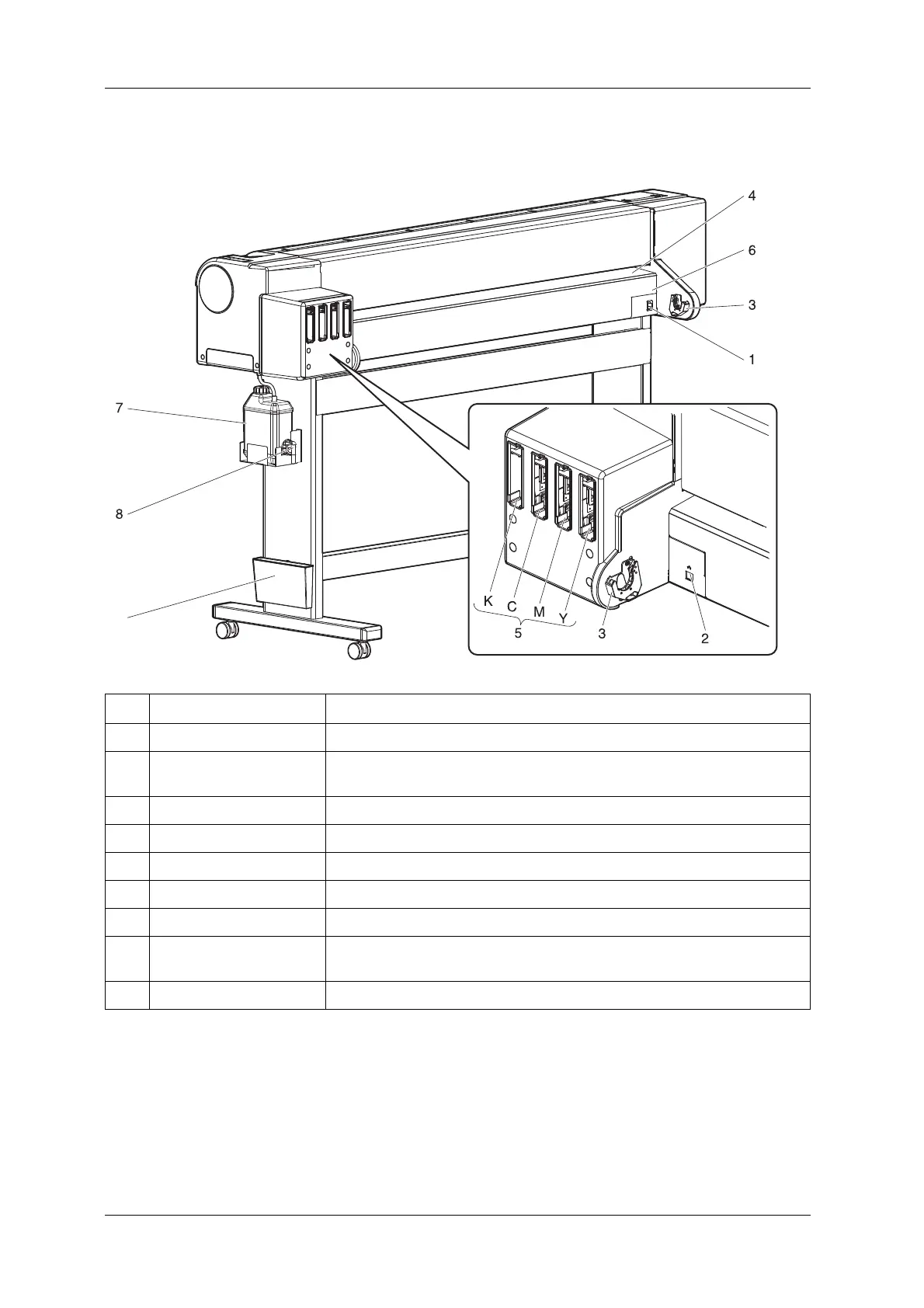
2.1.2 Rear section
No. Name Function
1 AC inlet Used for connecting the power cable.
2 Network interface cable
connector
Connects a network interface cable.
3 Scroller holder Set the scroller here when using the roll media.
4 Media feed slot Used for feeding media.
5 Ink cartridge slot Insert the ink cartridge.
6 Media guide Used for feeding media smoothly when the media is set or printed.
7 Waste fluid tank Used for collecting waste ink discharged from the printer.
8 Waste fluid valve Open and close when discharging the waste fluid from the waste fluid tank.
It is normally closed.
9 Book holder Quick reference etc can be stored.



 To Next Page