PrismJET 54 Gen2 OPERATION MANUAL Handling the printer
4.4 Operating from the operation panel 147
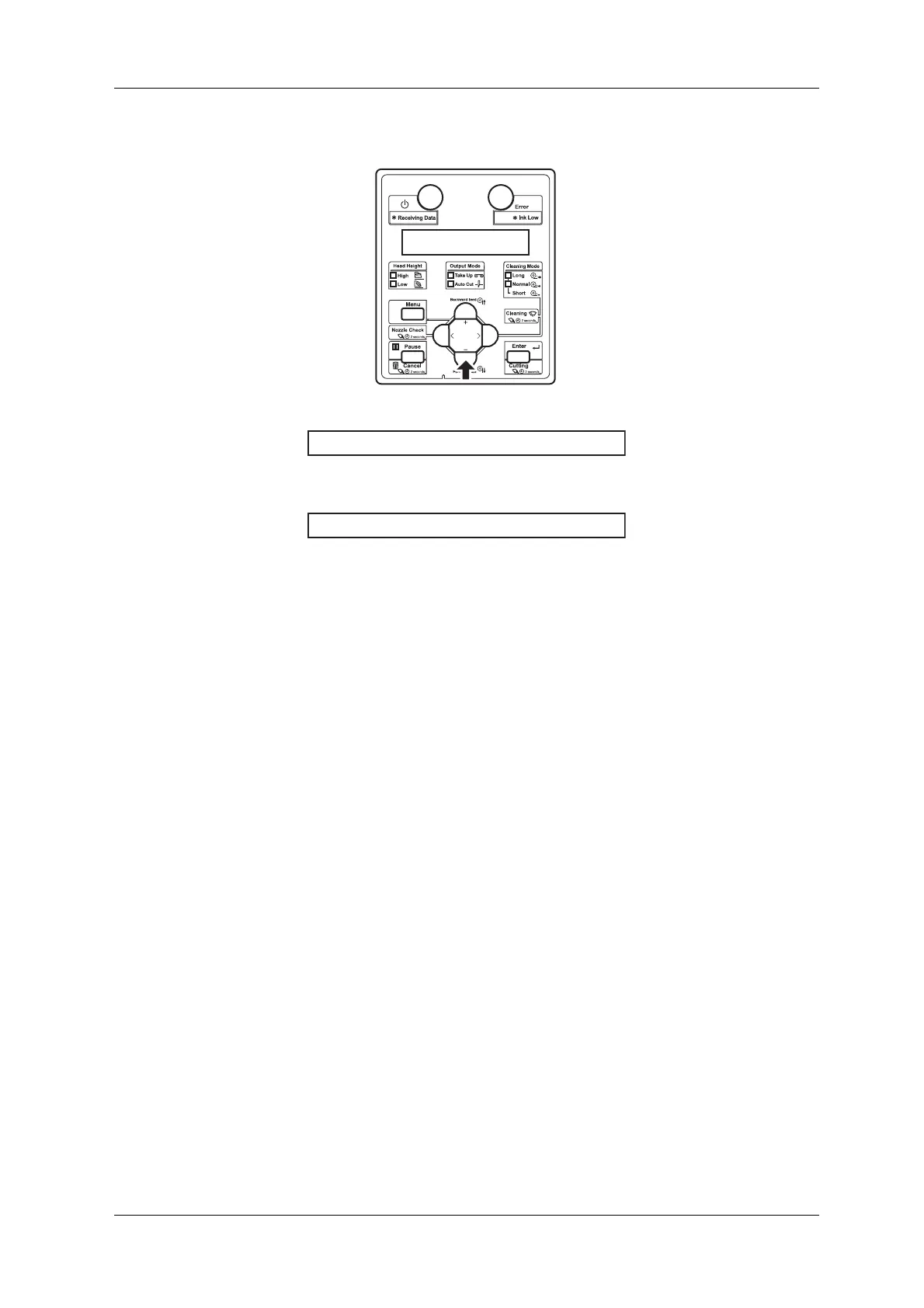
3. Press [-] key on the operation panel to display “Remain Time”.
• The remaining length of data currently printing will be displayed.
4. To return the display to [Printing], press [-] key on the operation panel.
㧾㨑㨙㨍㨕㨚ޓ㨀㨕㨙㨑ޓޓ㨤㨤㨤㨤㨙㨕㨚
㧼㨞㨕㨚㨠㨕㨚㨓


 To Next Page