PrismJET 54 Gen2 OPERATION MANUAL Before using
3.6 Adjust Print 105
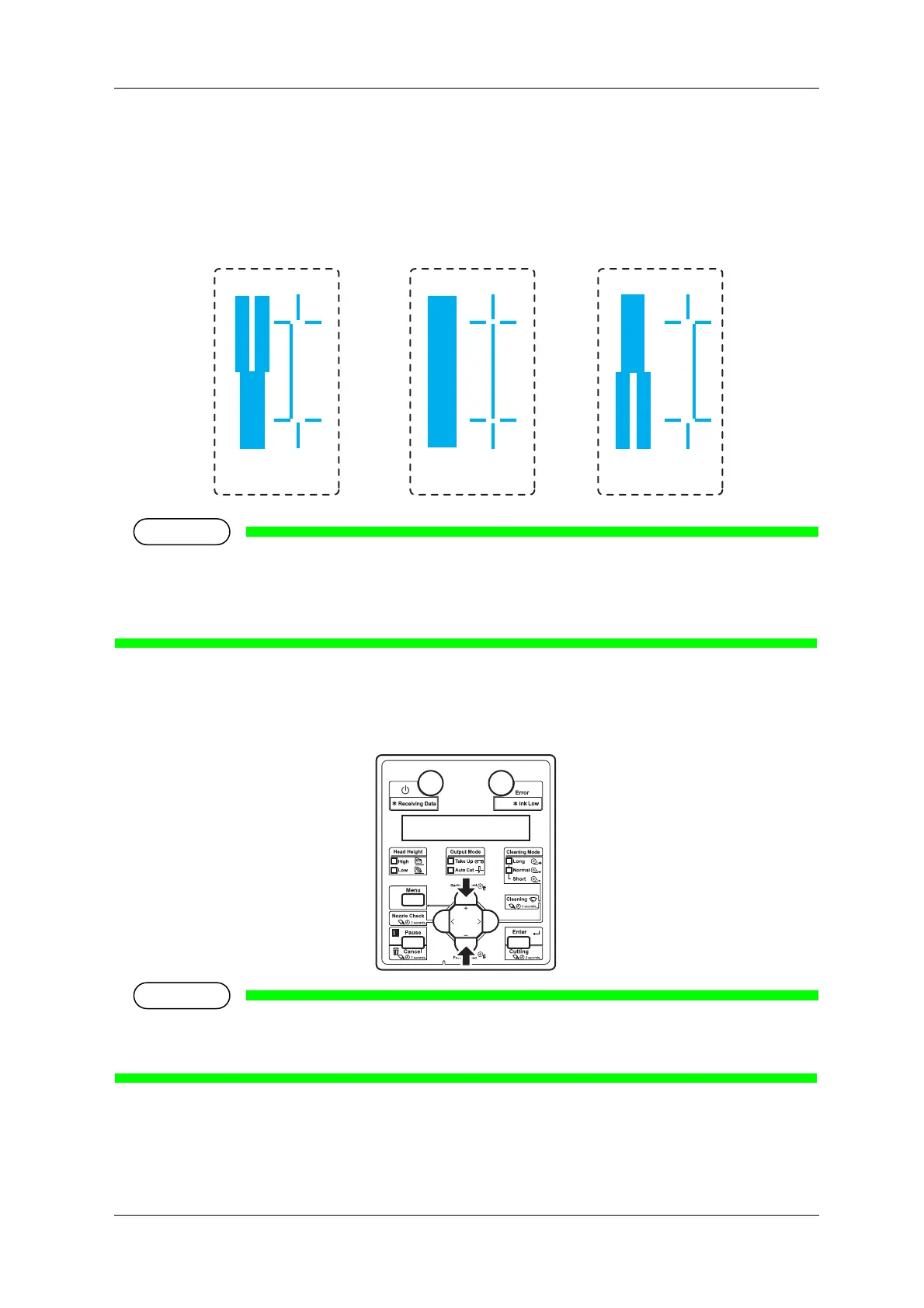
4. Check the both ends and the center of the print result that printed with Adjust pattern, and select the
number from 1 to 11 that is not out of alignment.
• “9” is selected in the following pattern.
• “6” is the current setting value.
• When the line is aligned, the bold line on its left side does not have a white vertical line in the
middle.
• “PatternA: 6” is displayed on the operation panel.
5. Press the [+] key or [–] key to enter the number that you selected in Step 4.
• When you press the [Cancel] key on Operation panel, the setting value is not entered and the display
returns to “Adj.2: RoughPtn. ALL”.
8910
Not adequate Adequate
Not adequate



 To Next Page