Instrument Functions
R&S
®
NRP2
93User Manual 1173.9157.02 ─ 03
Full height windows display all relevant parameters. The enhanced control functions
offered by the "Trace & Statistics" mode are available only if the windows are full height.
For a graphical representation of the various window types and a description of symbols
see chapter 3.6.1, "Window sizes and types", on page 57 and chapter 3.6.2, "Special
symbols", on page 58.
SCPI command:
DISPlay[:WINDow]:SIZE on page 244
Arrange
Reduces the full height windows to their normal size. The windows are displayed simul-
tanously again.
SCPI command:
DISPlay[:WINDow]:SIZE on page 244
4.3.3.3 Selecting the result display mode
Three result display modes are available in the windows menu. The result display mode
determines how the measured values are presented.
Dig D&A Graph
Selects the display mode.
The parameter settings below the display mode change according to the selected mode,
see chapter 4.3.3.4, "Configuring the result display", on page 94.
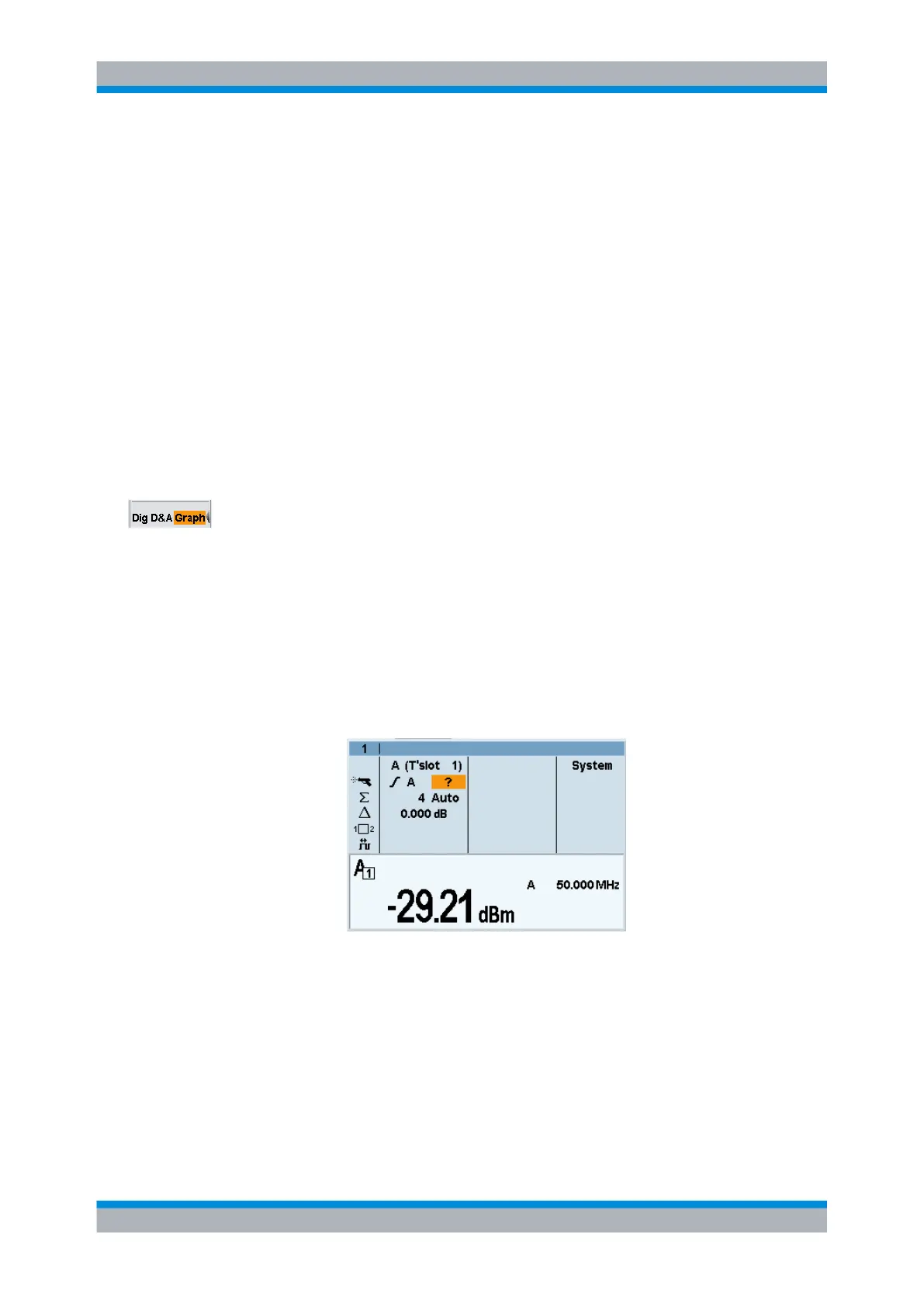
"Dig"
The digital display mode shows the measured value numerically. Addi-
tional information on the active settings is provided, e.g. signal fre-
quency, sensor mode, trigger mode, etc.. For a description of the used
symbols see chapter 3.6.2, "Special symbols", on page 58.
Displaying measurement results



 To Next Page