Instrument Functions
R&S
®
NRP2
136User Manual 1173.9157.02 ─ 03
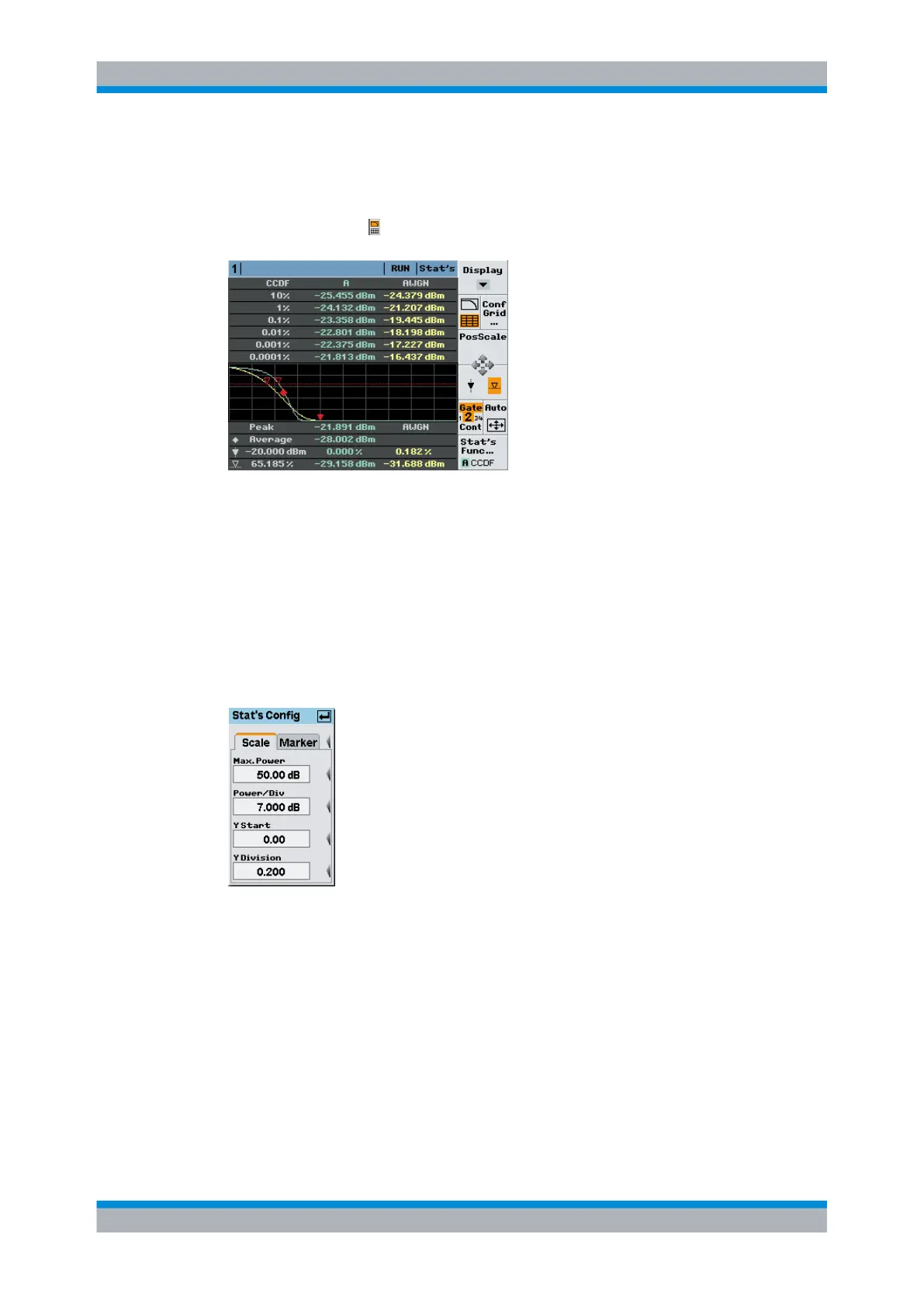
Activating tabular indication of statitical values for CDF and CCDF
►
Select "Stat's Config..." in the control panel opened via the Window→Graph→"Dis-
play"→"Stat's" → control panel ("Trace&Statistics" sensor mode).
Fig. 4-63: Statistics display with additional table
The table always indicates the logarithmic values independent of the settings for the
graph.
Configuring the statistics display
►
Select "Stat's Config..." in the control panel opened via the Window→Graph→"Dis-
play"→"Stat's" → control panel ("Trace&Statistics" sensor mode).
Stat's Config / Scale
Fig. 4-64: Stat's Config / Scale tab
The "Scale" tab contains the parameters for setting the axes of the display.
Max. Power ← Stat's Config / Scale
Enters the maximum value of the power scale as reference.
Power / div ← Stat's Config / Scale
Defines the scaling of the power axis.
Displaying traces



 To Next Page