Remote Control - Commands
R&S
®
NRP2
317User Manual 1173.9157.02 ─ 03
SYSTem:COMMunicate:INET:MODE <mode>
Selects the mode for transmitting the special control sequences via ethernet according
to draft IEEE 1174.
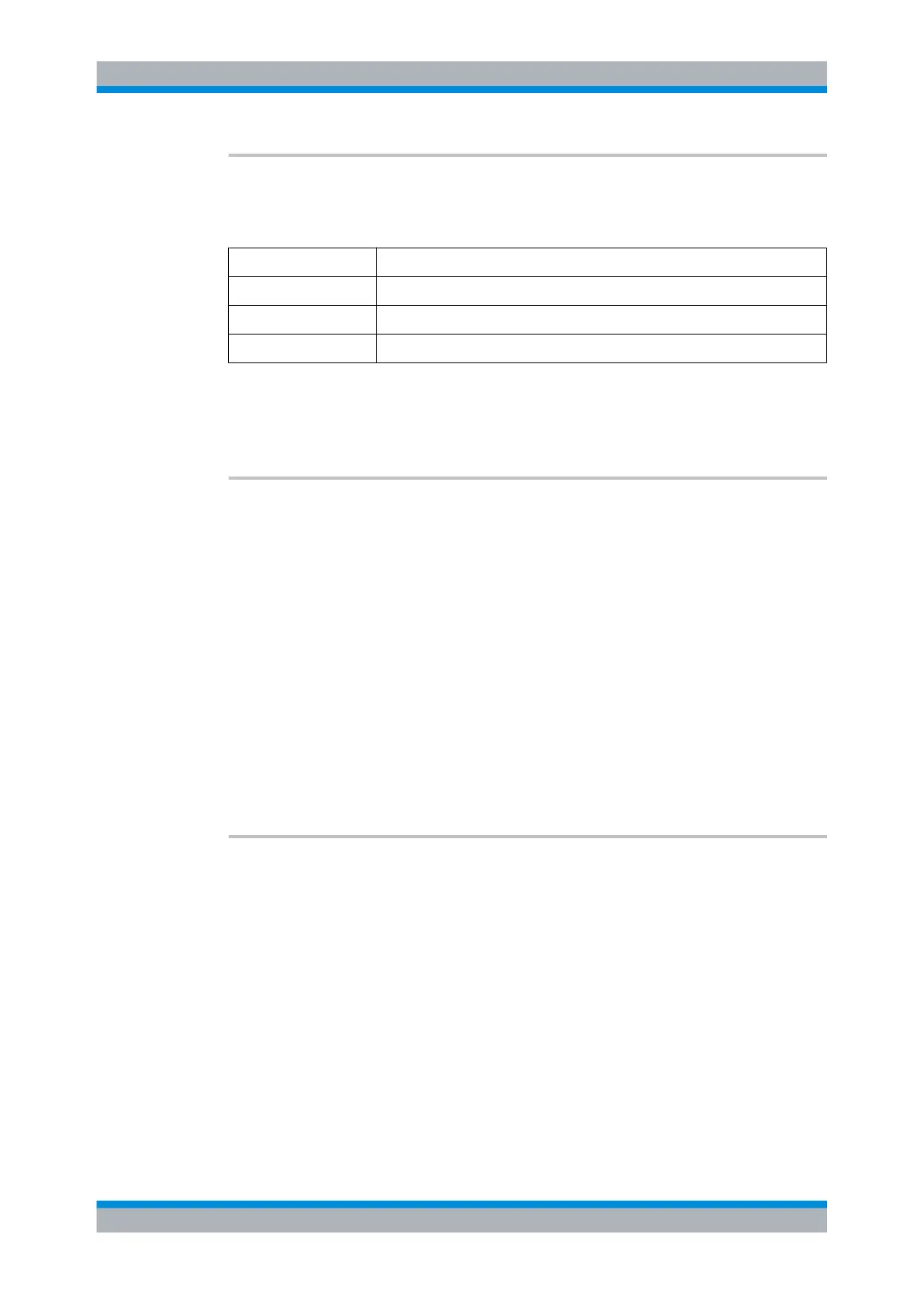
Parameter Mode
0 no control sequences (abbr.: 1174.0 mode)
1 the IEC/IEEE 488.1 mode (abbr.: 1174.1 mode)
2 the IEC/IEEE 488.2 mode (abbr.: 1174.2 mode)
Parameters:
<state> 0 | 1 | 2
*RST: This setting is not changed by *RST.
SYSTem:
COMMunicate:INET[:SELF]:ADDRess <ip1>,<ip2>,<ip3>,<ip4>
Sets the IP address of the R&S NRP2.
Note: This command cannot be used, while VXI11 or Ethernet is in use.
Note: Choosing an invalid IP-Address may disturb the traffic on your LAN. If you are not
sure how to configure these settings, please ask your network administrator.
Parameters:
<ip1>,<ip2>,<ip3>,<ip4>int_values
The four parameter form the IP address <ip1>.<ip2>.<ip3>.<ip4>.
For example, IP address 104.0.0.255 is entered as
SYSTem:COMMunicate:INET:ADDRess 108,0,0,255.
Range: 0...255 for each part of the IP address
*RST: This setting is not changed by *RST.
Usage: Event
SYSTem:COMMunicate:INET[:SELF]:GATEway:ADDRess
<gwip1>,<gwip2>,<gwip3>,<gwip4>
Sets the gateway address of your local subnet.
Note: This command cannot be used, while VXI11 or Ethernet is in use.
Note: Choosing an invalid Gateway-Address may disturb the traffic on your LAN. If you
are not sure how to configure these settings, please ask your network administrator.
Parameters:
<gwip1...4> int_value
Range: 0...255
*RST: This setting is not changed by *RST.
Usage: Event
SYSTem


 To Next Page