Instrument Functions
R&S
®
NRP2
78User Manual 1173.9157.02 ─ 03
Edit Table ...
Opens a dialog box for editing the selected offset correction table, see chapter 4.2.2.2,
"Table editor for offset tables", on page 78.
SCPI command:
MEMory:TABLe:FREQuency on page 251
MEMory:TABLe:GAIN[:MAGNitude] on page 251
S Parameter Device
Activates the S-parameter data set stored in the sensor for a two-port that is connected
to the sensor input (output).
SCPI command:
[SENSe<[1]..4>]:CORRection:SPDevice:STATe on page 268
4.2.2.2 Table editor for offset tables
The R&S NRP2 provides a list editor for defining the frequency / offset value pairs.
Two table-editor modes are available:
●
Selection mode
In this mode, using the cursor keys ⇧ ⇩ ⇦ ⇨, you can select the number field you
want to "Edit", "Insert" or "Delete".
Note: A long list can not be displayed in full length in the dialog box. The entries are,
therefore, viewed in a “window” which automatically scrolls up or down, if the cursor
moves outside the visible section. The position of the currently active field is shown
by the scroll bar.
●
Edit mode
When you press the "Edit" rocker switch the value in the selected field can be edited.
In this mode, the cursor keys cannot be used for selection, but can be used “normally”
to edit values in the entry field.
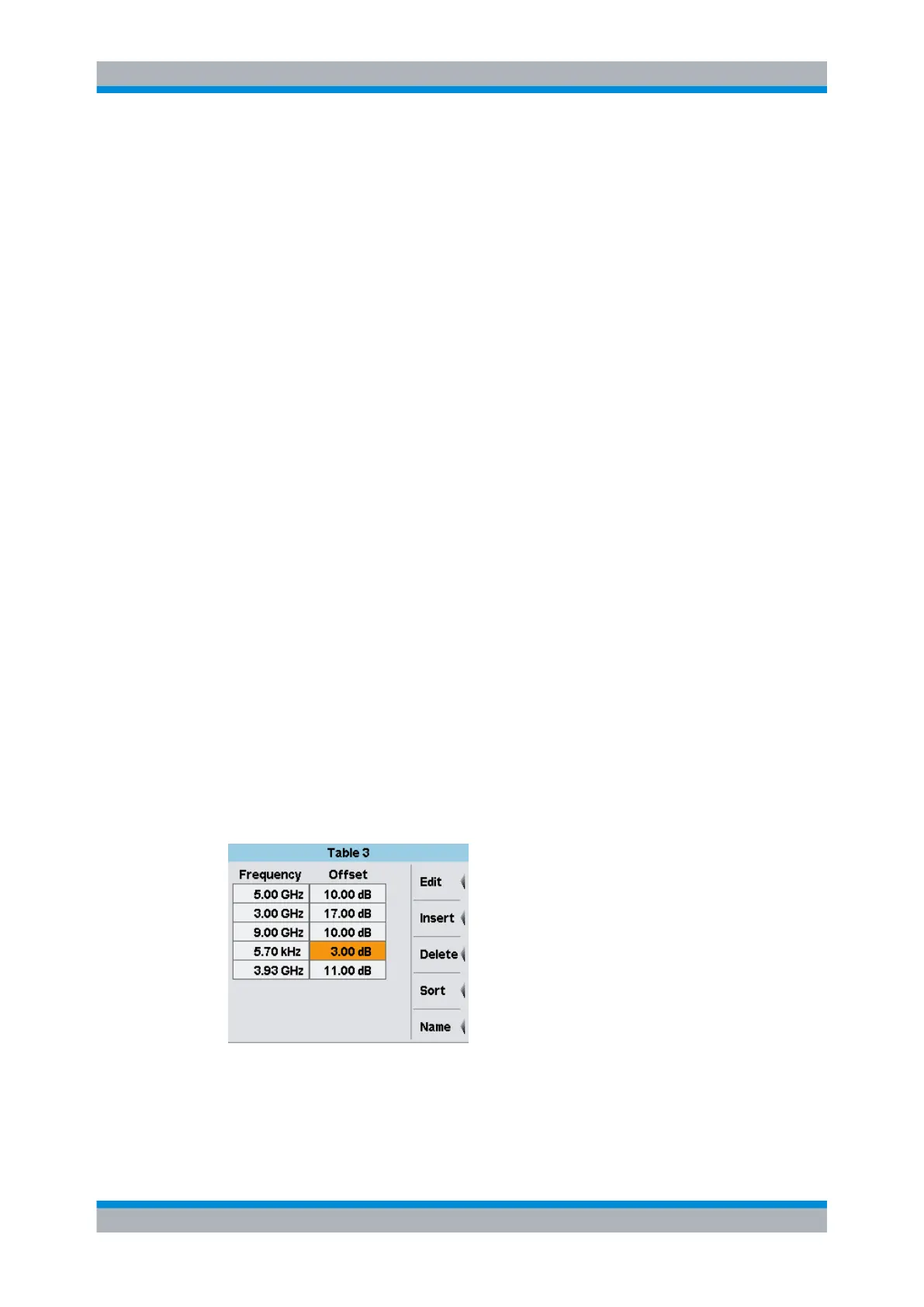
► To open the table editor, select "Sensor" > "Mode" > "Offset", and then "Edit
Table..." in the "Offset" dialog box.
Fig. 4-15: Table dialog box
The table editor displays the name of the table in its title bar, a two-column list with fre-
quency and offset value pairs and provides softkeys for data management.
Data acquisition and parameters



 To Next Page