Instrument Functions
R&S
®
NRP2
77User Manual 1173.9157.02 ─ 03
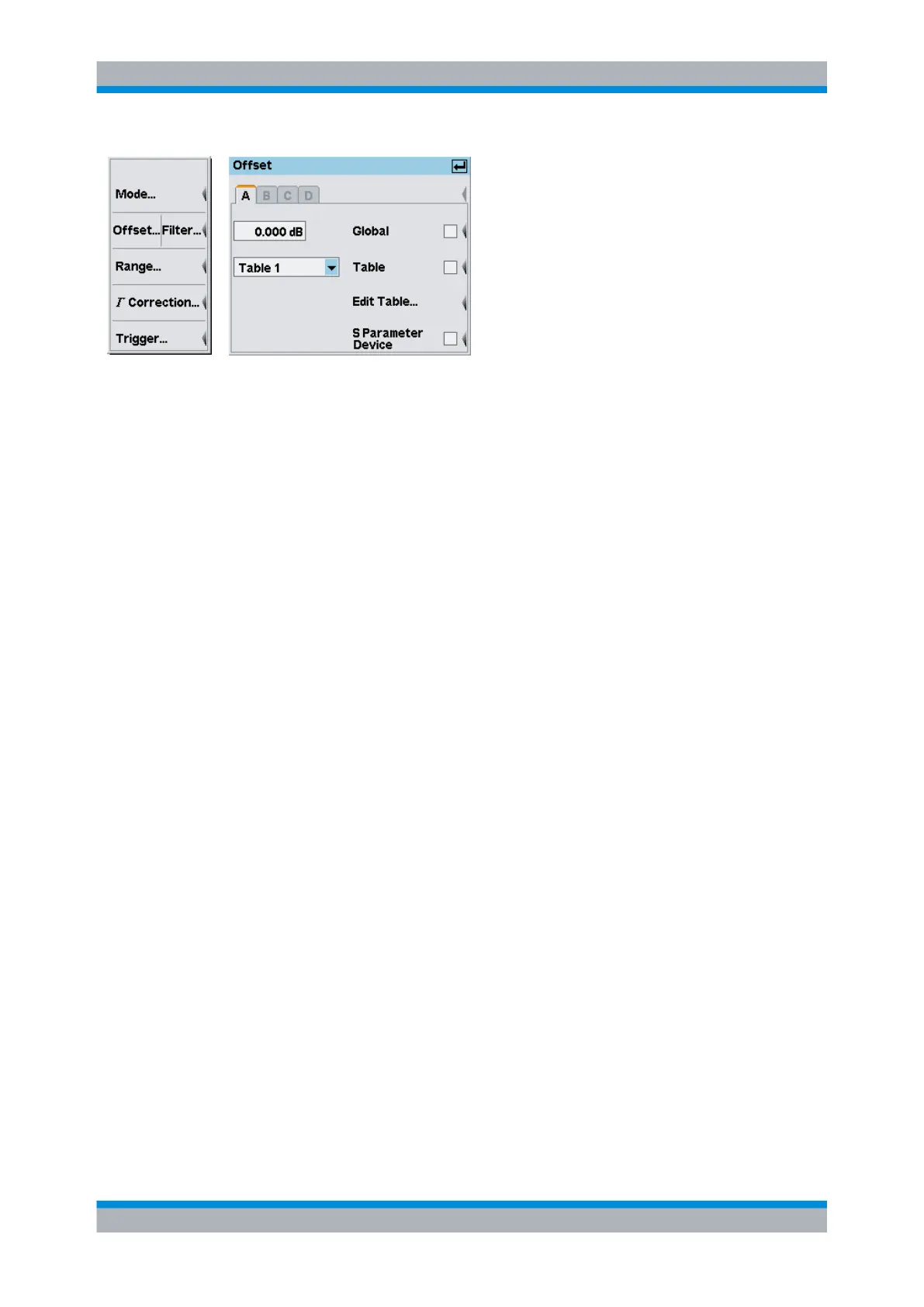
Fig. 4-14: Offset dialog box
A | B | C | D
Tabs for selecting the sensor.
Note: In remote-control commands, select the sensor with the suffix in command
SENSe<[1]..4>:..., i.e. choose suffix 1 for channel A, channel 2 for B, and so on.
Global (value)
Enters the global dB offset (dB offset).
Positive values correspond to external losses, negative values to external gains.
SCPI command:
[SENSe<[1]..4>]:CORRection:OFFSet on page 266
Global (state)
Activates/deactivates the global offset correction.
SCPI command:
[SENSe<[1]..4>]:CORRection:OFFSet:STATe on page 266
Table (name)
Opens an item list containing correction tables.
The instrument provides 10 tables with up to 80 frequency / offset pairs each. The default
labels are "Table 1" to "Table 10"; however, the names can be changed using the table
editor.
SCPI command:
[SENSe<[1]..4>]:CORRection:FDOTable[:SELect] on page 267
Table (state)
Activates/deactivates the frequency-dependent offset correction specified in the selected
table.
SCPI command:
[SENSe<[1]..4>]:CORRection:FDOTable:STATe on page 267
Data acquisition and parameters



 To Next Page