• Uppercase letters: A-Z
• Lowercase letters: a-z
• Numbers: 0-9
• Symbols: - .
4. Group column
Enter the group name of the host whiteboard. When you enter a group name, you can sort or filter the
rows by group. The number of characters must be 255 or less. If you omit the name, a blank entry is
added.
2. Save the file.
• You can specify any name for a file.
• Save the file as a Unicode little endian text file (.txt) with tab-separated values.
• There are different character encodings for Unicode. If the file is saved as a non-Unicode little
endian file, the file cannot be used. The screen which allows you to choose the format used to
save files differs according to the text editor or spreadsheet software you are using.
Display examples for Unicode little
endian format
Display examples for unavailable format
• Unicode
• Unicode text
• Unicode little endian
• UTF-16LE
• Unicode big endian
• UTF-16BE
• UTF-8
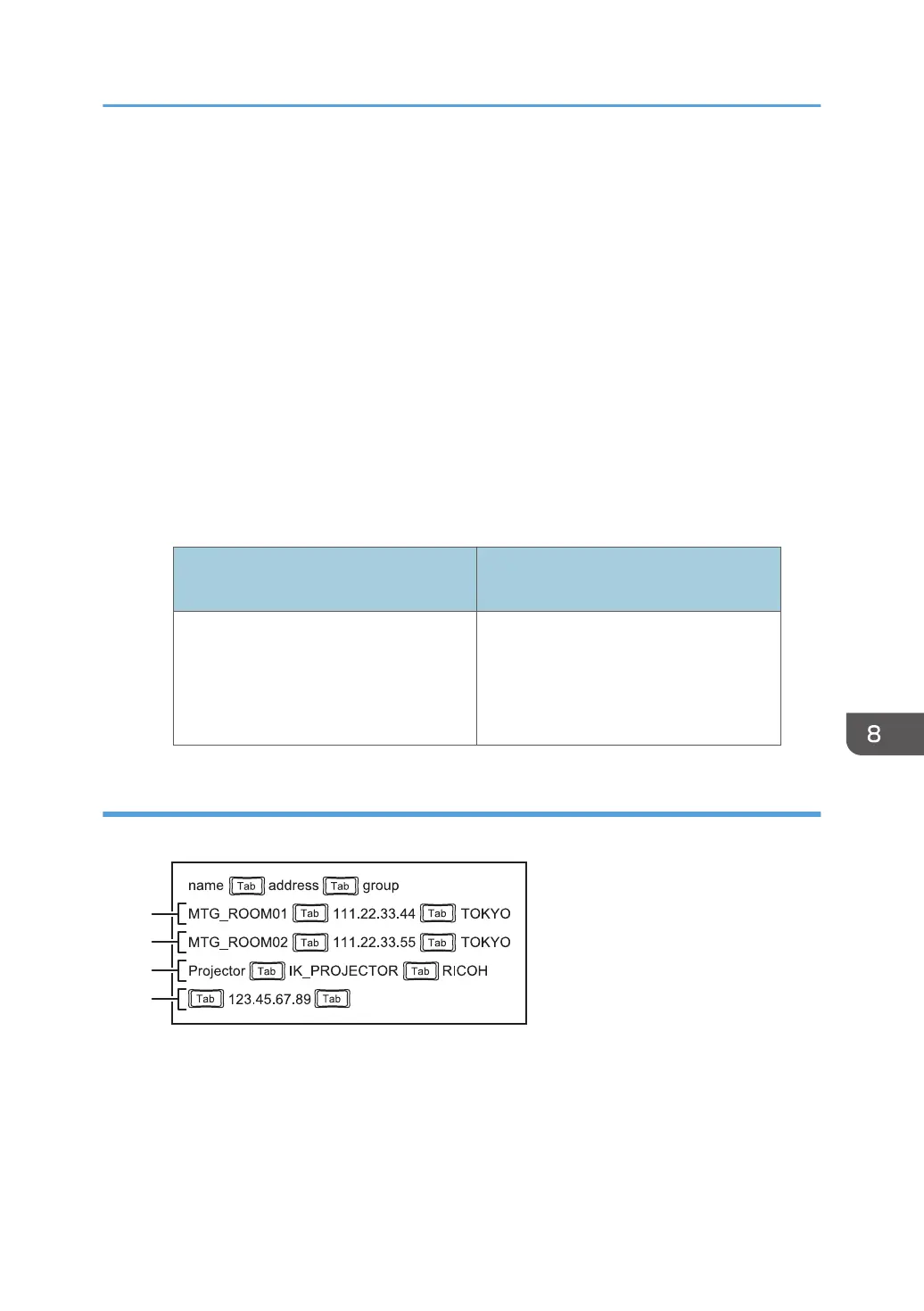
Sample contact list
Using a text editor such as Notepad to create a contact list
Managing a Remote Contact List
179



 To Next Page