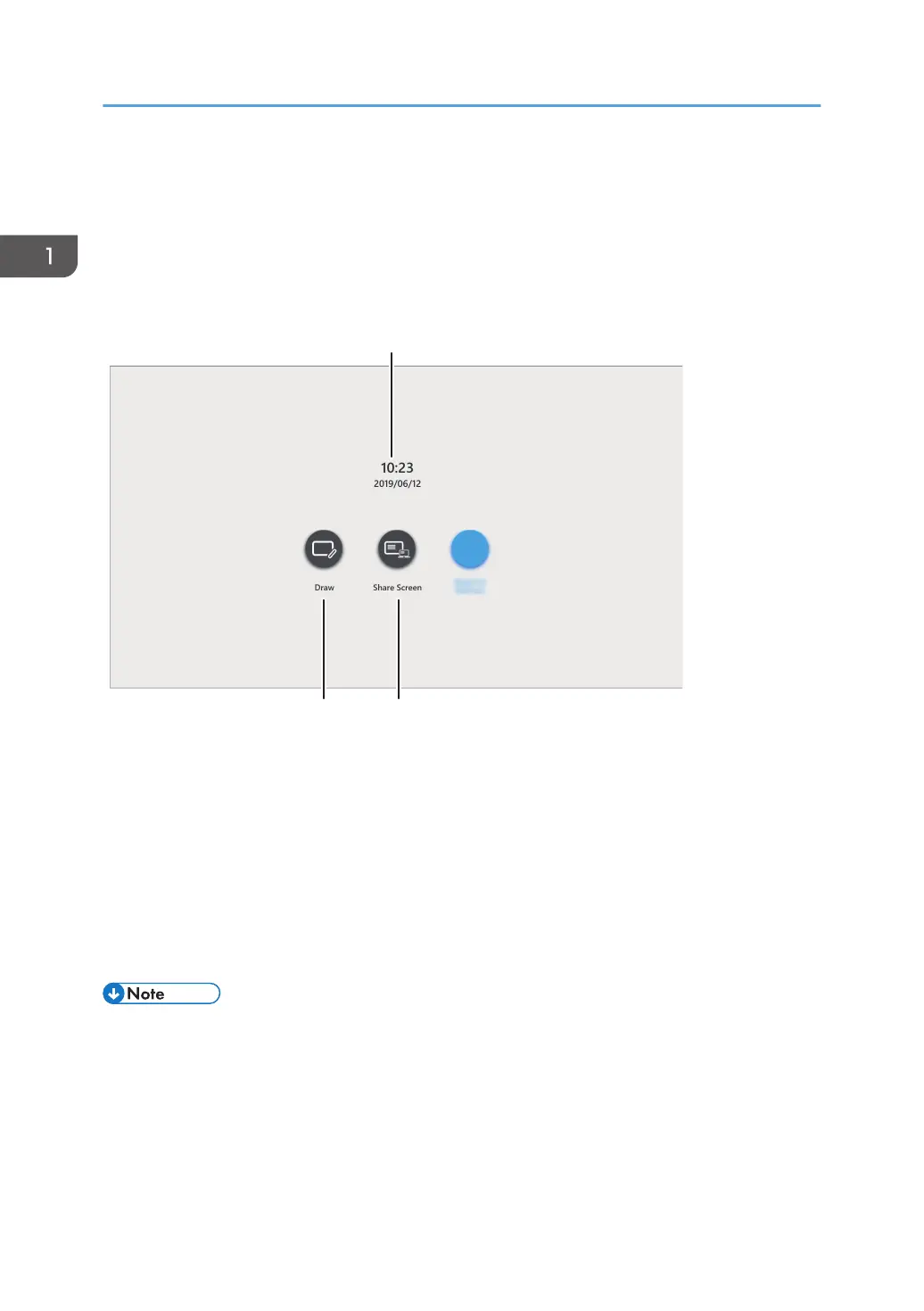
How to Use the Welcome Screen
Depending on the settings, the Welcome Screen may appear when the machine power is turned on or
the machine exits the standby mode. The icons of the machine's representative functions are displayed
on the Welcome Screen.
1. Date/Time
Displays the current date and time.
2. Draw
Touch the icon to close the Welcome Screen and display the whiteboard screen. You can perform basic
operations, such as writing, on the whiteboard screen.
3. Share Screen
Touch the icon to close the Welcome Screen and display the Display Guide for External Input on the
whiteboard screen. The guide lets you know how to display externally input images on the whiteboard screen.
• You can specify whether to display the Welcome Screen in the System Settings. For details, see
page 206 "Changing the System Settings".
• You can set any image as the Display Guide for External Input. For details, see page 206
"Changing the System Settings".
1. Overview
18



 To Next Page