The lower time limit must be smaller than the upper time limit.
All Bits:
Press All Bits to set the patterns of all the trigger sources to the pattern settings
selected currently.
Trigger Mode:
In the trigger control area (Trigger) on the front panel, press
to quickly switch
the current trigger mode. For details, refer to descriptions in "
Trigger Mode
".
Trigger Parameter Setting:
Sets the trigger parameters (trigger holdoff and noise rejection) under this trigger
type. For details, refer to descriptions in "
Trigger Holdoff
" and "
Noise Rejection
".
Trigger LEVEL/Threshold Level:
Rotate the Trigger
LEVEL knob to adjust the trigger level/ threshold level. Please
refer to descriptions in "
Trigger LEVEL/Threshold Level
". The current trigger level/
threshold level is displayed at the upper-right corner of the screen.
8.7.7 Timeout Trigger
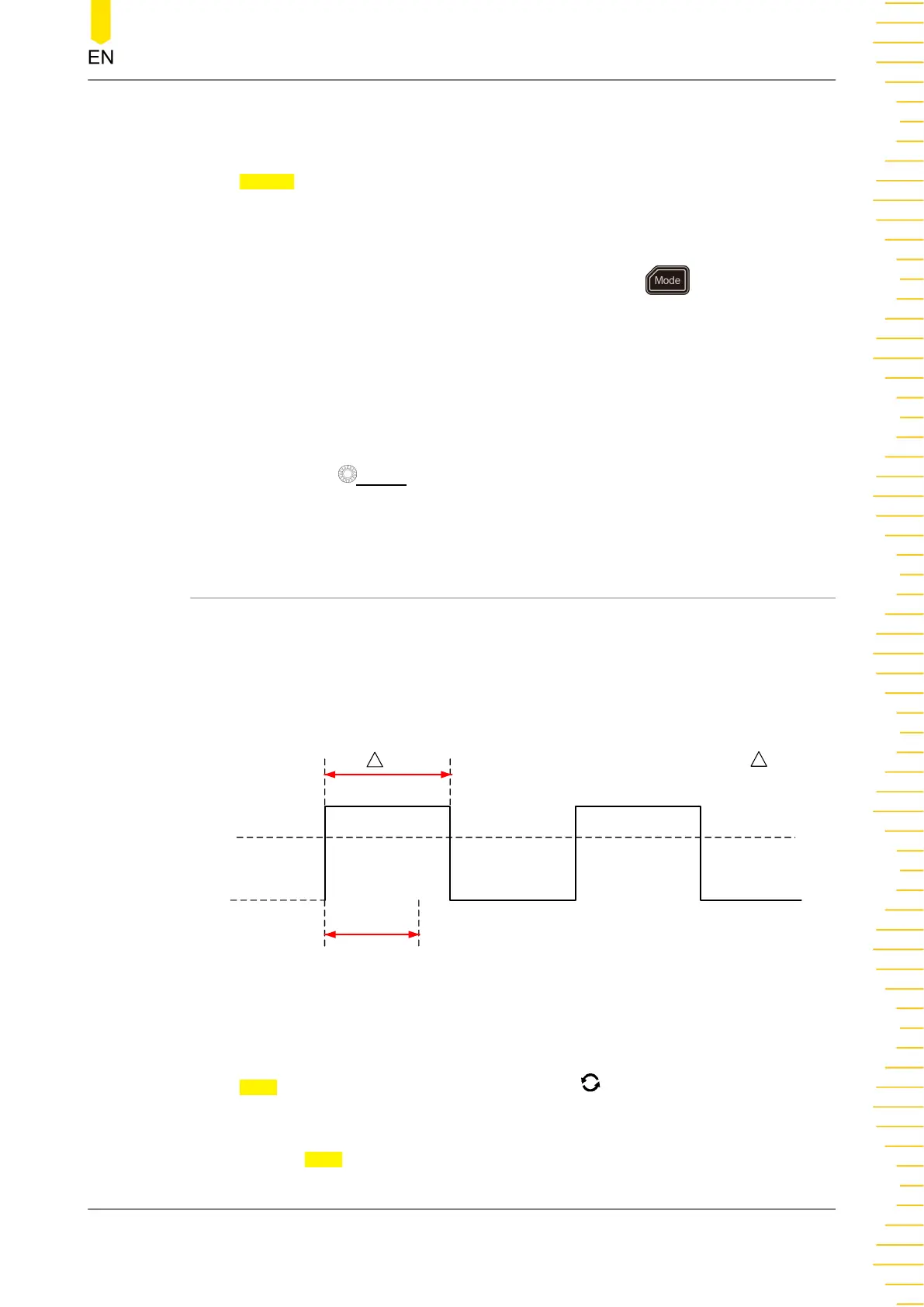
In Timeout trigger, the instrument triggers when the time interval (ΔT) (the time from
when the rising edge (or falling edge) of the input signal passes through the trigger
level to the time from when the neighboring falling edge (or rising edge) passes
through the trigger level) is greater than the preset timeout value, as shown in the
figure below.
Time Out
T
Time Out
<
T
Figure 8.8 Timeout Trigger
Trigger Type:
Press Type, and then rotate the multifunction knob to select "Timeout". Press
down the knob to select the type. Then, the current trigger setting information is
displayed at the upper-right corner of the screen, as shown in the figure below. You
can also press
Type continuously or enable the touch screen to select it.
To Trigger the Oscilloscope
Copyright ©RIGOL TECHNOLOGIES CO., LTD. All rights reserved.
97



 To Next Page