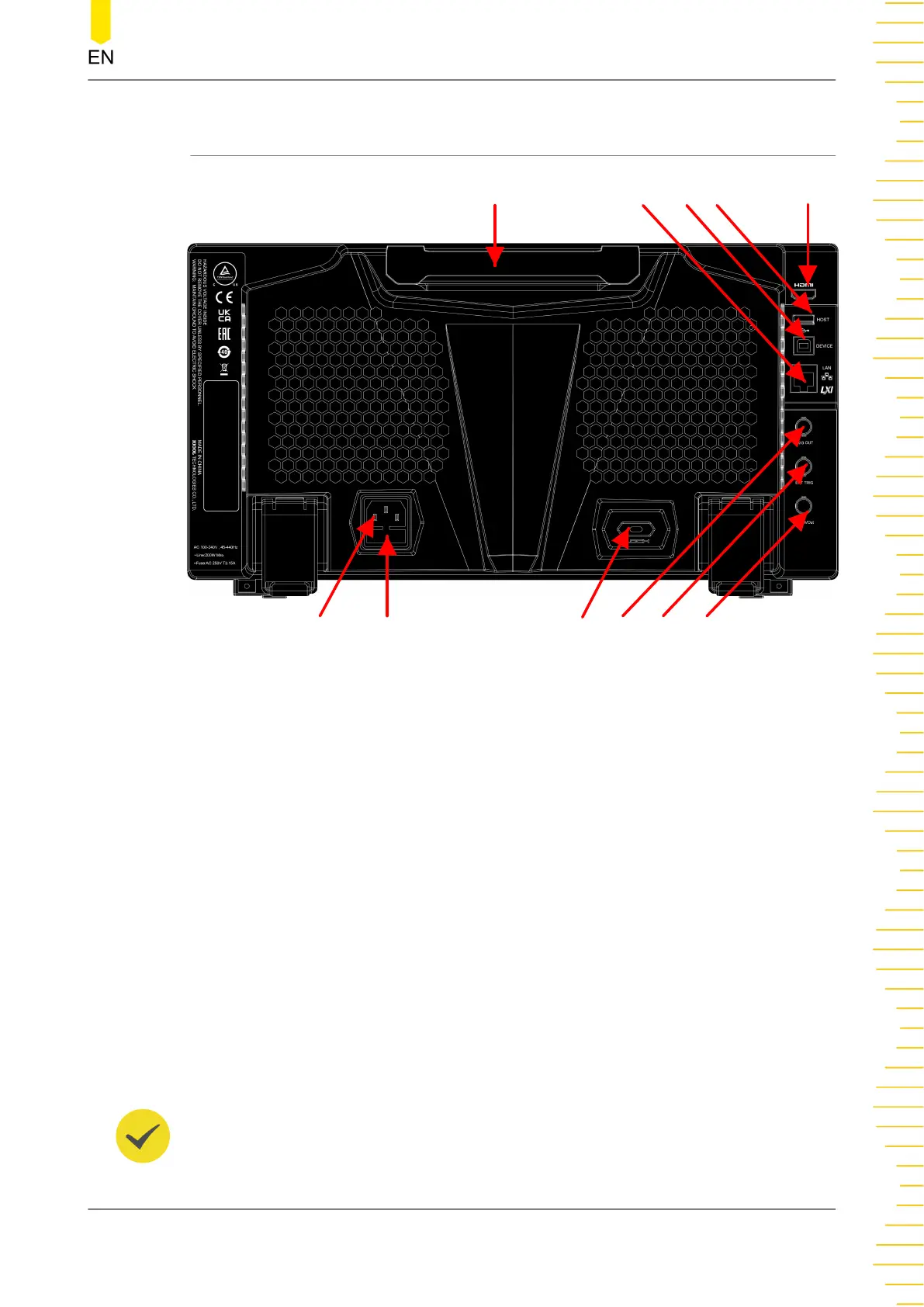
4.5 Rear Panel Overview
10 9 8
7 6
5
4
21
3
11
Figure 4.14 Rear Panel Overview
1. Handle
Rotate the handle upright to carry the instrument easily. Rotate it downward if you
do not need to carry it.
2.
LAN Interface
Connect the instrument to network via this interface. The instrument is in
compliance with the standards specified in LXI Device Specification 2011. It can be
used to set up a test system.
When you access to the Internet, you can use the Web Control or PC software
Ultra Scope to send the SCPI commands or use the user-defined programming to
control the instrument. When update is available, you can perform online
upgrading for the system software of the instrument via the LAN interface. After it
is connected to the network, you can print the waveform displayed on the screen
when you use the network printer.
TIP
Quick Start
Copyright ©RIGOL TECHNOLOGIES CO., LTD. All rights reserved.
23



 To Next Page