4.11 To Use the Built-in Help System
The help system of this oscilloscope provides instructions for all the function keys on
the front panel and their corresponding menu keys. The steps for opening the built-in
help system are as follows:
1. Press > System > Help, and then the "Help" menu is displayed on the
screen. You can also use the touch screen function , tap the navigation icon at
the lower-left corner of the touch screen to enable the function navigation. Tap the
"Help" icon, and then the "Help" menu is displayed on the screen.
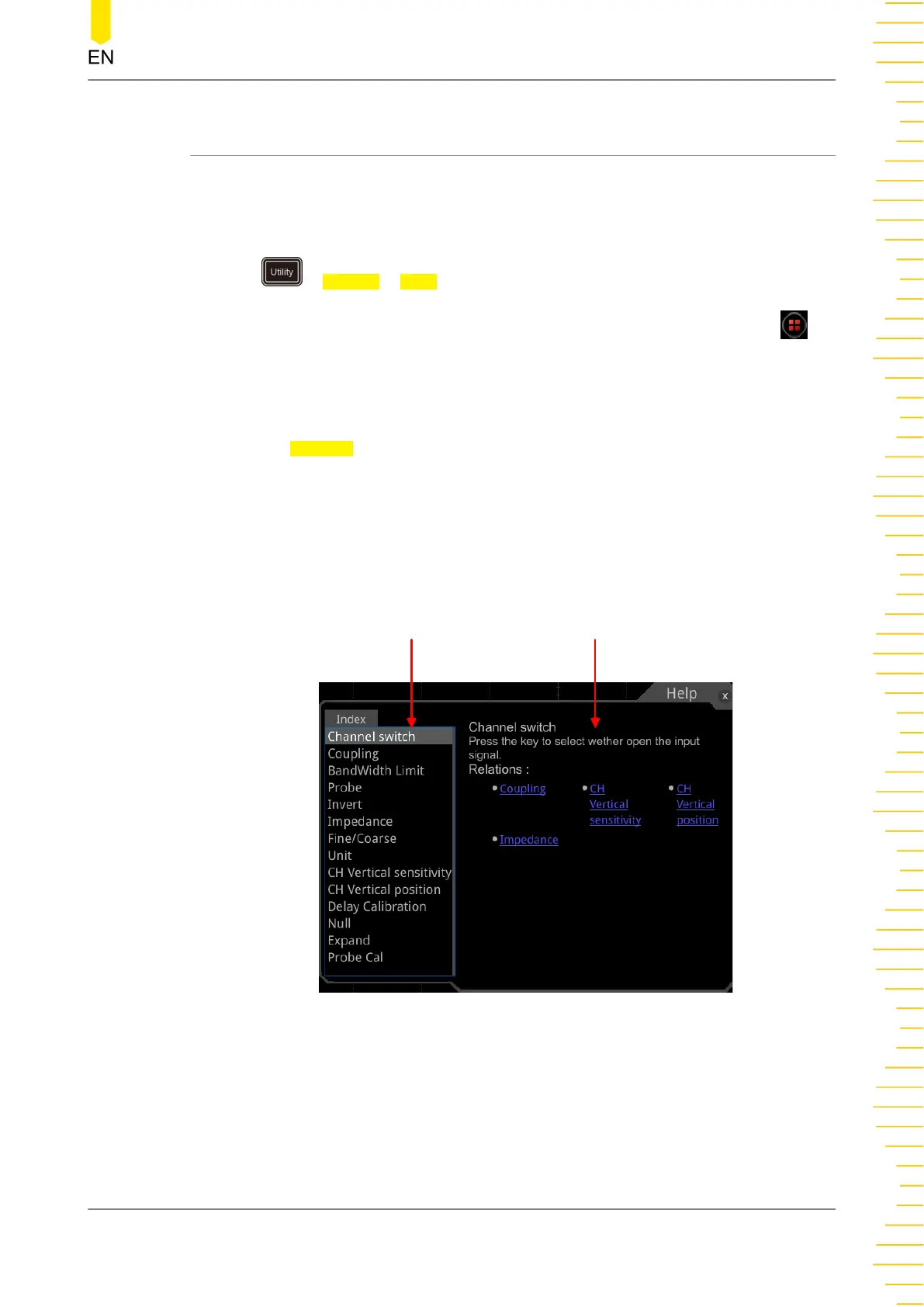
2. Press the Content menu key or tap the "Content" menu item, then the help
information is displayed on the screen, as shown in
Figure 4.23
. The help interface
mainly consists of two sections. The left section lists "Help Options", and the right
section is the "Help Display Area".
Help Options Help Display Area
Figure 4.23 Help Information
After opening the help interface, you can get its help information in the "Help Display
Area" through the following three methods:
Method 1:
Quick Start
Copyright ©RIGOL TECHNOLOGIES CO., LTD. All rights reserved.
43



 To Next Page