TIP
If the "Remove" sub-menu is not displayed in the current menu, when you select a certain
measurement item, the system will automatically enter the "Remove" sub-menu.
9.2.5 Statistical Function
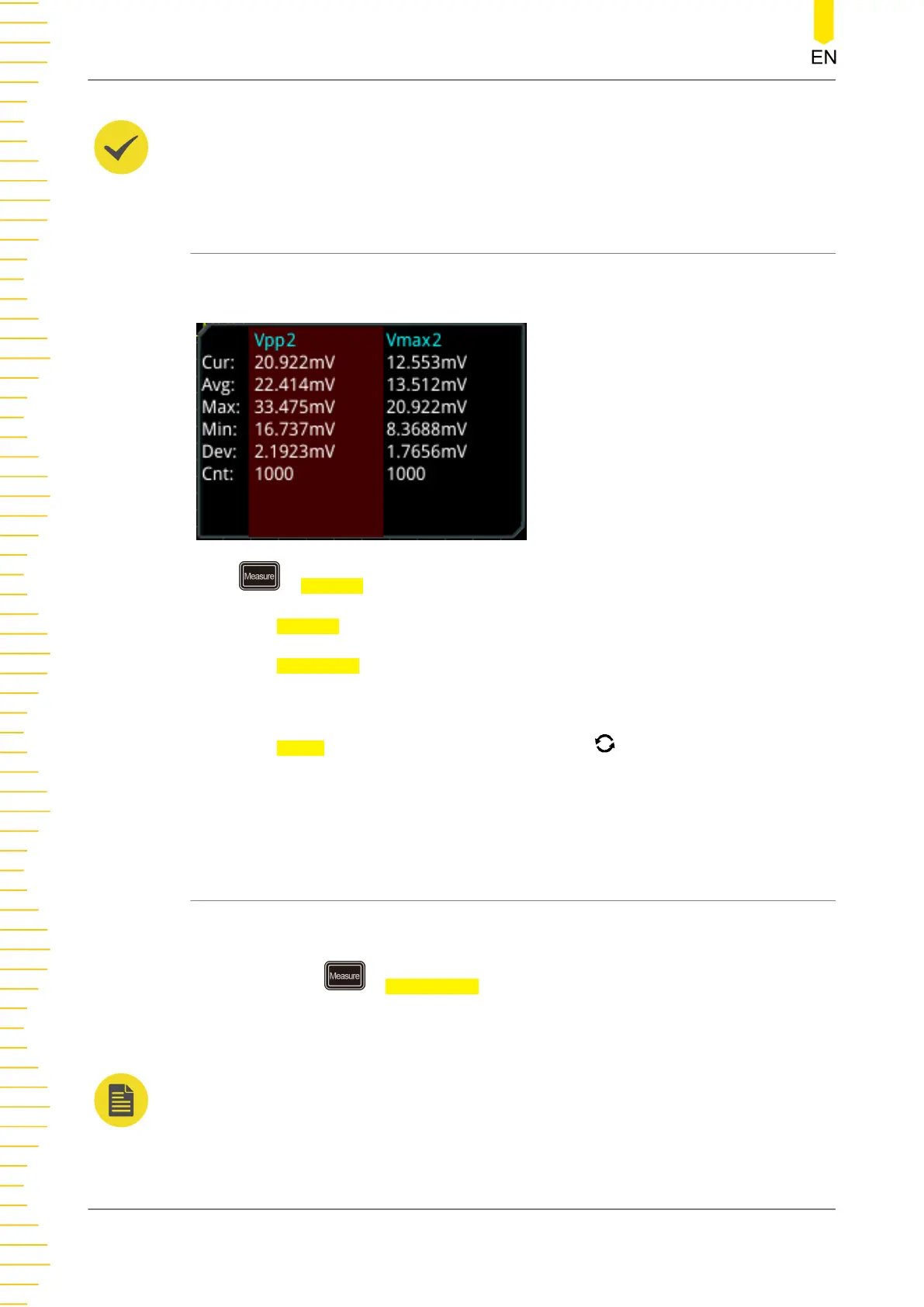
Performs statistics and displays the measurement results (Cur, Avg, Max, Min, Dev,
and Cnt) of at most 10 items, as shown in the figure below.
Press > Statistic to enter the sub-menu of "Statistic".
• Press Statistic to enable or disable the statistical function.
• Press
Reset Stat. to clear the history statistics data and makes parameters
statistics again.
• Press Count, then rotate the multifunction knob or use the pop-up numeric
keypad to set the count value. Its range is from 2 to 100000. Its default value is
1000.
9.2.6 All Measurement
All measurement could measure the time parameter, count value, voltage parameters,
and other parameters of the current measurement source and display the results on
the screen. Press > All Measure to select "OFF" (disabling the all measurement
function) or select the desired channel for measurement (CH1-CH4). If you select
"CH1", data of all measurement parameters of CH1 are displayed on the screen.
NOTE
The removal operation will not clear the measurement results of the all-measurement function.
Operations and Measurements
186
Copyright ©RIGOL TECHNOLOGIES CO., LTD. All rights reserved.



 To Next Page