- Parity error and EOF error
When both the parity error and the EOF error are detected, the error report
information (its display form is related to the value of the horizontal time base),
as shown in the following figure, will be displayed.
15.3 I2C Decoding (Option)
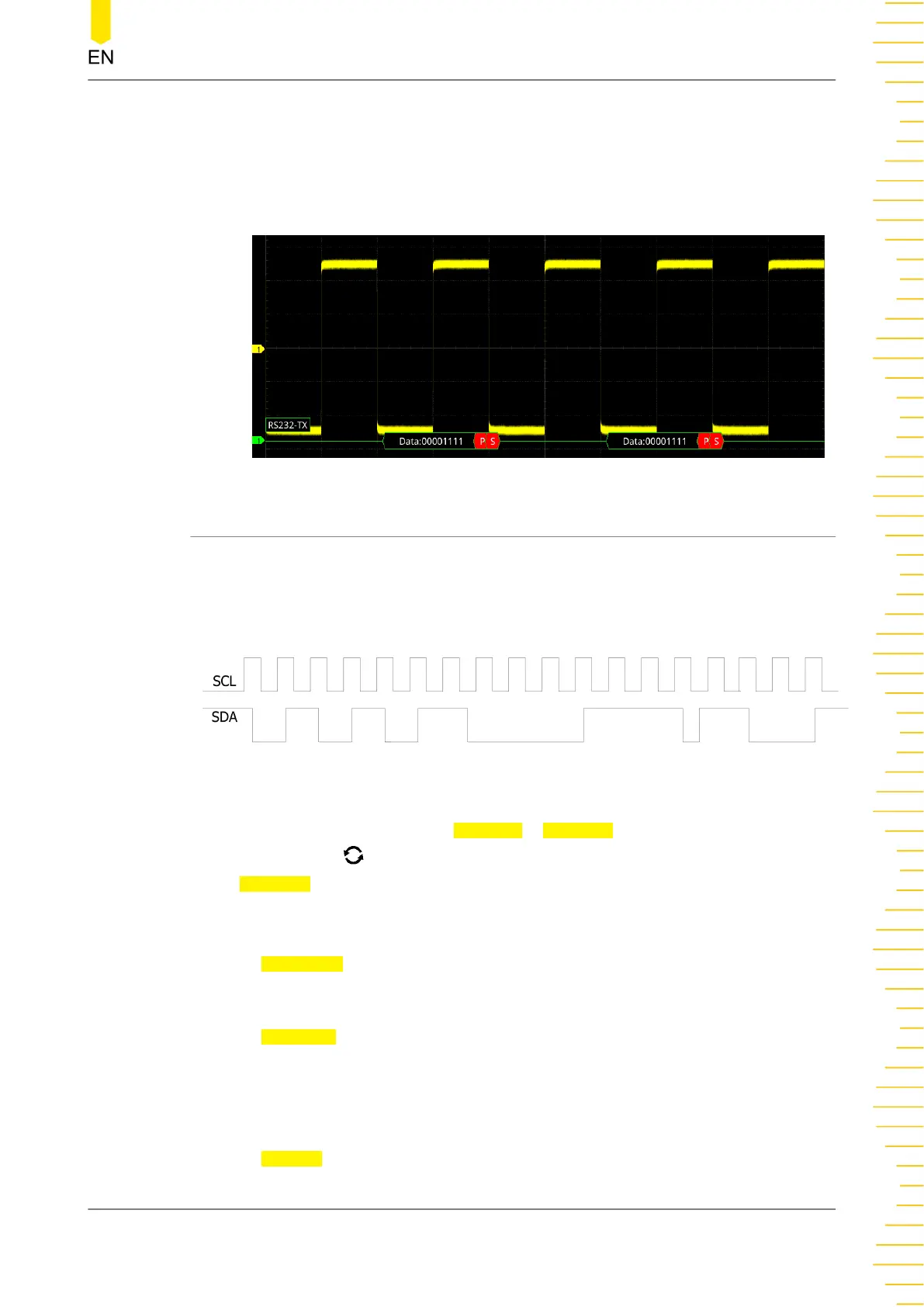
I2C serial bus consists of the clock line (SCL) and the data line (SDA).
SCL: samples SDA on the of rising or falling edge of the clock.
SDA: indicates the data channel.
Figure 15.5 I2C Serial Bus
In the decode setting menu, press Decode1 > Bus Type, then rotate the
multifunction knob to select "I2C". Press down the knob to select it. You can also
press Bus Type continuously or enable the touch screen to select it.
1. Enable or Disable the Bus
Press Bus Status continuously to enable or disable the decoding function.
2. Quickly Apply I2C Trigger Settings to I2C Decoding
Press
Copy Trig to copy the current I2C trigger settings (SCL and SDA) and apply
them to I2C decoding function (SCL and SDA). For analog channels, the threshold
level settings will also be copied.
3. Set the Source
Press
Sources to enter the signal setting menu.
Protocol Decoding
Copyright ©RIGOL TECHNOLOGIES CO., LTD. All rights reserved.
243



 To Next Page