Bit
Times
Bit
Times
Data
Word
Bit
Times
Status
Word
Sync Remote Terminal Address
5 5 5
T/R
Subaddress / Mode
Word Count /Mode Code
P
P
16
Sync
16-bit Data
Sync
Remote Terminal Address
5 3
Message Error
Service Request
Instrumentation
Broadcast CMD Received
Busy
Subsystem Flag
Dynamic Bus Acceptance
Terminal Flag
Odd Parity
1
2 3 4 5 6 7 8 9 10 11 12 13 14 15 16 17 18 19 20
1
2 3 4 5 6 7 8 9 10 11 12 13 14 15 16 17 18 19 20
1
2 3 4 5 6 7 8 9 10 11 12 13 14 15 16 17 18 19 20
Command
Word
Reserved
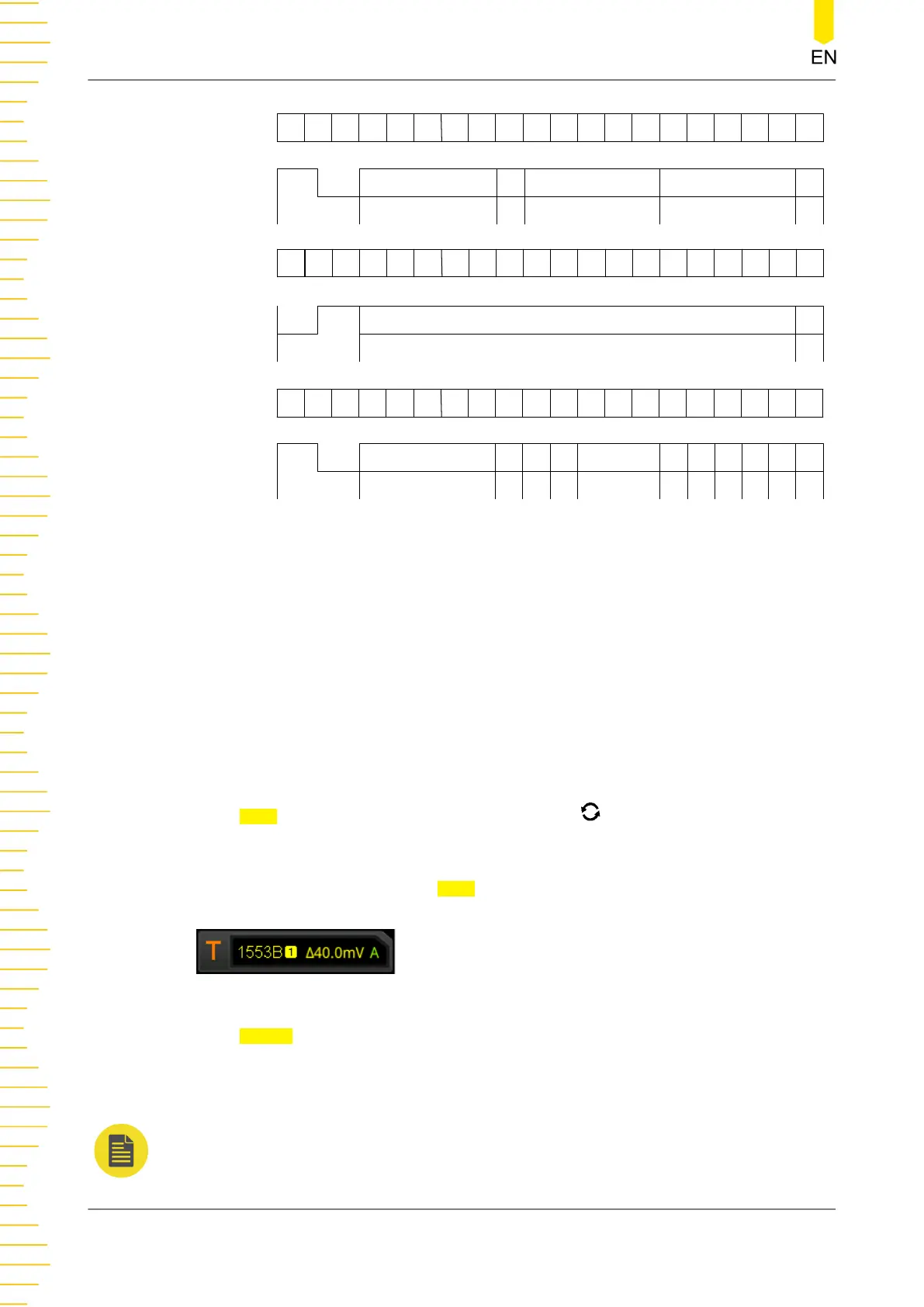
Figure 8.24 Formats of the Command Word, Data Word, and Status Word of the
1553B Bus
Trigger Type:
Press
Type, and then rotate the multifunction knob to select "MIL-STD-1553".
Press down the knob to select the trigger type. Then, the current trigger setting
information is displayed at the upper-right corner of the screen, as shown in the
figure below. You can also press
Type continuously or enable the touch screen to
select it.
Source Selection:
Press
Source to open the signal source list and select CH1-CH4. For details, refer to
descriptions in "
Trigger Source
". The current trigger source is displayed at the upper-
right corner of the screen.
NOTE
Only when we select the channel (that has been input with signals) as the trigger source, can
we obtain a stable trigger.
To Trigger the Oscilloscope
130
Copyright ©RIGOL TECHNOLOGIES CO., LTD. All rights reserved.



 To Next Page