9.3 Cursor Measurement
Cursor measurement can measure the X axis values (e.g Time) and Y axis values (e.g.
Voltage) of the selected waveform. Before making cursor measurement, connect the
signal to the oscilloscope to acquire stable display. All the parameters supported by
the "
Auto Measurement
" function can be measured with cursor measurement. The
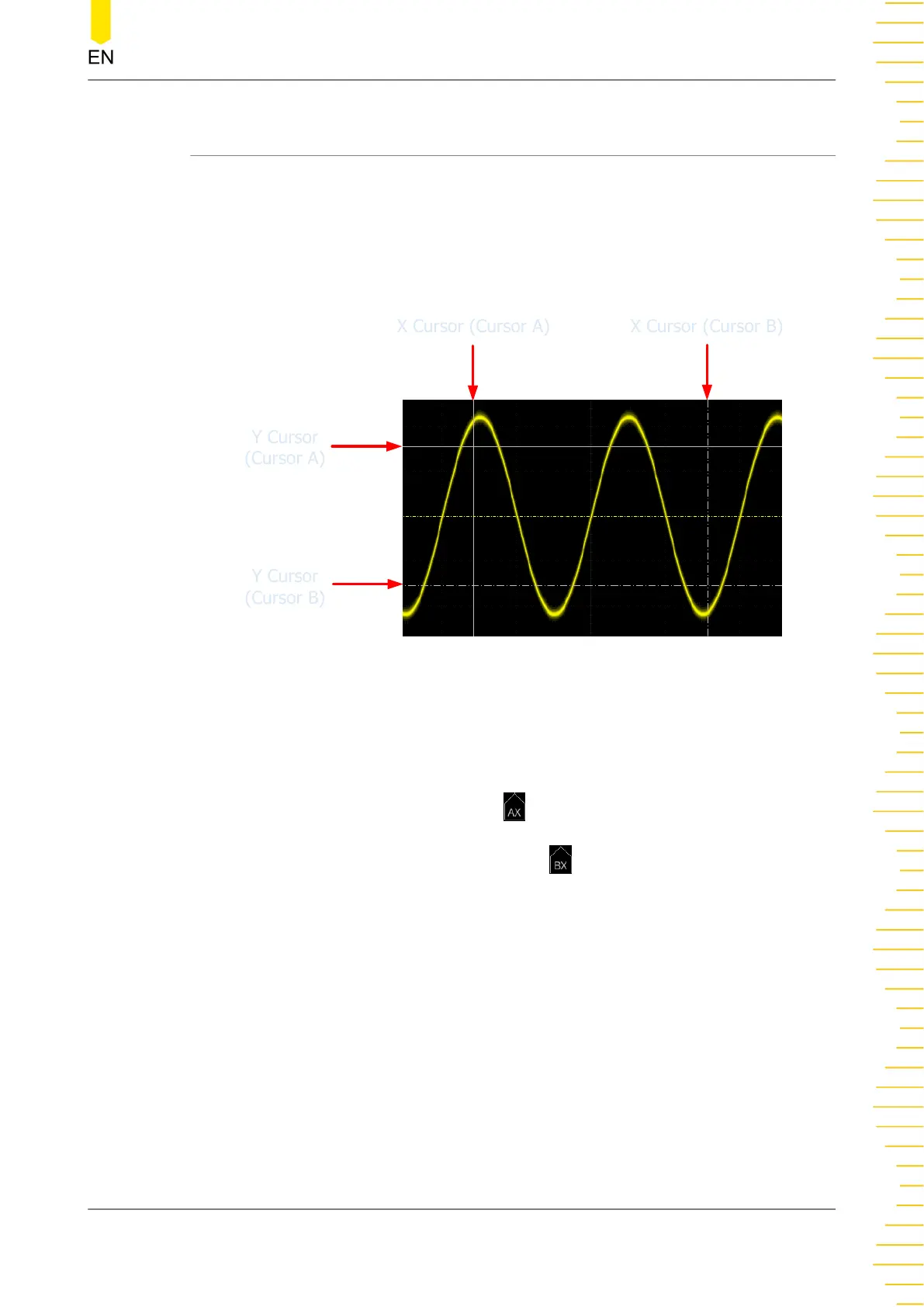
cursor measurement function provides the following two cursors.
X Cursor (Cursor A)
X Cursor (Cursor A)
X Cursor (Cursor B)
X Cursor (Cursor B)
Y Cursor
(Cursor A)
Y Cursor
(Cursor A)
Y Cursor
(Cursor B)
Y Cursor
(Cursor B)
• X Cursor
X cursor is a vertical solid/dotted line that is used to make horizontal
adjustments. It can be used to measure time (s), frequency (Hz), phase (°), and
ratio (%).
- Cursor A is a vertical solid line (
is displayed at the bottom of the screen),
and Cursor B is a vertical dotted line ( is displayed at the bottom of the
screen).
- In the X-Y cursor mode, X cursor is used to measure the waveform
amplitude of CH1.
• Y Cursor
Y cursor is a horizontal solid/dotted line that is used to make vertical
adjustment. It can be used to measure amplitude (the unit is the same as that of
the source channel amplitude) and ratio (%).
Operations and Measurements
Copyright ©RIGOL TECHNOLOGIES CO., LTD. All rights reserved.
187



 To Next Page