When the source channel of MISO or MOSI is set to "OFF", information of the data line
is not displayed in the data table.
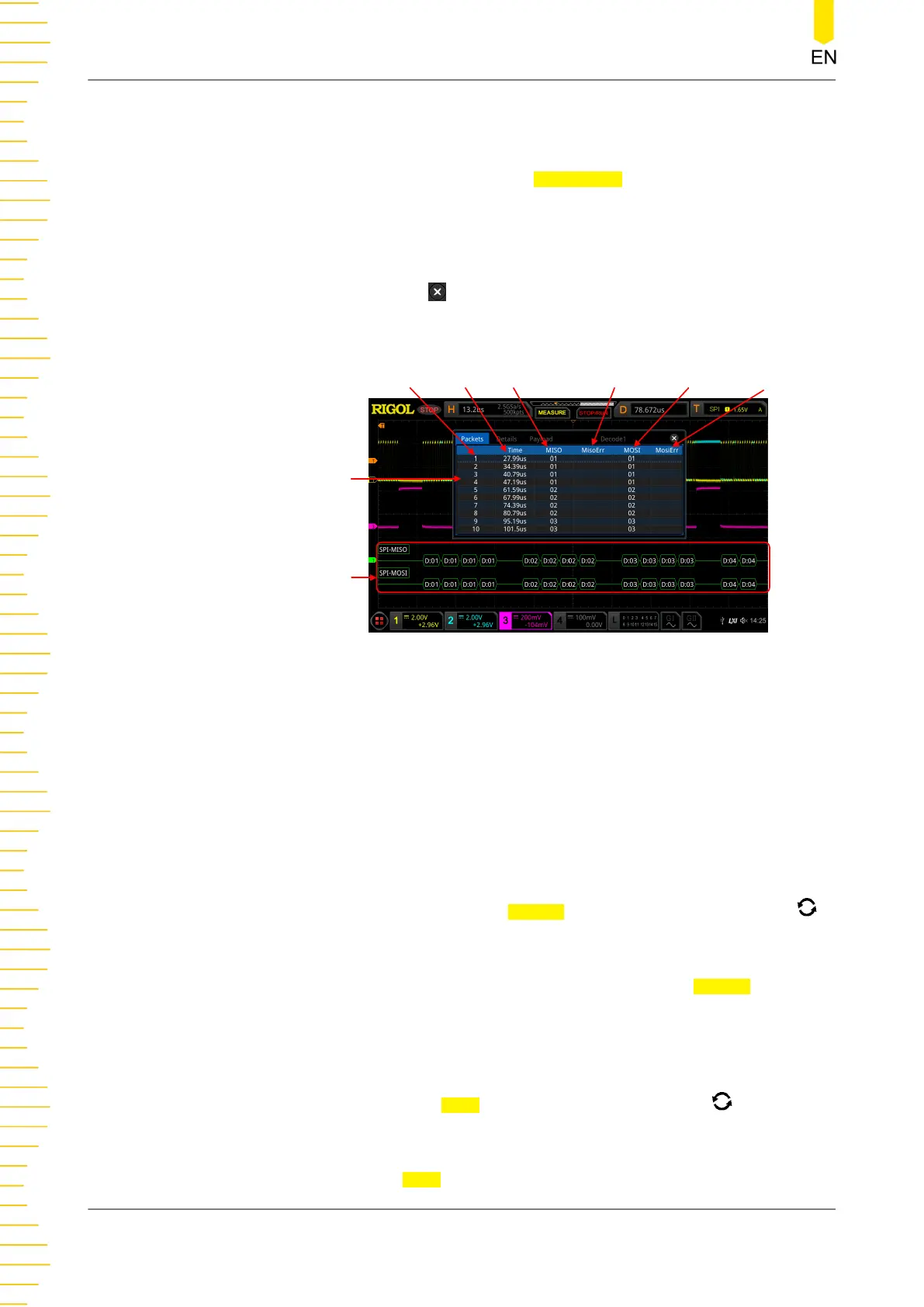
- Open or close the event table: Press Event Table continuously to enable or
disable the display of the event table. When enabled, the following event
table as shown in
Figure 15.8
is displayed. You can also enable the touch
screen to tap the icon at the right-upper corner of the event table to close
it.
SPI Bus
Event Table
Line Number
Time
MISO ErrorMISO Decode Data MISO Decoding Data MISO Error
Figure 15.8 SPI Decoding Event Table
NOTE
- When you adjust the horizontal time base, the waveform displayed on the screen
will also change, and the total number of lines containing the decoding
information in the event table will also be changed.
- The displayed decoded data information in the bus is related to the value of the
horizontal time base. Reducing the horizontal time base can help you view the
detailed information.
- Set the event table format: Press Format, rotate the multifunction knob
to select the display format of "Data" (MISO and/or MOSI) in the event table.
Then, press down the knob to select it. You can also press Format
continuously or enable the touch screen to select it. The available formats
include Hex, Dec, Bin, and ASC.
- Set the view type: Press View, rotate the multifunction knob to select the
form of the event table to be viewed. Then, press down the knob to select it.
You can also press View continuously or enable the touch screen to select it.
Protocol Decoding
252
Copyright ©RIGOL TECHNOLOGIES CO., LTD. All rights reserved.



 To Next Page